
Infrastructure
Why Web60's One-Click Staging Beats Drag-and-Drop Builders for Client Workflows
Everyone says drag-and-drop page builders like Elementor and Divi are the solution to client collaboration problems. You have probably heard this promise: visual editing equals better client workflows, fewer revision cycles, and happier customers. The reality is quite different. These builders create new bottlenecks whilst solving none of the underlying issues that plague client-agency relationships. The real myth here is that visual editing improves collaboration. What clients actually need is not another way to break their live website, but a safe environment where they can see, test, and approve changes without risk. Web60's one-click staging environments solve the actual problem that drag-and-drop builders promise to fix but never deliver on.
The Drag-and-Drop Promise vs. Reality: Where Visual Builders Fall Short
The marketing pitch sounds compelling. Install Elementor or Divi, hand clients visual editing access, and watch collaboration improve overnight. No more back-and-forth emails about button colours or spacing adjustments. Just drag, drop, done.
Except it never works that way in practice.
First, the performance hit is brutal. Recent testing by WP Astra shows Elementor dropping desktop performance scores from 93 to 84, with mobile scores plummeting from 90 to 75. That is a 15-point mobile performance drop for the privilege of visual editing. WP Rocket's comparative analysis puts Elementor at 75/100 mobile performance versus Divi's even worse 64/100 score.
Then there is the dependency problem. Your Cork hair salon client gets comfortable dragging modules around. Great. Until they accidentally delete a critical element, break the mobile layout, or create a design that looks terrible on actual devices. Now they cannot fix it themselves, and you are fielding emergency support calls.
The visual editing promise assumes clients understand design principles, responsive behaviour, and user experience. Most do not. A Kilkenny craft brewery owner knows beer, not CSS grid systems. Giving them visual editing tools is like handing a Formula 1 steering wheel to someone who has never driven.
Meanwhile, you are locked into the builder ecosystem. Custom functionality requires builder-specific solutions. Migration becomes a nightmare because your beautifully designed site is trapped in proprietary shortcodes and custom post types. The freedom to switch hosts, themes, or development approaches evaporates.
Elementor powers over 4 million WordPress websites, according to Spectra's analysis. That widespread adoption masks a fundamental problem: these tools solve the wrong problem entirely.
Client Workflow Bottlenecks: The Hidden Costs of Template Constraints
The real workflow problem is not that clients cannot edit visually. It is that they cannot see changes safely before they go live.
Consider this common scenario: A Dublin estate agent wants to test a new property showcase layout. With traditional WordPress, they either edit the live site (risky) or rely on developer descriptions (frustrating). With page builders, they get visual editing but risk breaking everything with one wrong click.
Neither solution addresses the core issue: clients need a safe space to experiment.
Page builders actually create new bottlenecks. Template constraints limit design possibilities. A Limerick accountancy firm wants a specific testimonial layout that does not fit any available Divi module. Now you are either forcing a square peg into a round hole or building custom modules that defeat the entire purpose of visual editing.
The collaboration myth runs deeper. Clients see the visual interface and assume editing is simple. They do not understand that moving one element can break responsive layouts, affect page speed, or compromise SEO elements. You end up spending more time fixing client 'improvements' than building the original design.
Version control becomes impossible. Page builders store design data in complex database structures that lack the kind of database access that professional WordPress development requires. Rolling back a specific change whilst preserving others requires surgical precision that most backup systems cannot deliver. Your client accidentally deletes the navigation menu on Friday evening. Good luck reverting just that change without losing a week of other updates.
Performance overhead compounds over time. Verpex's analysis shows page builders generate more HTML than experienced developers would write by hand, creating additional DOM nodes that slow browser rendering. Next3 Offload reports that 53% of users abandon websites taking longer than 3 seconds to load. Page builder overhead directly impacts conversion rates.
The hidden cost is design mediocrity. Template-based approaches produce template-looking websites. Every Elementor site shares similar visual patterns because clients naturally choose familiar layouts from the pre-built options. Your competitive advantage evaporates when every local business uses the same visual framework.
Dynamic Staging Environments: How Web60 Solves Real Collaboration Problems
Web60's one-click staging environments attack the actual collaboration problem: giving clients safe preview access without compromising live sites or limiting design possibilities.
Here is how it works in practice. A Waterford manufacturer wants to review product catalogue updates before they go live. Instead of visual editing tools, you create a staging environment with one click. Make the changes using whatever tools suit the project: custom code, premium themes, or yes, even page builders if the project demands it. The client reviews everything in a perfect replica of their live site.
No performance overhead. No template constraints. No risk of breaking anything.
The staging environment preserves complete design freedom. Want to implement a custom WooCommerce checkout flow? Build it properly with clean code. Need advanced animations that page builders cannot handle? Implement them directly. The client sees the finished result in staging before approving deployment to production.

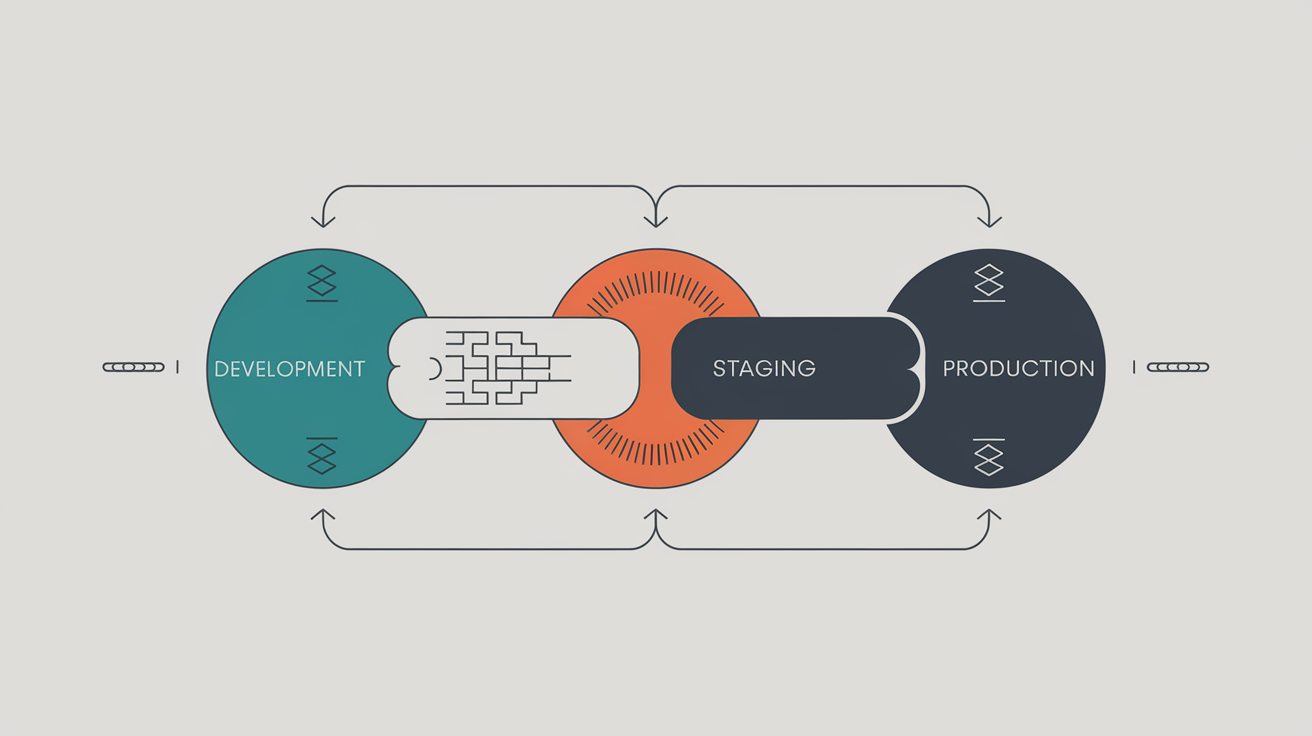
Pantheon's workflow guide identifies the three-environment approach (Development > Staging > Production) as standard best practice for professional agencies. Web60's implementation makes this enterprise-level workflow accessible to Irish SMEs.
Consider the revision cycle improvement. Traditional workflow: client requests changes, you implement them live or describe them verbally, client asks for adjustments, repeat. Staging workflow: implement changes in staging, client reviews actual result, approve or reject in one decision. The difference is night and day for project timelines.
Security benefits multiply. Clients never access production WordPress admin panels. They cannot accidentally install problematic plugins, create security vulnerabilities, or break critical functionality. All testing happens in isolation.
Rollback capabilities preserve sanity. Client approves staging changes, you deploy to production, something unexpected breaks. One-click rollback returns the live site to the previous working state whilst preserving the staging environment for troubleshooting.
The collaborative aspect finally works correctly. Clients see exactly what visitors will experience, not an administrative editing interface. They review performance, test functionality, and approve designs based on actual user experience rather than backend previews that never match frontend reality.
Performance Impact Analysis: Staging vs. Page Builder Overhead
The performance mathematics are unforgiving. Page builders add layers of abstraction that staging environments eliminate entirely.
Elementor and Divi load additional CSS and JavaScript files even when not actively editing. These resources increase page weight, add HTTP requests, and create parsing overhead that affects Core Web Vitals scores. Staging environments add zero production overhead because they exist separately from live sites.
Belov Digital Agency documented a 30% performance improvement when Zelros B2B insurance company migrated from builder-dependent workflows to staging-first development. The improvement came from eliminating builder overhead whilst maintaining design flexibility through clean code implementation.
Divi acknowledged these limitations when announcing Version 5, specifically citing current design model performance issues that require complete architectural overhaul. Kinsta's comparative analysis notes that Divi improved backend performance by 100-700% in January 2021 updates, reducing module hover time from 891ms to 383ms. The fact that such dramatic improvements were necessary reveals the depth of original performance problems.
Staging environments preserve WordPress performance optimisation. Web60's managed stack includes Redis object caching, FastCGI page caching, and Nginx reverse proxy acceleration. Page builders can interfere with caching systems or bypass optimisations entirely through dynamic content generation.
Real-world impact varies by implementation complexity. A simple business website might show minimal page builder impact. An e-commerce site with complex product layouts, customer account systems, and checkout flows will demonstrate significant performance degradation when filtered through builder abstraction layers.
The compound effect matters most. Page builder overhead affects every visitor interaction, not just editing sessions. Staging environment overhead affects development workflow only, with zero impact on visitor experience. For an Irish SME targeting mobile-first customers with limited patience, this distinction determines commercial success.
Core Web Vitals optimisation becomes straightforward with staging environments. Test performance improvements, measure results, deploy only changes that enhance user experience. Page builders make this process nearly impossible through performance overhead that masks underlying optimisation efforts.
Security and Version Control: Why Staging Wins for Professional Workflows
Security vulnerabilities multiply when clients have visual editing access to live websites. Page builders require elevated WordPress permissions that create attack vectors. Staging environments eliminate live site exposure entirely.
Consider the permission model. Elementor requires Editor or Administrator access to function properly. Clients with these permissions can install plugins, modify themes, access sensitive configuration settings, or accidentally expose security information. Every additional user with elevated permissions increases potential breach points.
Staging environments require no production access. Clients review changes through read-only preview URLs. They cannot modify anything directly, cannot install unauthorized software, cannot access administrative functions. The live website remains completely isolated from client interaction.
Version control becomes mission-critical for professional workflows. Page builders store design data in complex database structures that resist traditional backup strategies. WordPress core files, theme files, and plugin files follow predictable patterns. Page builder data exists in serialized meta fields that require specialised tools to manage safely.
Web60's automatic nightly backups capture complete site states, but restoring specific elements from page builder implementations requires surgical precision. Staging environments make version control straightforward: deploy changes as complete packages, rollback complete packages when necessary.
The security model extends to client data handling. GDPR compliance requires careful data management throughout development workflows. Staging environments can use anonymized or synthetic data for testing, protecting customer information during development phases. Page builders operating on live sites necessarily expose real customer data during editing sessions.
Malware scanning becomes more effective with staging workflows. Web60's automatic malware scanning can detect threats in staging before they reach production. Page builder modifications might introduce vulnerable code that bypasses security scanning until after deployment.
Update management improves significantly. WordPress core updates, plugin updates, and theme updates can be tested thoroughly in staging before affecting live sites. Page builder updates often include significant interface changes that require client retraining. Staging environments let you evaluate update impacts before forcing changes on clients.
Cost-Benefit Analysis: Long-term Value of Staging vs. Builder Licences
The economics favour staging environments once you factor in total ownership costs and opportunity benefits.
Page builder licensing creates ongoing expenses. Elementor Pro costs $199 annually for 1000 sites. Divi costs $89 annually for unlimited sites but locks you into Elegant Themes ecosystem. These fees multiply across client sites and continue indefinitely.
Web60's €60 annual hosting includes staging environments without additional fees. One client project recoups the entire annual hosting cost whilst providing enterprise-level workflow capabilities.
Development time savings compound quickly. Belov Digital Agency's case study shows staging workflows reducing project timelines through fewer revision cycles. Clients approve or reject changes in single decisions rather than iterative adjustment processes that page builders encourage.
Maintenance costs favour staging approaches. Clean code implementations require less ongoing maintenance than page builder websites. Security updates, performance optimisations, and compatibility fixes apply predictably to standard WordPress installations. Page builder sites require additional testing for builder-specific functionality.
Client retention improves with professional workflows. Agencies using staging environments can offer enterprise-level project management to SME clients. The competitive differentiation commands premium pricing that justifies infrastructure investments.
Migration flexibility preserves long-term value. Websites built with staging workflows using clean code can migrate to any hosting provider or development approach. Page builder implementations create vendor lock-in that increases switching costs and reduces negotiating power.
Scaling economics make staging essential. A Galway-based agency managing 20 client sites benefits more from systematic staging workflows than 20 separate page builder licences. Professional tools enable professional pricing structures.
If you are running 50 WooCommerce stores with a dedicated DevOps team billing €200k annually, Kinsta's enterprise infrastructure genuinely suits that workload. But that is not most Irish businesses. SMEs need professional capabilities at accessible prices, which is exactly what Web60's staging environments provide.
Migration Case Studies: Agencies Moving from Builders to Staging Workflows
Real agencies document dramatic improvements when abandoning page builder dependencies for staging-first development.
Belov Digital Agency's migration case study with Zelros B2B insurance demonstrates measurable benefits. After moving from Elementor-dependent workflows to staging-first development, they achieved 30% performance improvements whilst reducing client revision cycles. The insurance company's B2B customers experienced faster page loads and smoother user journeys.
The migration process required initial investment in developer training and workflow establishment. However, project delivery times decreased because clients could approve complete implementations rather than adjusting individual elements through visual interfaces.
Client satisfaction improved measurably. Instead of learning complex editing interfaces, clients focused on business outcomes whilst reviewing professional implementations in staging environments. The agency eliminated support requests related to client editing mistakes or confusion about visual builder interfaces.
Performance optimisation became straightforward. Without page builder overhead, the agency could implement advanced caching strategies, optimise database queries, and fine-tune server configurations for maximum speed. The resulting performance improvements contributed to better search rankings and conversion rates for client websites.
Design flexibility expanded dramatically. Projects requiring custom functionality, advanced animations, or unique layouts became feasible without working around page builder limitations or developing custom modules for proprietary systems. Staging is just one element of the complete professional WordPress toolkit on Web60 that agencies rely on for this kind of work.
The competitive advantage became clear quickly. Whilst competitors struggled with page builder limitations and performance issues, agencies using staging workflows could deliver custom solutions that performed better and provided superior user experiences.
Revenue impact followed operational improvements. Professional workflows enabled premium pricing structures that reflected the actual value delivered to clients. Rather than competing on page builder convenience, agencies differentiated on performance, security, and design quality.
Staging environments eliminate the false choice between client collaboration and professional development practices. Irish agencies can provide SME clients with enterprise-level project management whilst maintaining complete design and technical flexibility.
Web60's implementation makes this transition accessible to agencies currently dependent on page builder workflows but seeking professional alternatives that deliver better client outcomes and business results.
Conclusion
The drag-and-drop builder myth persists because it promises an easy solution to a complex problem. Visual editing sounds appealing until you encounter the performance overhead, template constraints, and workflow bottlenecks that these tools inevitably create.
Staging environments solve the actual collaboration problem: giving clients safe preview access without compromising design flexibility or website performance. Web60's one-click staging makes enterprise-level workflows accessible to Irish SMEs who need professional results without enterprise complexity.
Your clients do not need another way to accidentally break their websites. They need confidence that changes will work correctly before going live. Staging environments provide that confidence whilst preserving your ability to deliver custom, high-performance solutions that page builders simply cannot match.
Ready to eliminate page builder dependencies and client workflow frustrations? Try Web60's one-click staging environments free and discover how professional development practices can transform your client relationships and project outcomes.
Frequently Asked Questions
Can I still use page builders with Web60's staging environments?
Yes, staging environments work with any WordPress setup, including page builders. However, you will discover that clean code implementations tested in staging often perform better and provide more design flexibility than builder-dependent approaches. Many agencies use staging to transition away from page builder dependencies gradually.
How do staging environments improve client approval processes?
Clients review complete implementations in environments identical to their live sites, rather than trying to visualise changes from descriptions or screenshots. This eliminates revision cycles because clients see exactly what visitors will experience before approving deployment to production.
Do staging environments slow down development compared to visual editing?
Initially, staging workflows might feel slower because you are implementing complete solutions rather than dragging elements around. However, the elimination of revision cycles, client confusion, and performance issues typically reduces total project time whilst delivering superior results.
What happens if something breaks after deploying from staging to production?
Web60's staging environments include one-click rollback capabilities. If issues arise after deployment, you can instantly restore the previous working version whilst keeping the staging environment intact for troubleshooting and fixes.
Are staging environments worth it for simple websites?
Even simple websites benefit from staging workflows. Client confidence improves when they can preview changes before they go live. Additionally, staging environments future-proof your workflow for when clients inevitably request more complex functionality.
How do staging environments compare to WP Engine's staging features?
WP Engine limits you to 3 environments maximum (Production, Staging, Development) with no custom domains on shared plans. Web60's staging implementation provides more flexibility for agencies managing multiple client projects without rigid environment restrictions.
Can clients access staging environments directly?
Yes, clients receive secure preview URLs to review staging implementations. They can browse, test functionality, and provide feedback without needing WordPress admin access or learning complex editing interfaces. This keeps live sites completely secure whilst enabling effective collaboration.
Do staging environments work with e-commerce sites?
Staging environments are particularly valuable for e-commerce implementations. You can test checkout flows, payment integrations, inventory systems, and customer account features safely before deployment. This prevents revenue loss from broken functionality going live accidentally.
Sources
WP Astra comparison test showing Elementor performance impact on desktop and mobile scores - https://wpastra.com/comparison/elementor-vs-divi-builder/
WP Rocket performance analysis comparing Elementor and Divi mobile scores - https://wp-rocket.me/blog/divi-vs-elementor-performance-speed/
Spectra analysis reporting over 4 million WordPress websites using Elementor - https://wpspectra.com/comparison/divi-vs-elementor/
Belov Digital Agency case study documenting 30% performance improvement with staging workflows - https://belovdigital.agency/blog/wordpress-staging-environments-best-practices-for-agencies/
Verpex performance analysis explaining page builder HTML generation overhead - https://verpex.com/blog/website-tips/do-page-builders-affect-your-website-performance
Next3 Offload reporting 53% user abandonment rate for sites loading longer than 3 seconds - https://next3offload.com/blog/wordpress-performance-optimization/
Kinsta comparison analysis documenting Divi backend performance improvements - https://kinsta.com/blog/divi-vs-elementor/
Pantheon WordPress staging workflow guide establishing three-environment best practices - https://pantheon.io/learning-center/wordpress/staging-to-production
InstaWP guide documenting WP Engine staging environment limitations - https://instawp.com/how-to-create-a-wp-engine-staging-site/

Graeme Conkie founded SmartHost in 2020 and has spent years building hosting infrastructure for Irish businesses. He created Web60 after seeing the same problem repeatedly — Irish SMEs paying too much for hosting that underdelivers. He writes about WordPress infrastructure, server security, developer workflows, managed hosting strategy, and the real cost of hosting decisions for Irish business owners.
More by Graeme Conkie →Ready to get your business online?
Describe your business. AI builds your website in 60 seconds.
Build My Website Free →More from the blog
Why Irish Web Agencies Are Abandoning Managed Hosts That Block Professional Development Tools
Why Irish web agencies are abandoning managed hosts that block SSH, WP-CLI, and terminal access. Professional WordPress development requires professional tools.
Why Irish Restaurant Social Media Success Crashes Your WordPress Site (And How to Prepare for Viral Moments)
When social media drives 2,000+ visitors in 10 minutes, standard hosting crashes. Learn how Irish restaurants prepare for viral moments with auto-scaling infrastructure.