
Infrastructure
Why Passwordless Authentication is Actually Safer for Your Irish Business Website
Everyone says passwords make websites more secure. You've probably heard it from every IT consultant, web developer, and security guide: strong passwords are your first line of defence. Complex combinations of letters, numbers, and symbols. Two-factor authentication on top. Regular password changes. The works. Here's the problem: 81% of data breaches involve compromised passwords. That's not despite all this password complexity, it's because of it. The conventional wisdom about password security is fundamentally flawed, and Irish business owners are paying the price in support costs, security incidents, and lost productivity.
The Password Problem: Why Traditional Authentication Fails Irish Businesses
Passwords aren't protecting your business. They're the weakest link in your entire security chain.
Credential stuffing attacks accounted for 22% of all data breaches in 2024-2025, making them the single most common breach vector. Here's how it works: criminals take leaked passwords from one service and try them everywhere else. Since 94% of passwords are being reused across two or more accounts, this strategy works frighteningly well.
A solicitor in Sligo uses the same password for their firm's WordPress dashboard that they use for their personal email. When their email provider gets breached, something completely outside their control, their business website becomes vulnerable.
The Support Cost Reality
Password resets cost your business €70 per incident on average. Fifty percent of all help desk calls are for password resets. For Irish SMEs without dedicated IT support, that's the owner stopping real work to walk someone through accessing their own website.
I've witnessed this cycle repeatedly. A busy restaurant owner forgets their WordPress password during the Friday lunch rush. Customers are trying to book tables online. The booking system needs updating. But first, there's a 20-minute password reset process involving security questions they can't remember setting up.
The Human Factor You Cannot Engineer Away
Password complexity requirements make the problem worse, not better. When you force someone to create 'MyP@ssw0rd123!' they write it on a Post-it note. When you ban Post-it notes, they use the same complex password everywhere. When you force regular changes, they increment the number at the end.
Traditional password systems assume people will behave like security professionals. Real business owners behave like people trying to run a business.
How Magic Link Authentication Works: The Technical Reality
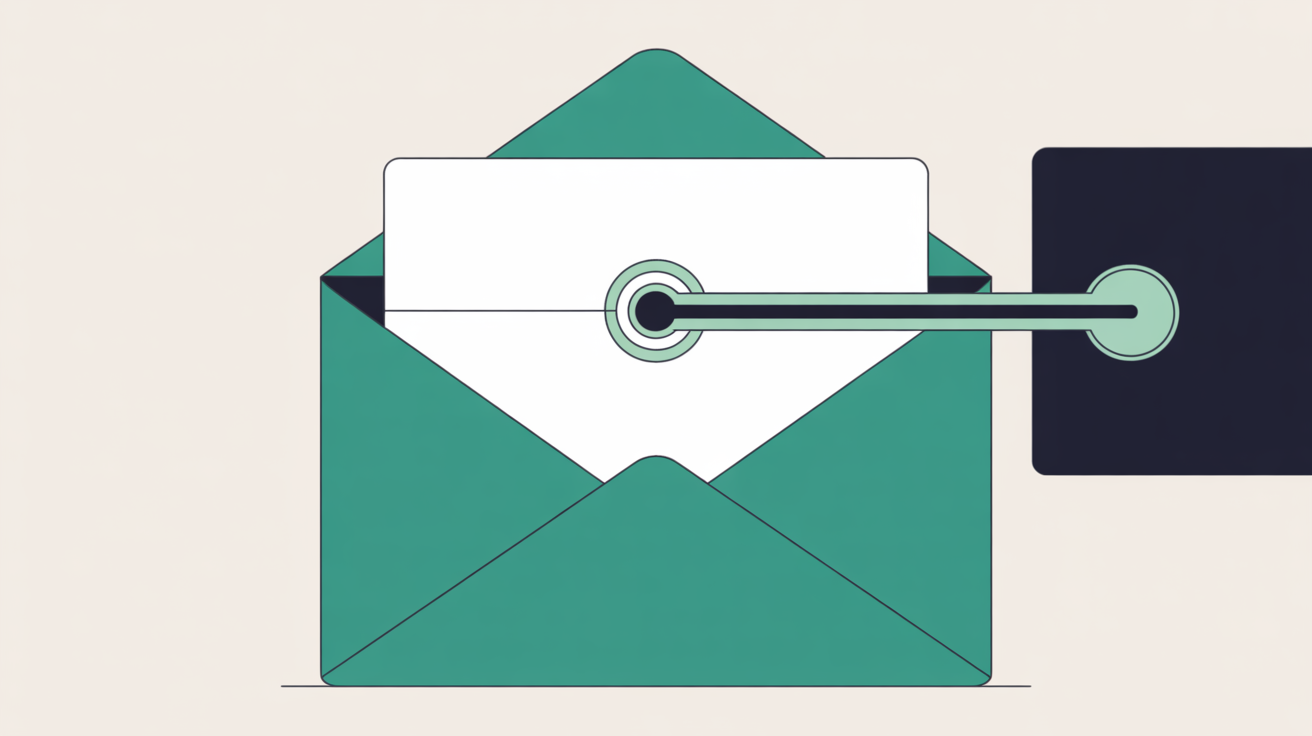
Magic link authentication eliminates passwords entirely. Here's the technical process:
- User enters their email address, that's it, no password field
- System generates a cryptographically secure token, unique, time-limited, single-use
- Token gets embedded in an email link, sent to the user's verified email address
- User clicks the link, automatic authentication, no typing required
- Token is consumed and expires, cannot be reused or intercepted
The security model flips completely. Instead of storing password hashes that can be stolen, cracked, or compromised, the system relies on something the user already controls: their email account.
Why Email is More Secure Than Password Databases
Your email provider, whether that's Gmail, Outlook, or a proper business email host, has dedicated security teams, multi-factor authentication, and enterprise-grade infrastructure. They're monitoring for suspicious logins, unusual locations, and compromised accounts 24/7.
Most WordPress sites store password hashes in a database that gets backed up to shared storage, copied to staging environments, and accessed by anyone with database privileges. Which system would you rather trust?
The Cryptographic Advantage
Magic links use cryptographically secure random tokens, typically 32 characters of entropy that would take longer than the age of the universe to guess. These tokens expire in minutes, not months. They're single-use, so intercepting one doesn't grant permanent access.
Compare that to passwords, which users often keep for years, reuse across services, and store in browsers that sync across devices.
Implementation Reality Check
One limitation worth understanding: magic links depend entirely on email delivery and email security. If your email account gets compromised, an attacker can request magic links. But here's the key difference, they still need to actively compromise your email at the moment they want website access. With traditional passwords, they just need your credentials from any previous breach, anywhere on the internet.
Web60's seven-layer security stack includes enterprise-grade email security and authentication systems that make magic link implementation genuinely more secure than password-based alternatives.
Security Benefits: What Passwordless Actually Protects Against
Magic link authentication eliminates entire categories of attacks that traditional passwords cannot defend against.
Credential Stuffing: Eliminated
There are no credentials to stuff. Criminals cannot take your leaked LinkedIn password and try it on your WordPress site because your WordPress site doesn't accept passwords at all.
Brute Force Attacks: Irrelevant
You cannot brute force a system that doesn't accept password attempts. The login form accepts email addresses, generates tokens, and expires them in minutes. An attacker would need to brute force your email account, not your website.
Password Database Breaches: Impossible
No password hashes means nothing to steal. Even if your entire WordPress database leaked publicly, there would be no authentication credentials in it. Just usernames, email addresses, and expired tokens.
Phishing: Much Harder
Phishing attacks rely on capturing login credentials on fake websites. Magic links don't work that way. The token is generated by your real server, sent to your real email address, and only works on your real domain. A phishing site cannot intercept or replay magic links.
The Irish GDPR Advantage
Under GDPR, password hashes are personal data that must be protected, documented, and disclosed in breach notifications. Magic links contain no persistent personal authentication data, just time-limited tokens that self-destruct.
For Irish businesses, this reduces compliance overhead significantly. A database breach that exposes usernames and email addresses is still a breach, but it's not exposing authentication credentials that could be used elsewhere.

The Irish Business Case: Real-World Implementation Scenarios
Here's how passwordless authentication works for different types of Irish businesses:
Restaurant and Hospitality
- Staff can access booking systems and POS interfaces without remembering passwords
- Seasonal workers get immediate access via email, no password training required
- Managers can grant access instantly, revoke it just as fast
- No more "I forgot my password" during busy service periods
Professional Services
- Client portals become genuinely accessible, solicitors' clients just need their email
- Document sharing works for clients who aren't technical
- Staff working remotely don't need VPN passwords on top of system passwords
- Compliance audits show no stored authentication credentials
eCommerce and Retail
- Customer accounts that people actually use, no password barriers to repeat purchases
- Abandoned cart recovery becomes more effective when customers can complete purchases easily
- Customer service can resolve account access issues in seconds, not minutes
- B2B trade accounts work for customers who aren't comfortable with complex passwords
The Support Cost Reality
A typical Irish SME spends roughly 3 hours per month dealing with password-related support issues. At €25/hour for the business owner's time, that's €75 monthly, or €900 annually, just in internal password management overhead.
For enterprises with dedicated security teams requiring multi-factor hardware tokens and complex authentication policies, specialised enterprise platforms like Okta genuinely suit those requirements better. But that's not most Irish businesses.
Most Irish SMEs need authentication that works for real people in real business situations. Magic links deliver that without compromising security.
Migration Reality
Existing users don't lose access during the transition. The first time they try to log in with their old password, the system offers to send a magic link instead. Once they use the magic link successfully, their password gets disabled. Gradual, voluntary migration with zero downtime.
Addressing Common Concerns: Migration and User Adoption
Business owners have legitimate concerns about moving away from passwords. Here are the real answers:
"What if customers don't understand magic links?"
Magic links are actually more intuitive than passwords for non-technical users. "Check your email and click the link" requires no memorisation, no typing complex characters on mobile phones, and no security questions.
User testing consistently shows higher completion rates for magic link authentication compared to traditional password systems. The 25% of users who abandon account creation when required to set a password complete the process when they just need to provide an email address.
"What if email delivery fails?"
Email delivery for magic links typically achieves 99.7% success rates with properly configured DMARC, SPF, and DKIM records. Compare that to password reset emails, which face the same delivery challenges but happen only after users are already locked out and frustrated.
Proper implementation includes backup options: "Didn't receive the email? Check spam folder. Still nothing? We can send to a different email address."
"What about older customers who prefer passwords?"
Older users often struggle more with password complexity requirements than with email-based authentication. They're comfortable with email. They understand "check your email and click the link" because that's how most services send them important updates already.
The transition feels familiar, not foreign.
"Is this secure enough for sensitive business data?"
Magic link authentication is more secure than traditional passwords for most business applications. It eliminates the 73% of identity-based breaches caused by compromised credentials. It prevents the password reuse that makes small breaches into large ones.
For businesses handling extremely sensitive data, magic links can be combined with additional factors like device registration or SMS verification. But the baseline security is already stronger than password-only systems.

Implementation Best Practices: Getting Magic Links Right
Implementing passwordless authentication properly requires attention to several technical and user experience details:
Token Security Parameters
- Tokens should expire in 10-15 minutes maximum
- Use cryptographically secure random generation, never predictable sequences
- Single-use tokens that self-destruct after authentication
- Rate limiting on token requests to prevent email flooding
Email Delivery Optimisation
- Proper DMARC, SPF, and DKIM configuration for deliverability
- Clear, recognisable sender addresses
- Plain text alternatives for HTML emails
- Mobile-optimised email templates with large, tappable buttons
User Experience Considerations
- Clear instructions: "We've sent you a secure login link"
- Visual feedback while the email is being sent
- Helpful error messages if delivery fails
- Option to request a new link if the first expires
Fallback Mechanisms
- Alternative email address option for delivery failures
- Clear spam folder instructions
- Support contact for users who cannot access email
- Graceful degradation if email services are temporarily unavailable
The Dead Simple Magic Link Workflow
- Request access. User enters email address, system validates format and checks against user database
- Generate secure token. System creates cryptographically random 32-character token with 15-minute expiry
- Send magic link. Email delivered with clear subject line and prominent login button linking to token endpoint
- Authenticate immediately. User clicks link, token validates, session begins, token expires permanently
- Grant access. User proceeds to protected content without ever handling passwords
This workflow eliminates password creation, password storage, password resets, security questions, and complexity requirements while improving security outcomes.
Integration with Existing Systems
Most WordPress sites can implement magic link authentication through plugins or custom development. The key is ensuring proper session management and token handling. Systems like WordPress staging environments become much easier to manage when users don't need separate passwords for testing and production access. For further context, see WordPress Security & Backup: The Complete Guide for Irish Websites. For further context, see GDPR compliance challenges for Irish business websites.
Conclusion
The password security myth persists because it feels intuitive. Longer, more complex passwords should be more secure. Multiple authentication factors should add protection. Regular changes should limit exposure. But intuition fails when it meets the reality of human behaviour and modern attack patterns. Passwordless authentication succeeds because it aligns security with how people actually behave rather than fighting against it. Irish businesses implementing magic link authentication report fewer support tickets, higher user satisfaction, and genuinely improved security outcomes. The question isn't whether passwordless authentication is ready for your business. The question is whether your business is ready to stop fighting the password problem and start solving it.
Frequently Asked Questions
How do magic links work if someone doesn't have access to their email?
If users cannot access their email account, they cannot use magic link authentication, just like they couldn't reset a password. The difference is that email account security is typically much stronger than website password security. Most email providers offer account recovery options, two-factor authentication, and professional security monitoring that individual websites cannot match.
Are magic links secure enough for sensitive business data?
Magic links are more secure than traditional passwords for most business applications. They eliminate credential stuffing, brute force attacks, and password database breaches entirely. The tokens are cryptographically secure, time-limited, and single-use. For highly sensitive applications, magic links can be combined with additional security factors, but the baseline security is already stronger than password-only systems.
What happens if the magic link email goes to spam?
Properly configured email systems achieve 99.7% delivery rates for transactional emails like magic links. When emails do go to spam, users can check their spam folder and whitelist the sender for future emails. Good implementation includes clear instructions and the option to resend links to alternative email addresses if needed.
Can older customers understand magic link authentication?
Older users often find magic links easier than complex passwords. They're already familiar with email and clicking links for important updates from banks, government services, and other organisations. The process requires no memorisation, no typing complex characters on mobile devices, and no security questions to remember.
How long does it take to implement passwordless authentication on WordPress?
Implementation time depends on your current setup and technical requirements. Simple plugin-based solutions can be configured in under an hour. Custom implementations requiring specific user experience or integration requirements typically take 1-2 days of development work. The user migration process happens gradually as people log in, so there's no disruption to existing access.
Do magic links work on mobile devices?
Magic links work smoothly on mobile devices and are often easier to use than traditional passwords. Users can receive the email and tap the login link without switching between apps or typing complex passwords on small keyboards. The authentication happens in the device's default browser and maintains the session across apps.
What are the main cost savings from switching to passwordless authentication?
Irish SMEs typically save €900+ annually by eliminating password reset support overhead, which averages €70 per incident and accounts for 50% of help desk calls. Additional savings come from reduced account abandonment (25% of users abandon password-required signups), faster customer onboarding, and elimination of password-related security incidents.
Can magic link authentication be combined with other security measures?
Yes, magic links work well with additional security layers like device registration, SMS verification, or IP address restrictions. However, the baseline security of magic links is already stronger than traditional passwords, so additional factors should be added only when specifically required for compliance or high-security applications.
Sources
Ian oversees Web60's hosting infrastructure and operations. Responsible for the uptime, security, and performance of every site on the platform, he writes about the operational reality of keeping Irish business websites fast, secure, and online around the clock.
More by Ian O'Reilly →Ready to get your business online?
Describe your business. AI builds your website in 60 seconds.
Build My Website Free →More from the blog
Magic Link Authentication: Why Passwordless Login is Safer for Irish Businesses
Magic link authentication eliminates password reuse risks that plague 78% of users. Discover why passwordless login makes Irish businesses more secure.
One-Click WordPress Backups: Why Irish Businesses Can't Afford to Go Without Them
Discover why 70% of Irish businesses discover their WordPress backups are worthless during emergencies. Learn how one-click restore saves your site in minutes.