
Web60 Features
Staging Environments: How Irish Businesses Test Website Changes Without Losing Customers
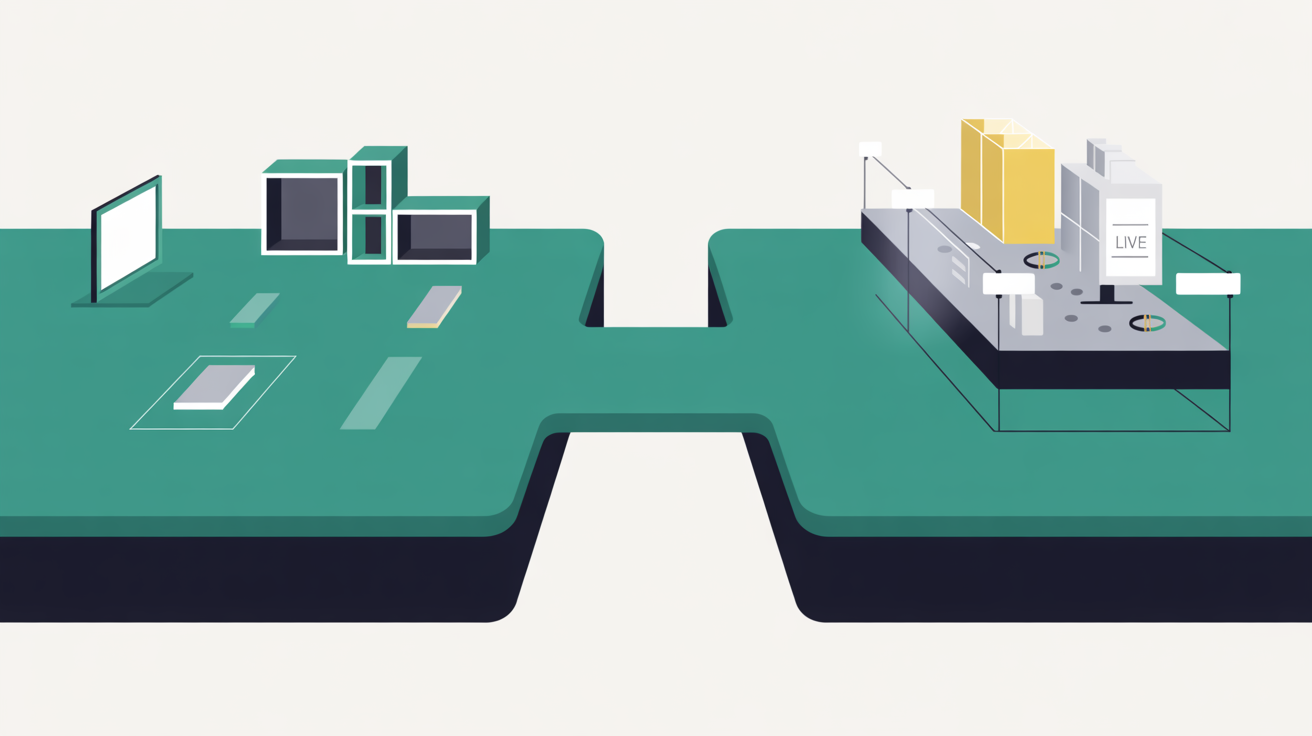
The January sales rush is in full swing, and Irish retailers are scrambling to update their websites with new promotions and clearance stock. Many are making these changes directly on their live sites during peak shopping hours. Yesterday, I watched a client's checkout page break at 2pm on a Tuesday, right when their lunch-time shoppers were trying to buy. The staging environment would have caught that error before a single customer saw it.
What is a Staging Environment and Why Every Irish Business Needs One
A staging environment is a clone of your live website that is used for testing changes before making them live, serving as a perfect clone where you can safely test changes, troubleshoot issues, and refine updates before deploying them to your main site [1]. Think of it as your website's rehearsal space.
Anything that happens in the staging environment won't affect your live website [2]. You can break things. Test wild plugin combinations. Experiment with new themes. Your real customers never see the chaos.
new WordPress features and updates adds important context here, and managed WordPress hosting providers rounds out the picture.

Web60's staging environment solution adds important context here, and staging environment tools and workflows rounds out the picture. choosing the right hosting provider. This is explored further in managed hosts that restrict development tools.
Most Irish businesses skip this step entirely. They update plugins directly on their live site. Change themes during business hours. Test new features while customers are browsing. It's like renovating your shop while customers are trying to buy.
professional WordPress developer's toolkit covers this ground in more detail.
The numbers tell the story. 57% of small-to-medium sized businesses (SMBs) with 20 to 100 employees said downtime costs them $100,000 per hour. Another report found that for SMBs, the average cost of dowtime is $8,000-$25,000 per hour [3]. For smaller operations, use $427 as cost-per-minute [4] for downtime calculations.
Staging sites help you catch errors, so you don't break your live website [1]. That's the entire point. Catch problems before customers do.
The True Cost of Testing Changes on Your Live Website
Let me be blunt about what happens when you skip staging. 74% of consumers say a reliable website or app is key to driving their trust, 64% of consumers are less likely to trust a business after experiencing a website crash [3].
Worse still, research shows that 25-40% of customers will abandon a business after experiencing 3+ hours of downtime, with abandonment rates climbing to 60-75% if downtime exceeds 6 hours [5]. These aren't just statistics. These are real customers walking away from real businesses.
The psychological impact runs deeper. In their Future of CX report, PwC surveyed 15,000 consumers and found that 1 in 3 customers will leave a brand they love after just one bad experience, while 59% would completely abandon a company after two or three negative interactions [3].
Consider the cascade effect. Your plugin update breaks something. Customers see error pages. They try again later, but the trust is damaged. 77% of consumers leave a site without buying if they encounter an error, 60% are unlikely to return to a site later if they encounter an error [3].
An Akamai study found that nine percent of a site's visitors never return to a website they find down. Nearly one in ten current and future sales lost [6]. That's not just today's revenue. That's future business walking away.
For context, Irish business insolvencies remain a concern. Retail still tops all sectors for insolvencies, with 151 cases in 2025 [7]. Website reliability isn't just a technical concern, it's a business survival issue.
How Web60's Staging Environment Works: A Step-by-Step Guide
Web60 includes staging environments with all plans, no extra charges, no feature restrictions. Here's how it works:
Creating Your Staging Site:
- Log into your Web60 dashboard
- Click 'Create Staging Environment'
- Wait 60 seconds while the system clones your live site
- Start testing immediately
The staging site runs on the same WordOps stack as your live site. Same Nginx configuration. Same PHP-FPM setup. Same Redis object caching. The testing environment matches production exactly.

Making Changes Safely: Test plugin updates without fear. Install that experimental theme. Try new WooCommerce settings during peak season. Break things deliberately to see what happens.
Unlike plugin-based staging solutions that run on your existing server [8], Web60's staging runs on dedicated cloud infrastructure. Your live site performance stays unaffected while you test.
Deploying Changes: Once you're satisfied with changes, click 'Push to Live'. Web60 handles the deployment automatically. Database updates. File transfers. Cache clearing. Everything syncs smoothly.
This contrasts sharply with competitors. SiteGround does not offer staging sites on its cheapest plan [8]. Kinsta charges extra, and unless you pay $20/month for premium staging environments, staging sites get 1 CPU core [9]. WordPress.com restricts staging to expensive business plans, where this feature is available on sites with the WordPress.com Business and Commerce plans [10].
Web60 includes full staging capability at €60/year. No restrictions. No extra fees.
Common Staging Scenarios: Plugin Updates, Theme Changes, and Content Testing
Plugin Updates During Peak Periods: January sales. Black Friday. Christmas rush. These are exactly when you need plugin updates most, and when you can least afford them to break.
Test security updates on staging first. WooCommerce patches especially. Payment gateway changes. Anything touching customer checkout flows.
Theme Modifications: Customising your theme? Staging prevents the horror show of broken layouts during business hours. Test responsive behaviour. Check mobile compatibility. Verify checkout flows work across devices.
Content Strategy Testing: New landing pages for campaigns. Different pricing presentations. Alternative product descriptions. Stage everything, measure what works, then deploy winners.
Database-Heavy Changes: Importing large product catalogues. Bulk customer data updates. Membership system changes. These operations can slow or break live sites. Staging lets you test the process first.
WordPress Core Updates: Major WordPress versions often break something. Staging catches compatibility issues before customers see them. Test thoroughly, fix problems, then update production confidently.
Integration Testing: New payment processors. CRM connections. Email marketing integrations. These external connections often fail in unexpected ways. Better to discover issues in staging than during customer transactions.
Best Practices for Using Your Staging Site Effectively
Keep Staging Current: Refresh your staging environment regularly. Outdated staging sites don't reflect current conditions. Web60 makes this simple, clone your live site whenever needed.
Test Real Scenarios: Don't just check if pages load. Complete actual purchase flows. Fill contact forms. Test user registration. Simulate real customer behaviour.
Document Your Changes: Track what you're testing and why. When deployment goes wrong, you need to know exactly what changed. Simple notes save hours of debugging.
Schedule Testing Time: Don't rush staging tests. Block proper time for thorough testing. Rushed tests miss problems that careful review would catch.
Use Staging for Training: New staff member needs to learn your systems? Let them explore staging freely. They can't break anything that matters.
Test Under Load: If possible, simulate traffic conditions. A plugin that works fine with one visitor might crash under realistic load.
Backup Before Major Changes: Even in staging, take backups before significant modifications. Web60 provides automatic pre-update snapshots, but manual backups give extra protection.
Clean Up Regularly: Don't let staging become a digital junkyard. Remove failed experiments. Keep the environment clean and functional.
Avoid the common mistake of treating staging as permanent. It's a testing space, not a parallel website. Test, deploy, move on.
Staging vs Live: Understanding the Sync Process and Deployment
The relationship between staging and live requires careful management. Changes flow in both directions, and timing matters.
One-Way vs Two-Way Sync: Web60's staging deployment is primarily one-way: staging to live. This prevents conflicts and maintains clear data flow. However, you can refresh staging from live whenever needed.
Database Considerations: Database changes need special attention. Customer orders, contact form submissions, user registrations, these happen on live sites continuously. Deploy database changes carefully to avoid data loss.
File System Updates: Theme files, plugin updates, uploaded images, these sync straightforwardly from staging to live. Web60 handles file permissions and ownership automatically.
Cache Management: After deployment, caches need clearing. Web60's WordOps stack includes Redis object caching and FastCGI page caching. The deployment process clears these automatically.
DNS and Domain Handling: Staging sites use separate URLs. Don't worry about SEO impact, search engines don't index staging environments. Your live site's SEO remains unaffected.
Timing Deployments: Deploy during low-traffic periods when possible. While Web60's deployment process is fast, there's still a brief moment of transition.
| Deployment Stage | Time Required | Customer Impact |
|---|---|---|
| Database sync | 30-60 seconds | Minimal |
| File transfer | 1-2 minutes | None |
| Cache clearing | 10-20 seconds | Brief slowdown |
| DNS propagation | N/A | None |
Unlike competitors that require manual processes or complex procedures, Web60's one-click deployment handles technical details automatically.
Why Web60's Staging Beats DIY Solutions and Plugin Alternatives
Many businesses attempt staging through plugins or DIY solutions. These approaches have significant limitations that Web60's integrated staging avoids.
Plugin-Based Staging Problems: Popular staging plugins like WP Staging consume your live server's resources. There's no cloud-based staging option. Everything runs on your existing server [8]. Your live site slows down while staging runs.
Plugin staging also lacks deployment capabilities. The Pro version adds the critical push-to-live capability [8], but you're still managing complex sync processes manually.
DIY Subdomain Staging: Some businesses create manual staging sites on subdomains. This requires technical expertise most SMEs lack. Database management becomes complex. File syncing needs manual attention.
Competitor Limitations: Kinsta's basic staging environments receive limited resources unless you pay extra. WP Engine includes staging but charges premium prices for Irish businesses. SiteGround excludes staging from starter plans entirely.
For large enterprises running dozens of WooCommerce stores with dedicated DevOps teams, Kinsta's enterprise infrastructure genuinely suits that workload. But that's not most Irish businesses.
Web60's Integrated Advantage: Web60's staging runs on dedicated cloud infrastructure separate from your live site. Full resource allocation. No performance impact on production. Irish data sovereignty maintained throughout.
The €60/year pricing includes unlimited staging environment usage. No per-environment charges. No resource restrictions. No deployment limits.
Security Benefits: Web60's staging inherits the same security hardening as live sites. Fail2ban intrusion prevention. Automatic malware scanning. SSL certificates via Let's Encrypt. Your staging environment stays as secure as production.
Irish businesses face increasing cybersecurity concerns. Irish employees are increasingly convinced that the country is heading towards a significant cybersecurity crisis in 2026 [11], with average cost of a cyberattack to an Irish business is €8,500 over the past three years [11]. Secure staging environments help prevent security vulnerabilities from reaching live sites.
Web60's Irish-based support team understands local business needs. When staging issues arise, you're talking to people who understand Irish business hours, seasonal patterns, and regulatory requirements. Try getting that from a global competitor's outsourced support centre.
Ready to stop gambling with your live website? Try Web60's staging environments with a free demo and gain the confidence to innovate without risking customer experience. Test freely, deploy safely, grow steadily.
You might also find wordpress 70s ai client feature a useful.
Conclusion
Staging environments aren't luxury features for large enterprises, they're essential tools for any Irish business serious about their online presence. The cost of website disasters far exceeds the investment in proper staging capabilities.
Web60's integrated staging solution eliminates the technical barriers that keep most SMEs from testing changes safely. No resource limitations. No extra charges. No complex deployment procedures. Just reliable staging that works when you need it.
Stop risking your customer relationships on untested website changes. Web60's staging environments let you innovate confidently while keeping your live site stable. Start your staging-enabled hosting at €60/year and never break your live website again.
Frequently Asked Questions
How long does it take to create a staging environment on Web60?
Web60 creates staging environments in under 60 seconds. The system automatically clones your live site, including all files, databases, and configurations. You can start testing immediately once the staging site is ready.
Will using staging slow down my live website?
No. Web60's staging environments run on dedicated cloud infrastructure separate from your live site. Unlike plugin-based staging solutions that consume your server's resources, Web60's staging has no impact on your live site's performance.
Can I test WooCommerce changes safely on staging?
Absolutely. Staging is perfect for testing WooCommerce updates, payment gateway changes, and checkout modifications. You can process test orders, update plugins, and modify store settings without affecting real customer transactions.
How do I move changes from staging to my live website?
Web60 provides one-click deployment from staging to live. The system handles database syncing, file transfers, and cache clearing automatically. The entire deployment process typically takes 1-3 minutes depending on the size of your changes.
Are there limits on staging environment usage?
No limits. Web60's €60/year pricing includes unlimited staging environment creation and usage. You can refresh staging sites as often as needed, test as many changes as you want, and deploy without restrictions.
What happens to new orders or contact forms while I'm testing?
Your live site continues operating normally while you test on staging. New orders, contact form submissions, and user registrations still work on your live site. Staging is completely separate and doesn't affect live site functionality.
Can I give clients access to staging for review?
Yes. Staging sites are perfect for client reviews and approval processes. Clients can see exactly how changes will look on the live site without any risk. You can make revisions based on their feedback before going live.
Do I need technical knowledge to use Web60's staging?
No technical expertise required. Creating staging environments, making changes, and deploying to live are all handled through Web60's user-friendly dashboard. The system manages all technical aspects automatically.
Sources

Eamon leads sales at Web60 and SmartHost, working directly with Irish business owners making the switch from cheap shared hosting to managed WordPress. With a background in enterprise technology sales — including Oracle and multiple Irish SaaS businesses — he understands the questions Irish SMEs ask before committing to a hosting platform. He writes about hosting comparisons, total cost of ownership, web design for Irish businesses, and how to evaluate what you’re actually buying.
More by Eamon Rheinisch →Ready to get your business online?
Describe your business. AI builds your website in 60 seconds.
Build My Website Free →More from the blog
The €520 Million Reality Check: How Irish Retailers Are Winning with Hybrid Online-Offline Strategies
Discover how Irish retailers achieve 24% growth with hybrid online-offline strategies. Learn from €520 million in data revealing the winning approach.
The €16.5 Billion Reality: How 'Phygital' Irish Consumer Behaviour is Breaking Traditional WordPress E-commerce
Irish consumers shop phygitally—browsing online, buying in-store. Traditional WordPress hosts miss this €16.5B opportunity. Web60's infrastructure handles it.