
Infrastructure
WordPress 7.0's AI Client Feature: A Developer's Guide to Server-Side Intelligence Integration
WordPress 7.0's AI Client feature represents the most significant infrastructure advancement in WordPress core since the REST API introduction. This built-in AI integration framework, scheduled for release on 9 April 2026, transforms how developers implement artificial intelligence in WordPress sites through standardised server-side communication protocols. Unlike bolt-on solutions or third-party plugins, the AI Client provides native WordPress infrastructure for connecting to any generative AI service through a uniform interface. For developers building AI-powered WordPress applications, understanding the AI Client's architecture, performance requirements, and implementation strategies is essential for delivering reliable, scalable solutions that use this groundbreaking core feature.
Understanding the WordPress AI Client Architecture
The WordPress 7.0 AI Client builds upon the PHP AI Client SDK to provide WordPress-native AI integration infrastructure [1]. This provider-agnostic API allows WordPress to communicate with any generative AI models through a uniform interface, eliminating the need for developers to manage different API protocols for each AI service.
The AI Client includes three core components:
- WordPress-native prompt builder: Handles prompt construction and formatting within WordPress's existing data structures
- Admin settings screen: Provides secure credential management for AI service API keys
- Automatic credential wiring: Smoothly connects stored credentials to AI service requests
Crucially, WordPress 7.0 ships with no AI providers by default, maintaining the platform's neutral stance [1]. Developers must configure external provider connections, whether OpenAI, Claude, Google's Gemini, or regional European AI services.
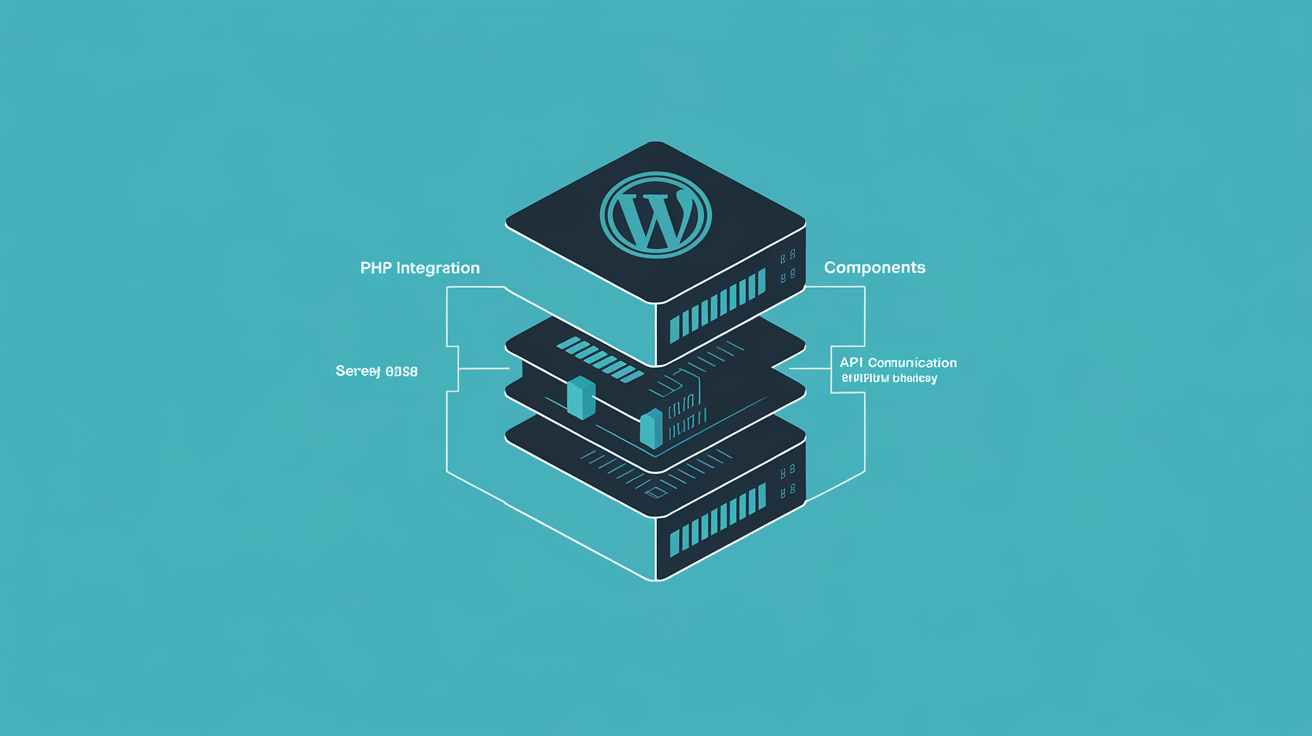
The JavaScript API layer provides REST endpoints limited to administrators with prompt_ai capability for security [1]. This permission system ensures AI operations remain controlled whilst providing the flexibility developers need for building sophisticated AI-powered features. The AI Client builds on the same foundation as the MCP protocol powering WordPress AI automation, creating a unified approach to server-side intelligence.
| Component | Function | Security Level |
|---|---|---|
| PHP AI Client SDK | Core AI communication | Server-side only |
| WordPress prompt builder | Request formatting | Admin capability required |
| REST API endpoints | Frontend integration | Administrator + prompt_ai |
| Credential management | API key storage | Encrypted, admin-only |
Server Infrastructure Requirements for AI Client Performance
WordPress 7.0's AI Client demands significantly more server resources than traditional WordPress installations. The minimum PHP memory limit increases to 512MB, with 1GB+ recommended for sites implementing complex AI operations [2]. This represents a substantial jump from standard WordPress hosting requirements.
CPU and storage performance become critical factors. AI-driven content processing and natural language queries require sustained CPU access and high-performance NVMe storage delivering 10,000+ MB/s sequential read speeds [2]. Traditional shared hosting environments often lack the consistent resource allocation needed for reliable AI operations.
PHP version compatibility is non-negotiable. WordPress 7.0 requires PHP 7.4 minimum, though PHP 8.0 delivers 30-50% performance improvements for WordPress processing times [2]. However, newer PHP versions show variable results, making PHP 8.0 the optimal choice for AI Client implementations.
Network connectivity impacts AI Client performance significantly. European developers benefit from hosting infrastructure located closer to AI service providers. Whilst many global platforms operate from US data centres, this geographical distance increases API response times for European users, particularly when processing multiple AI requests simultaneously.
Web60's Irish-based infrastructure addresses these performance requirements directly. Our managed WordPress hosting runs on the WordOps stack with Nginx, PHP-FPM, Redis object caching, and FastCGI page caching, specifically optimised for WordPress 7.0's enhanced resource demands. The Irish data centre location provides optimal low-latency connections to European AI service providers, reducing API response times compared to US-based hosting.
Implementation Strategies: From API Configuration to Service Integration
Implementing the AI Client begins with understanding WordPress 7.0's new architecture patterns. The provider-agnostic approach means developers configure AI services through WordPress's standard admin interface rather than hardcoding API endpoints.
API configuration follows these essential steps:
- Service provider registration: Connect your chosen AI service through WordPress admin
- Credential management: Store API keys securely using WordPress's encrypted storage
- Prompt template creation: Build reusable prompt structures for consistent AI interactions
- Response handling: Implement error handling and fallback strategies for API failures
The PHP AI Client SDK integration requires careful attention to WordPress's hook system. Developers should use WordPress actions and filters to ensure AI operations integrate smoothly with existing site functionality.
// Example AI Client integration pattern
add_action('wp_ajax_custom_ai_request', 'handle_ai_request');
function handle_ai_request() {
 if (!current_user_can('prompt_ai')) {
 wp_die('Insufficient permissions');
 }
 // AI Client implementation here
}
Testing AI Client implementations requires staging environments that mirror production server configurations. Many hosting providers offer basic staging, but AI Client testing demands full server resource allocation matching production environments.
Web60's one-click staging environments provide complete AI Client testing capabilities. Unlike competitors like WP Engine, where SSH access has 10-minute timeout limitations that make persistent AI agent workflows impractical, Web60 provides unrestricted development access for comprehensive AI feature testing.
Performance Implications and Memory Management
AI Client operations consume significantly more memory than traditional WordPress functions. Processing large language model responses, maintaining conversation context, and handling multiple concurrent AI requests can quickly exhaust available PHP memory.
Developers must implement proper memory management strategies:
- Request batching: Group multiple AI operations to reduce individual memory overhead
- Response streaming: Handle large AI responses progressively rather than loading entire responses into memory
- Context cleanup: Clear conversation history and temporary data after AI operations complete
- Error handling: Implement graceful degradation when memory limits approach
Database performance becomes crucial for AI-powered sites. The AI Client stores conversation histories, prompt templates, and response caches in WordPress's database. Sites with high AI usage require optimised database configurations with proper indexing and query optimisation.
Caching strategies must account for AI-generated content's dynamic nature. Traditional page caching may interfere with personalised AI responses, requiring selective cache exclusion for AI-powered page elements.
Page load performance remains critical despite AI integration. Pages with 0-2 second load times achieve highest conversion rates, dropping 2.11% for each additional second of delay [3]. AI features must enhance user experience without compromising core site performance.
Web60's Redis object caching and FastCGI page caching work smoothly with AI Client operations, maintaining fast page load times whilst supporting dynamic AI-generated content. Our automatic scaling capabilities handle variable AI processing loads without manual intervention or timeout limitations that plague other hosting providers.
Security Best Practices for AI Service Communication
AI Client implementation introduces new security considerations that developers must address proactively. API key management becomes paramount, as compromised credentials can result in significant AI service usage charges and data exposure.
WordPress 7.0's credential management system provides encrypted storage for API keys, but developers must implement additional security layers:
- IP whitelisting: Restrict AI service API access to your server's IP address
- Rate limiting: Implement request throttling to prevent API abuse
- Input sanitisation: Validate and clean all user input before sending to AI services
- Response filtering: Screen AI-generated content for inappropriate material before display
The prompt_ai capability restriction helps prevent unauthorised AI usage, but developers should consider additional role-based access controls for different AI features. Customer-facing AI features require different security profiles than administrative AI tools.
SSL encryption becomes critical for protecting AI service communications. WordPress 7.0's AI Client transmits potentially sensitive data to external AI services, making secure connections non-negotiable.
| Security Layer | Implementation | Web60 Advantage |
|---|---|---|
| API key encryption | WordPress core | Automatic setup |
| SSL certificates | Let's Encrypt | Auto-renewal |
| Server hardening | Manual configuration | Managed security |
| Intrusion prevention | fail2ban setup | Built-in protection |
Unlike providers such as GoDaddy, whose AI features remain limited to basic website builder tools without true infrastructure-level integration capabilities, Web60's security infrastructure is purpose-built for protecting sensitive AI service API communications and credentials.
Real-World Use Cases and Implementation Examples
The AI Client enables sophisticated WordPress applications that were previously impossible without complex custom development. Content management, customer support automation, and personalised user experiences become standard WordPress capabilities.
Content creation workflows benefit significantly from AI Client integration. Editorial teams can implement AI-powered writing assistants, automated content optimisation, and intelligent tagging systems that operate within WordPress's familiar interface.
E-commerce sites gain powerful customer service capabilities through AI chatbots integrated directly into WordPress. Unlike external chatbot services, the AI Client allows smooth integration with WordPress user accounts, order histories, and product catalogues.
Membership sites can implement personalised content recommendations based on user behaviour and preferences. The AI Client's ability to process WordPress user data whilst maintaining privacy compliance makes sophisticated personalisation accessible to smaller organisations.
Development agencies building client sites benefit from the AI Client's standardised approach. Rather than implementing different AI integration methods for each client, agencies can develop reusable AI components that work consistently across all WordPress 7.0 installations.
Web60's managed hosting platform eliminates the server configuration complexity that typically accompanies AI feature implementation. Whilst competitors like Bluehost require €27/month VPS upgrades for SSH access needed by AI automation tools, Web60 provides complete AI-ready infrastructure at €60/year with no hidden fees or upgrade requirements.
Testing and Debugging AI Client Implementations
AI Client debugging requires different approaches than traditional WordPress development. AI service responses are non-deterministic, making consistent testing challenging. Developers must implement comprehensive logging and monitoring systems to track AI operations effectively.
WordPress 7.0's debugging constants must be configured properly for AI Client development:
- WP_DEBUG: Enables PHP error reporting for AI Client operations
- WP_DEBUG_LOG: Captures AI service communication errors
- WP_DEBUG_DISPLAY: Controls error visibility during development
API response monitoring becomes essential for identifying performance bottlenecks and service reliability issues. Developers should implement custom logging for AI service response times, error rates, and resource consumption patterns.
Testing strategies must account for AI service limitations:
- Rate limits: AI services impose request limits that affect testing frequency
- Cost management: Extensive testing can generate significant API usage charges
- Response variability: AI responses differ between identical requests, complicating automated testing
Staging environments must provide complete production parity for AI Client testing. This includes matching PHP versions, memory limits, and network connectivity profiles.
Unlike hosting providers such as SiteGround, where SSH access requires GrowBig plan upgrades and renewal pricing jumps from €2.55/month to €15.29/month, Web60 provides complete development access as standard. Our staging environments offer full AI Client testing capabilities without additional charges or plan restrictions.
Future-Proofing Your WordPress AI Infrastructure
WordPress 7.0's AI Client represents the beginning of AI integration in WordPress core, not the endpoint. Future WordPress versions will likely expand AI capabilities, requiring infrastructure that can scale with evolving requirements.
Provider diversity becomes crucial for long-term success. The AI Client's provider-agnostic design allows developers to switch between AI services without rebuilding entire applications. This flexibility protects against service provider changes, pricing adjustments, or availability issues.
Performance monitoring tools should track AI operation metrics over time. Understanding how AI usage patterns affect server resources helps inform infrastructure scaling decisions and optimisation strategies.
Data sovereignty considerations will become increasingly important, particularly for Irish and European businesses — we cover what WordPress 7 AI means for Irish business infrastructure in a dedicated analysis. The AI Client's ability to work with regional AI service providers offers advantages for organisations with strict data location requirements.
Web60's Irish-based infrastructure provides inherent advantages for European businesses implementing AI Client features. Our sovereign Irish cloud ensures all data remains within Ireland, addressing data sovereignty concerns whilst providing optimal connectivity to European AI service providers.
Development teams should prepare for WordPress 7.1 and beyond by building modular AI implementations that can adapt to core changes. The AI Client's current architecture provides a foundation, but future versions may introduce additional capabilities or modified interfaces.
As Ireland's only AI-optimised managed WordPress hosting platform specifically designed for WordPress 7.0 requirements, Web60 positions your infrastructure for future WordPress AI developments. Our expert Irish support team understands both WordPress AI architecture and Irish/EU compliance requirements, providing the knowledge base necessary for long-term success.
Conclusion
WordPress 7.0's AI Client feature fundamentally transforms how developers implement artificial intelligence in WordPress sites, providing native infrastructure for smooth AI service integration. Success requires understanding the AI Client's architecture, meeting increased server resource requirements, and implementing proper security practices for AI service communications. The provider-agnostic design offers flexibility whilst demanding careful attention to performance, memory management, and testing strategies. For Irish developers and businesses, the AI Client represents an opportunity to build sophisticated AI-powered WordPress applications that were previously accessible only to large organisations with extensive development resources. Web60's AI-optimised infrastructure eliminates the complexity of AI Client implementation, providing the managed hosting environment necessary for reliable WordPress 7.0 AI features. Experience the difference of purpose-built AI hosting infrastructure with Web60's WordPress hosting built for AI workloads — 60-second site setup and comprehensive managed WordPress hosting at €60/year.
Frequently Asked Questions
What are the minimum server requirements for WordPress 7.0 AI Client?
WordPress 7.0 AI Client requires PHP 7.4 minimum, with 512MB PHP memory limit as the baseline and 1GB+ recommended for complex AI operations. High-performance NVMe storage with 10,000+ MB/s sequential read speeds is essential for optimal performance. PHP 8.0 provides 30-50% performance improvements over PHP 7.4 for WordPress processing.
Does WordPress 7.0 include AI providers by default?
No, WordPress 7.0 ships with no AI providers by default, maintaining platform neutrality. The AI Client provides the infrastructure for connecting to AI services, but developers must configure external providers like OpenAI, Claude, or Google Gemini through the admin settings screen.
How does the AI Client handle API key security?
The AI Client stores API keys using WordPress's encrypted storage system and limits access to administrators with the 'prompt_ai' capability. Developers should implement additional security layers including IP whitelisting, rate limiting, and input sanitisation for comprehensive protection.
Can the AI Client work with European AI service providers?
Yes, the AI Client's provider-agnostic design works with any AI service that supports standard API protocols, including European providers. This flexibility is particularly valuable for businesses with data sovereignty requirements or those seeking regional AI service options.
What hosting features are essential for AI Client implementations?
AI Client implementations require reliable SSH access for development, staging environments for testing, automatic scaling for variable AI loads, and low-latency connections to AI service providers. Many shared hosting providers lack these essential features or charge significant upgrades for AI-ready infrastructure.
How does the AI Client affect WordPress site performance?
AI Client operations consume more memory and CPU resources than traditional WordPress functions. Proper implementation with caching strategies, memory management, and performance monitoring is essential to maintain fast page load times whilst supporting AI features.
Sources

Graeme Conkie founded SmartHost in 2020 and has spent years building hosting infrastructure for Irish businesses. He created Web60 after seeing the same problem repeatedly — Irish SMEs paying too much for hosting that underdelivers. He writes about WordPress infrastructure, server security, developer workflows, managed hosting strategy, and the real cost of hosting decisions for Irish business owners.
More by Graeme Conkie →Ready to get your business online?
Describe your business. AI builds your website in 60 seconds.
Build My Website Free →More from the blog
Why Irish Web Agencies Are Abandoning Managed Hosts That Block Professional Development Tools
Why Irish web agencies are abandoning managed hosts that block SSH, WP-CLI, and terminal access. Professional WordPress development requires professional tools.
Why Irish Restaurant Social Media Success Crashes Your WordPress Site (And How to Prepare for Viral Moments)
When social media drives 2,000+ visitors in 10 minutes, standard hosting crashes. Learn how Irish restaurants prepare for viral moments with auto-scaling infrastructure.