

Web60 Features
How Web60 Keeps Your WordPress Site Safe While You Make Changes
You should not be afraid to touch your own website. Yet that is the reality for a surprising number of business owners running WordPress. They know their site needs updating. They know the design could do with a refresh, or that plugin notification has been sitting there for months. But they do not touch it. Because last time, or the time someone they know tried, something broke.
That fear is not irrational. It is based on real experience. But it is based on a problem that has already been solved.
The myth goes like this: making changes to your WordPress site is risky, and you need a developer on hand to do it safely. That is simply not true anymore. Staging environments exist for exactly this reason, and on Web60, they are built in, one click away, and included in your €60/year plan.
The Real Risk Is Not Changing Anything
Let me be clear about something. The biggest risk to your WordPress site is not making a bad change. It is making no changes at all.
WordPress powers roughly 43% of all websites globally, according to W3Techs' latest data. That dominance makes it a target. Patchstack's 2026 security report found over 11,000 vulnerabilities in the WordPress ecosystem during 2025 alone, a 42% jump from the previous year. Between 91% and 96% of those vulnerabilities sit in plugins, not WordPress core.
Every one of those vulnerabilities is a potential way in for someone who should not be there. And every plugin update that patches one of those vulnerabilities is an update your site needs. When you leave plugins untouched because you are afraid of breaking something, you are not playing it safe. You are leaving the door unlocked.
Here is the uncomfortable truth: the business owners who never update their sites are the ones most likely to end up hacked, defaced, or offline. The ones who update regularly, but do it properly, rarely have problems.
What a Staging Environment Actually Is
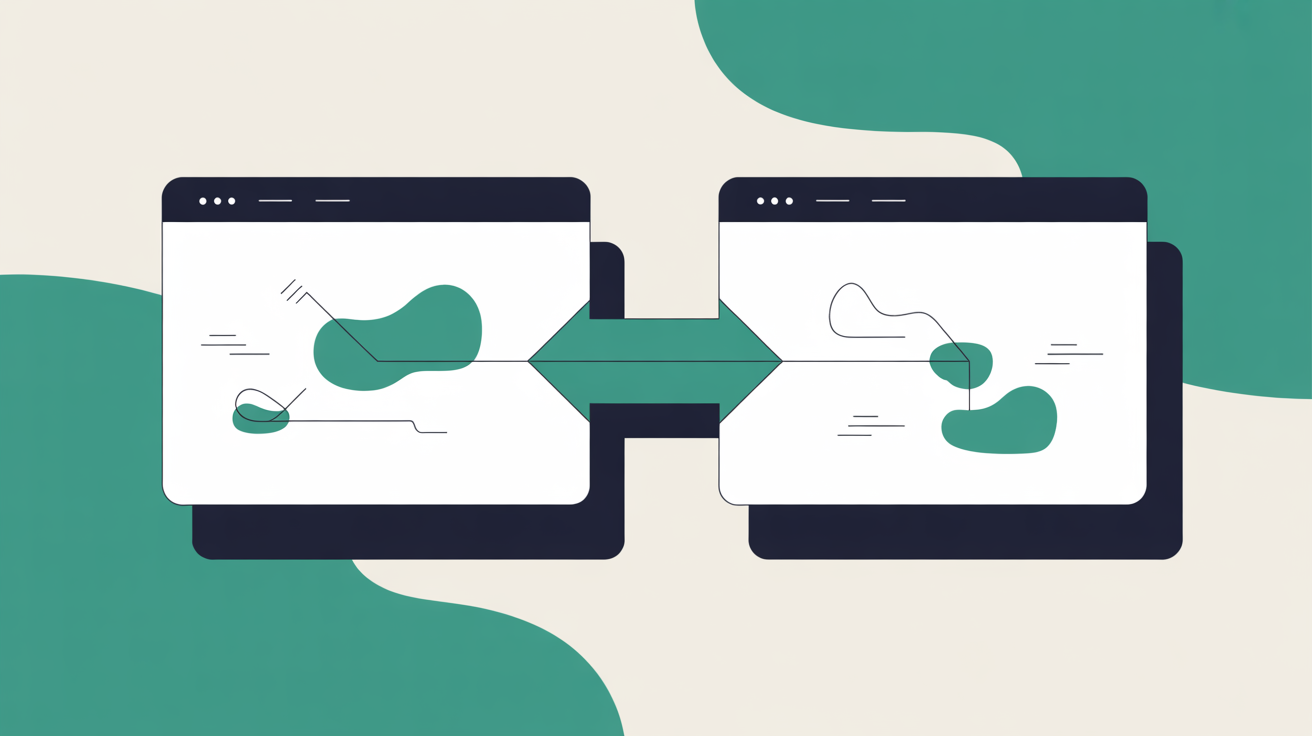
If you have never heard the term before, a staging environment is a practice version of your website. A complete, private copy where you can change anything you like without your customers ever seeing it.
Think of it this way. Your live website, the one your customers visit, is your production environment. Your staging environment is an identical copy that only you can see. You make changes there. You test them. You verify everything works. Then, and only then, you push those changes to your live site.
It is the same principle as trying on clothes before you buy them. You would not walk into a client meeting in a suit you have never tried on. You should not push changes to your website without testing them first.
The Friday Afternoon Plugin Update
Here is a scenario that happens more often than anyone likes to admit. Picture this: a gift shop owner in Killarney, heading into the tourist season, notices a string of plugin update notifications in her WordPress dashboard. Five plugins, all flagged. She has a quiet moment on a Friday afternoon and clicks "update all."
Three of the five update cleanly. The fourth conflicts with her theme. The fifth breaks her WooCommerce checkout entirely. Customers visiting her site that evening see a broken page where the "Add to Cart" button used to be. She does not find out until Saturday morning when a regular phones to ask if the shop has closed down.
That scenario, or something very like it, is why the WordPress community has been building staging tools for years. The plugin updates were necessary. The mistake was applying them directly to production.
With a staging environment, she would have updated the plugins on her staging copy first. She would have seen the checkout break immediately, in private, with no customers affected. She would have rolled back the problem plugin, found an alternative or contacted the developer, and only pushed the working updates to her live site.
The difference is not technical skill. It is process. And that process is now available to anyone.
How Web60's Staging Works (No Technical Skills Required)
On Web60, creating a staging environment is a single click. The platform copies your entire site, files, database, plugins, theme, content, everything, into a private staging environment. You get a staging URL that only you can access.
From there, you do whatever you need to do. Update plugins. Change your theme. Rewrite your homepage. Add a new product category. Rearrange your navigation. Nothing you do in staging touches your live site. Not until you are ready.
When you are satisfied that everything works, you push to live. One click. Web60 handles the sync between staging and production, moving your tested changes across cleanly.
If you want a more detailed walkthrough of managing your own updates, our guide on how to update your WordPress website yourself without breaking anything covers the full process step by step.
The Safety Net Behind the Safety Net
Staging is your first line of defence against broken changes. But what if something still slips through? What if you push from staging and discover an issue you did not catch in testing?
This is where Web60's backup system comes in. Every Web60 site gets automatic nightly backups with one-click restore. But there is an additional layer most people do not know about: before any staging push goes live, Web60 takes an automatic pre-push safety snapshot. If you push changes and something unexpected happens, you can roll back to that snapshot immediately. No waiting. No emergency calls. No rebuilding from scratch.
Consider the alternative for a moment. A site with no staging and no verified backups is performing surgery on itself while the patient is still running. Something goes wrong and there is nothing to fall back on. Not a previous version. Not a snapshot. Nothing. You rebuild from memory, or you pay someone to do it for you, assuming you even have the content backed up somewhere.
A hacked or broken site with no backup means rebuilding from scratch. Not restoring. Rebuilding. Every page, every product listing, every customer testimonial you collected over three years. Gone. Web60 runs automatic nightly backups so the worst case scenario is losing one day's work, not everything.
The One Thing Staging Cannot Do
I want to be honest about a limitation, because understanding it matters.
A staging environment is a snapshot of your site at the moment you created it. If your live site takes orders, receives form submissions, or collects data while you are working in staging, that new data exists on your live site but not in staging. When you push staging changes to production, the staging copy's database overwrites your live database.
For most small business sites, content sites, service businesses, portfolio sites, this is a non-issue. You create staging, make your changes, push to live within an hour or two. No data conflict.
For sites with active e-commerce, where orders might come in during your testing window, be aware. Make your staging changes during a quieter period, or coordinate the push so you are not overwriting recent orders. If in doubt, take a manual backup before pushing. Web60 makes that a one-click operation as well.
This is not a flaw. It is how staging environments work everywhere, from the smallest WordPress site to enterprise-grade deployments. Knowing about it means you can work with it.

Why Most Business Owners Have Never Heard of Staging
Staging environments are standard on managed WordPress hosting. They have been for years. But most Irish businesses are not on managed WordPress hosting. They are on budget shared hosting where staging either does not exist or requires manually duplicating files via FTP, something no non-technical person would attempt.
That gap between "this feature exists" and "this feature is accessible to you" is the whole problem. Staging is not new technology. It is a standard professional workflow that has been locked behind a technical barrier. Web60 removes that barrier. One click to create. One click to push. One click to restore if something goes wrong.
If you are getting your first business website set up, this is the kind of infrastructure that matters from day one. Not because you will need it every week, but because the one time you do need it, it will save you hours of stress, lost sales, and potentially a complete rebuild.
What Enterprise Hosts Offer (And Who Actually Needs It)
I should acknowledge this: if you are running a large-scale WordPress deployment with a dedicated operations team, a complex CI/CD pipeline, and staging environments that integrate with Git-based version control, enterprise managed hosts like WP Engine or Kinsta genuinely offer the tooling for that workflow. Multi-environment setups, automated deployment pipelines, branch-based staging, all of it.
But that is not most Irish businesses. A family-run hotel does not need Git integration. A local consultancy does not need branch-based deployment. They need a safe way to test changes before their customers see them. That is exactly what Web60's staging delivers, without the enterprise price tag, without the technical complexity, and without the assumption that you have a developer on staff.
Web60's all-inclusive €60/year plan covers staging, nightly backups, pre-push snapshots, SSL, security hardening, and Irish-hosted infrastructure. No add-ons. No feature gating behind premium tiers.
The Operator's Checklist: Safe Changes in Five Steps
For anyone who prefers a clear process:
1. Create staging. One click in your Web60 dashboard. The platform clones your entire production site.
2. Make your changes. Update plugins, edit pages, change themes, add content. Take your time. Nothing affects your live site.
3. Verify everything. Check your key pages. Load your homepage, your contact page, your checkout if you have one. Click through the navigation. Verify forms still submit.
4. Push to production. One click. Web60 automatically takes a pre-push safety snapshot before syncing.
5. Confirm live. Check your live site briefly after pushing. If anything looks wrong, restore from the automatic snapshot. One click.
Five steps. No terminal. No FTP. No developer. No risk to your customers.
Conclusion
The fear of breaking your own website is understandable. Every business owner who has ever seen a white screen where their homepage should be knows that feeling. But the answer is not to leave your site untouched and hope nothing goes wrong. The answer is a process that lets you make changes safely, test them privately, and roll back instantly if anything goes sideways.
Staging environments are that process. They are not new, they are not complicated, and on the right platform, they require no technical skills at all. The question is not whether your business can afford to use staging. It is whether you can afford not to.
Frequently Asked Questions
What is a WordPress staging environment in plain English?
A staging environment is a private copy of your website where you can make changes, test updates, and experiment without affecting your live site. Think of it as a practice version that only you can see. When you are happy with the changes, you push them to your real site in one click.
Can I break my live website by using staging?
No. That is the entire point. Your staging environment is completely separate from your production site. Nothing you do in staging affects your live site until you explicitly choose to push changes. Your customers will never see your experiments.
Do I need technical skills to use Web60's staging environment?
No technical skills required. Web60's staging is one click to create, one click to push live. The platform handles the synchronisation of files and databases automatically. If you can click a button, you can use staging.
Is the staging environment included in Web60's €60/year price?
Yes. Staging environments, nightly backups, one-click restore, SSL certificates, security hardening, and hosting are all included. No add-ons, no hidden fees, no premium tier required.
What happens if I push staging changes and something still goes wrong?
Web60 automatically takes a pre-push safety snapshot before any staging changes go live. If something unexpected happens after pushing, you can restore to that snapshot in one click. Nightly backups provide an additional layer, so the absolute worst case is losing one day of changes, not your entire site.
Sources
Ian oversees Web60's hosting infrastructure and operations. Responsible for the uptime, security, and performance of every site on the platform, he writes about the operational reality of keeping Irish business websites fast, secure, and online around the clock.
More by Ian O'Reilly →Ready to get your business online?
Describe your business. AI builds your website in 60 seconds.
Build My Website Free →More from the blog
How to Build a Professional Website in 60 Seconds With No Technical Skills
Build a professional WordPress website in under 60 seconds. No technical skills needed. AI handles the design. €60 per year, everything included.
How to Get Your First Business Website Live This Weekend for €60
Build a professional WordPress website this weekend for €60/year. No technical skills needed. AI builds your site in 60 seconds. Everything included.