

Web60 Features
Inside the 60 Seconds: What the AI Actually Does When It Builds Your WordPress Site

A business owner types four sentences into a form. They click Build. A minute later, a live WordPress site appears at a URL they can share. The site has pages, content, images, navigation, contact details, and a working SSL certificate. Most people who watch this happen for the first time treat it as a kind of magic trick.
It is not magic. It is a sequence of about a dozen carefully ordered engineering steps, each handing off cleanly to the next, all running on infrastructure that has been doing the boring work in the background for years. This article walks through what the AI does inside that minute, in roughly the order it does it, and why every step matters for the business owner who eventually has to live with the site.
The audience for this piece is anyone considering whether to trust an AI builder with the most public-facing asset their business owns. If you are weighing it against an agency project that quotes you four to five thousand euro and six weeks, this is the underneath. If you would rather see the process from the user side first without the engineering detail, our 60-second WordPress build walkthrough covers that view.
The Inputs: What You Hand the AI
The AI gets very little, and that is the design. You provide three to five sentences about the business: what you do, who you serve, where you are, what makes you different, and a couple of services or products you want featured. You optionally upload a logo. You confirm the business name and a domain.
That is the entire brief. Compare it to what an agency typically asks for: a creative brief, a brand audit, three rounds of stakeholder interviews, and a sitemap workshop. The AI works from less because more would slow you down and the marginal value of round-five revisions to a stakeholder workshop is, for most small businesses, zero.
The trade-off is real. With a thinner brief, the AI has to make more assumptions. The good news is the assumptions it makes are based on patterns drawn from a very large number of small business sites that already work. A bakery does not need a stakeholder workshop to learn it needs a menu, opening hours, a contact section, and probably a section about the people behind the counter. The model knows this.
Step One: Generating the Site Structure
The first thing the model does is decide how many pages your site needs and what each one is for. A solicitor's firm is not getting the same site map as a coffee roaster, and neither of them needs the e-commerce architecture of a retail brand selling internationally.
This is structured output work. The model is constrained to return a JSON object that matches a strict schema: page count, page slugs, navigation order, header and footer composition, and the placement of contact CTAs. As OpenAI's structured output guidance documents in detail, constrained decoding is the modern technique for getting reliable structure out of a language model, and it removes most of the failure modes that plagued earlier AI builders. The model cannot return malformed data, cannot invent fields the system does not know how to render, and cannot skip the bits the WordPress theme requires.
In practice, that means the AI does not "design" your site in any creative sense at this stage. It picks a proven information architecture for your sector and your size. That sounds boring. It is exactly what you want. Most agency sites I have seen go wrong at this layer first.
Step Two: Writing the Page Content
This is where AI builders earned their reputation, and also where most of them still fail. Generating filler copy that reads like a college essay was solved years ago. Generating copy that sounds like a real small business owner and not a SaaS landing page is the hard part.
The build runs the brief through several content generation passes. The home page gets a headline, a sub-headline, two or three benefit blocks, a section that explains the business in plain English, and a primary call to action. About, Services, and Contact pages each get their own content pass, with cross-references kept consistent. Service descriptions are derived from the brief. Contact details come from the form inputs verbatim, never invented.
This is the moment where the brief either pays off or shows its weakness. If a Limerick accountancy firm describes itself as "a friendly practice helping local businesses with bookkeeping and tax returns", the model has enough texture to write copy that sounds like them. If the brief reads "accountant in Limerick", the model fills in with generic patterns. The lesson is mundane. Spend two minutes describing yourself properly and the AI returns the favour with copy that does not sound like every other accountancy site in the country.
Step Three: The Visual System
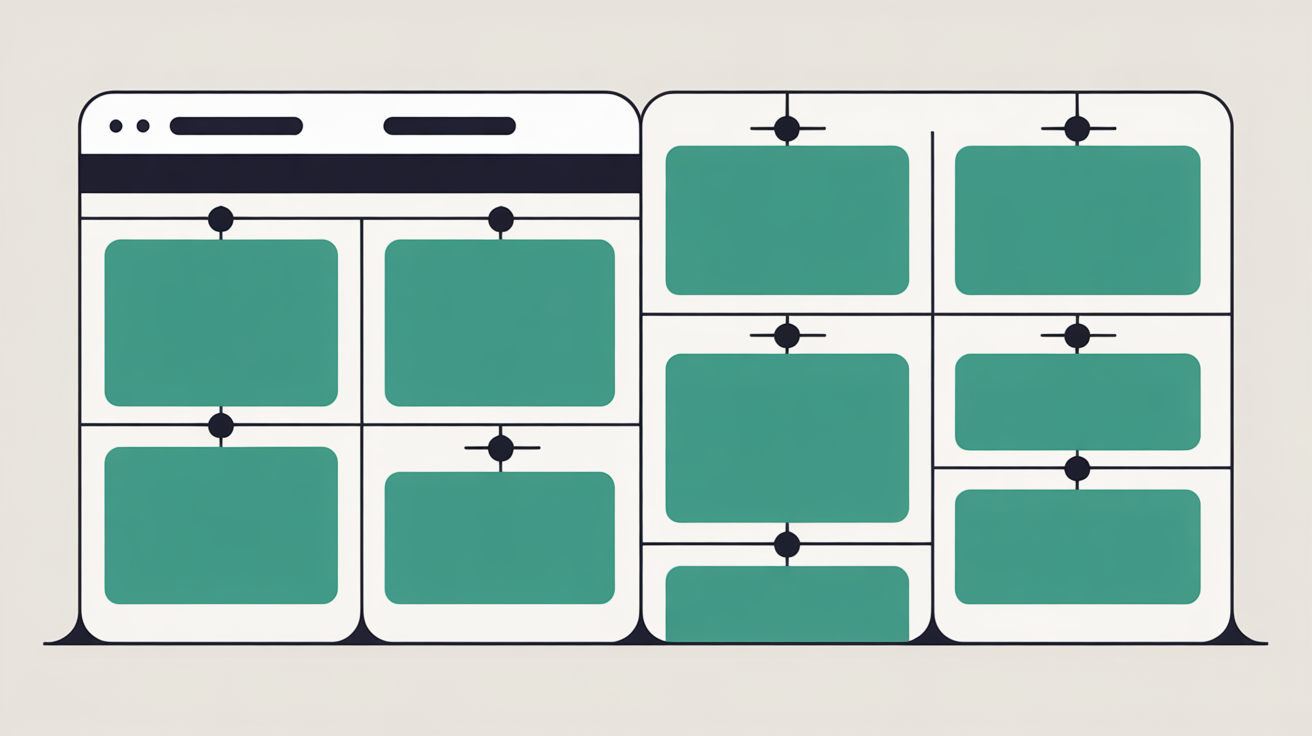
The visual system is selected from a curated set of WordPress themes that have already been performance-tuned and accessibility-tested. The AI does not "design" a theme from scratch. That would be a poor use of compute and a worse use of the business owner's risk tolerance.
What the model does instead: it picks a theme variant suited to the sector, sets a colour palette derived from the logo or the business description, picks fonts from a small list of pre-vetted web-safe families, and selects or generates section imagery that matches the tone of the brief. If you uploaded a logo, the dominant colour from your logo becomes your accent. If you described yourself as warm and traditional, the model avoids the cool minimalist aesthetic.
Image generation is the part that has improved most dramatically in the last eighteen months. A bakery's home page now gets generated images that genuinely look like that bakery's space, not a stock photo from 2014 that has been on every coffee shop site for a decade. Generated images come pre-optimised. They typically weigh between 80 and 200 KB rather than the four-megabyte camera-roll JPEGs that quietly drag agency sites under their own weight.
Step Four: Provisioning the Stack
Now things get less glamorous and more important. Once the content and design are decided, the system has to actually build the site. That means provisioning a fresh WordPress installation on hosting infrastructure, with a database, a web server, caching, security, and SSL.
Web60 runs on the WordOps stack: Nginx, PHP-FPM, MariaDB, Redis object caching, and FastCGI page caching, on Irish-hosted infrastructure operated by SmartHost. WordOps is an open-source automation framework, well documented on its public GitHub project, that scripts the LEMP-stack provisioning that used to take a sysadmin half a working day. The 60-second AI build leans on automation that pre-dates AI by years and has been running production WordPress sites for nearly as long.
In practice, the new site comes up with object caching switched on, page caching configured, a Let's Encrypt SSL certificate issued and auto-renewing, and security defaults applied at the server level. None of this is novel work. All of it is the difference between a site that loads in 400 milliseconds and a site that takes four seconds and times out on a customer's phone during the Friday lunch rush.
Step Five: Deploying to Production
The final stretch is the cutover. The AI has the structure, the content, the design, and a stack to run it on. It now has to commit the site to a public URL and verify everything works.
Page templates are written into WordPress as actual posts and pages, not as a stitched-together static export. That matters because the business owner can log into wp-admin five minutes later and edit anything they want, with no developer needed. Menus are wired up. Permalinks are set. The contact form is connected to the email address you provided. Analytics are enabled. The favicon is generated from your logo or your initials.
A pre-deploy snapshot is taken before the site goes live, and a verification pass checks that the homepage renders, the contact form posts successfully, the SSL certificate is valid, and the site is indexable. Only then is the URL flipped public. If any check fails, the system rolls back to the snapshot and surfaces the failure rather than putting a half-broken site in front of a paying customer. This is standard rollback discipline. It is also rare in the price bracket most Irish small businesses are shopping in.
The Infrastructure Behind the 60-Second Promise
Sixty seconds is a marketing number. It is also a technical commitment that only holds if the underlying infrastructure can support it. A few things have to be true for the build to land in that window.
Provisioning has to be parallel, not serial. The AI does not wait for the database to come up before it generates the content. Content generation, image generation, theme selection, database provisioning, and SSL issuance all happen concurrently, and the orchestration layer joins them at the end. Image generation has to be hosted close. Generating four images on a model running in Virginia and pulling them across the Atlantic adds a few seconds nobody can spare.
Caching has to be warm by the time the customer first views the site. The verification pass deliberately hits the homepage and key inner pages to populate the FastCGI page cache and the Redis object cache. The first real visitor never sees the cold-start penalty.
That last point matters. As Google's Chrome team document on web.dev, a Time to First Byte under 800 milliseconds is the threshold for a "good" rating, and most generic shared hosting cannot hit it consistently from Ireland. In our testing, we see TTFB on Web60 sites land somewhere between 90ms and 250ms for visitors in Ireland, with one SaaS site running closer to 400ms because of an unusually heavy WooCommerce footprint we are still optimising. Ranges, not point estimates. Methodology and traffic shape matter more than a glossy benchmark from a vendor's own marketing page.
What the AI Cannot Do for You
A trustworthy walkthrough has to admit the limits. Here is what the AI does not do, and what you still have to do yourself.
It does not know your tone of voice better than you do. The copy it generates is a competent first draft. Most business owners change two or three paragraphs after launch, usually for the better, because they hear how the AI version sounds and have a clear opinion about it. That is healthy editing, not failure.
It does not pick your photographs. Generated imagery is excellent for opening sections and hero blocks. Real photos of your premises, your team, and your products will always outperform generated images for the parts of the site where authenticity matters most. Upload them. The AI builder happily accepts them.
It does not write your privacy policy or your terms. Templated boilerplate is not a substitute for a policy that reflects what your business actually does with customer data, and we do not pretend otherwise. The system provides a starting point. Your solicitor signs off on the final version where compliance obligations are non-trivial.
It does not replace the discipline of running a website over time. A site born in 60 seconds still needs a human editing the menu when prices change, adding the seasonal banner before tourist season, and writing the long-form post that ranks for the query a competitor has been quietly hoovering up for two years.
Where This Genuinely Does Not Suit
I have to be honest about where AI-built sites are not the right answer.
If you are running a multi-region e-commerce operation with custom checkout flows, dozens of integrations into ERP and CRM systems, and a brand identity that has been worked on by a creative agency for years, an AI builder is not what you need. Enterprise managed WordPress hosts with dedicated developer relationships genuinely suit that workload. The work an agency does for that scale of business is real work, and a 60-second build will not match it.
That is not most Irish businesses. The cafe owner on the Galway Quays does not have a custom checkout flow. The single-partner solicitor does not need ERP integration. For the great majority of local firms and owner-operators, the choice is not between an AI build and a fifteen-thousand-euro enterprise project. It is between an AI build and either no proper site at all or a four-thousand-euro agency project that takes six weeks and leaves the owner locked out of their own content the day it launches.
For the broad case, AI is the right tool. For the small minority that genuinely needs more, agencies still exist and are still good at their job. As the broader case for AI-powered WordPress in Ireland lays out, the honest framing matters more than the hype.
Conclusion
The 60-second build is the visible part. Underneath it is a stack that has been doing this work, less glamorously, for years: WordPress as the platform, the new market reality catching up to what the engineering already supported, WordOps automating the LEMP provisioning, Nginx and Redis and FastCGI doing the caching, Let's Encrypt issuing SSL, and rollback discipline catching failed builds before a customer sees them.
What AI added is the missing layer at the top. It collapses the brief, the architecture decision, the content draft, and the visual system into a process the business owner can drive themselves, in a minute, from their phone. WordPress already powers somewhere around 42 to 43 percent of the web, as W3Techs reports each month, so the platform was never the bottleneck. The bottleneck was always the human work between the owner and a finished site.
If you have wondered whether AI can really build a real site without an agency in the loop, the under-the-hood reality is mostly reassuring. The boring engineering work is being done, and being done well. The choice that actually matters now is the one that always mattered: who knows your business well enough to put it into a few honest sentences. The AI is happy to take it from there.
Frequently Asked Questions
Can the AI really build a professional WordPress site in 60 seconds?
Yes, provided the underlying infrastructure is built for it. The 60 seconds covers structured content generation, theme selection, image generation, hosting provisioning with caching and SSL, and a verification pass before the site goes live. The work is parallelised across services that have been doing each piece reliably for years. What AI added on top is collapsing the brief, the architecture, and the content decisions into a process the business owner can run themselves.
What happens if I want to change something after the AI builds the site?
Everything the AI built is real WordPress. You log into the standard WordPress dashboard the same way you would on any other host, edit pages, add posts, change menus, install plugins. The AI is a starting point, not a walled garden. Most business owners change two or three paragraphs after launch, which is healthy editing rather than a sign that something failed.
Is the AI-built site as good as a four-thousand-euro agency build?
For a typical Irish small business, yes, and often better. The AI build uses performance-tuned themes, properly optimised images, and managed WordPress hosting with caching configured from day one. Many agency sites end up on cheap shared hosting and load slower than an AI-built site running on enterprise infrastructure. Where agencies still win is custom integrations, complex e-commerce flows, and deeply bespoke brand work.
Does the AI know what my business actually does?
It knows what you tell it. Three to five honest sentences about who you serve and what makes you different produces dramatically better results than a generic one-liner. The model has patterns from a very large number of similar businesses, but it cannot read your mind. The brief is the part of the process where the business owner does the work that genuinely cannot be outsourced.
Can I move the site somewhere else if I change my mind?
Yes. The site is full WordPress, exportable through the standard WordPress export tools, and the database is a normal MariaDB database you can take with you. Web60 does not lock content in a proprietary format. That is one of the main reasons the platform runs on real WordPress rather than a custom CMS that would feel cheaper to build but cost the customer their portability.
Sources
W3Techs, Usage Statistics and Market Share of WordPress
OpenAI, Structured Outputs Guide
WordOps, GitHub Project Documentation
Google Chrome team, Time to First Byte article on web.dev
Custom Market Insights, AI-Powered Website Builder Market Report

Graeme Conkie founded SmartHost in 2020 and has spent years building hosting infrastructure for Irish businesses. He created Web60 after seeing the same problem repeatedly — Irish SMEs paying too much for hosting that underdelivers. He writes about WordPress infrastructure, server security, developer workflows, managed hosting strategy, and the real cost of hosting decisions for Irish business owners.
More by Graeme Conkie →Ready to get your business online?
Describe your business. AI builds your website in 60 seconds.
Build My Website Free →More from the blog
WordPress Slow When Logged In? Your Customers Are Seeing a Different Website
WordPress slow when logged in? Your customers usually get a faster, cached site. How to verify what they really see, and how to fix a sluggish dashboard.
Critical PHP Security Update: Four Questions to Ask Your Web Host This Week
The critical PHP security update of 21 October 2026 will not show in WordPress. Four questions for your host, and what a good answer sounds like.