

Web60 Features
The First 7 Things to Do After Your AI Website Builder Creates Your Site
Easter weekend is less than a week away. For businesses that depend on seasonal trade, the rush is already building. If you have just used an AI website builder to get your business online, your timing is good. But the site that appeared in 60 seconds needs about an hour of your attention before it is ready to work for you.
On a call with a business owner last week, I heard the question I hear most often: "The site is there and it looks professional, but what am I supposed to do with it now?" She had described her business, the AI had built the site, and she was looking at a finished WordPress website wondering what came next.
Here are the seven things to do next. In the order that matters.
Step 1: Review and Tweak Your Homepage Content
The AI generates your content based on what you told it about your business. It is good at this, often surprisingly so. But it does not know your bestselling product, the award you won last year, or the phrase your regulars use to describe what you do.
Open your homepage in the WordPress editor and read every word. Out loud, if you can manage it. You will find sentences that are almost right but not quite yours. Change them. Add a line about what makes your business different from the three others on the same street.
I will admit to a mistake here. I used to tell new customers to share the site immediately and tweak the content later. That was wrong. The ones who spent ten minutes personalising their homepage before sharing the link got noticeably better responses from first-time visitors. First impressions form in seconds, and generic text that could describe any business on your street does not make one. This is not a rewrite. It is a ten-minute edit. The AI built you a strong foundation. Your job is the 20% that makes it sound like you.
Step 2: Add Your Real Business Photos
The AI builder may include placeholder images or stock photography. Replace them. Today, not next week.
Take your phone out. Photograph your shop front, your products, your team if they are happy to appear. These do not need to be professional studio shots. A well-lit photo from a modern smartphone does more for customer trust than any stock image of someone holding a coffee cup.
Upload through the WordPress media library and swap out the placeholders. A real photo of your actual premises signals authenticity in a way that polished stock imagery simply cannot. One honest note: if your product range changes seasonally or your premises are still being fitted out, use the best photos you have right now and plan to update them later. A site with three genuine photos is more credible than one waiting indefinitely for twelve perfect ones.
Step 3: Update Your Contact Details and Opening Hours
This sounds obvious. It is the step people skip most often.
Verify your phone number, email address, physical address, and opening hours. The AI builder uses what you entered during setup, but I have seen business owners type a mobile number with one digit wrong, list hours that changed months ago, or forget to mention they close early on bank holidays.
Here is what happens if you leave this: a customer searches for your business, finds your site, drives across town, and arrives to a locked door because your website said 5pm but you actually close at 4 on Saturdays. That customer is not coming back. And the damage compounds, because every detail on your website needs to match what appears on your Google Business Profile. Mismatched information confuses both people and search engines. You can compare Web60 pricing to see what this means in practice. You can see Web60's simple pricing to see what this means in practice.
Step 4: Connect Your Own Domain
Your Web60 site comes with a free smartsitebuilder.ie subdomain out of the box. That works while you are getting set up. But for a business that wants to be taken seriously, you need yourbusinessname.ie or .com.
If you already own a domain, connecting it takes a few minutes through the Web60 dashboard. If you do not have one, register a .ie domain. It costs roughly EUR 20 to 25 per year from most Irish registrars and tells customers you are a registered Irish business. For a detailed walkthrough of the full process, our guide to converting your demo to a live website covers everything from domain connection to final checks.
Here is where I will be straightforward with you. If you are running a complex e-commerce operation with hundreds of products and custom payment integrations, you might genuinely benefit from a developer handling your post-launch configuration. But for a business website, a services page, a restaurant menu, a professional portfolio? These seven steps are everything you need. No agency. No freelancer billing EUR 75 an hour for changes you could make yourself.
Step 5: Set Up Google Business Profile and Link It
This is the step that delivers the most value per minute spent. It is also the one most business owners put off the longest.
Close to half of all Google searches carry local intent, according to Google's own data [1]. When someone in your town searches for what you sell, Google shows a map with local results. Without a Google Business Profile, you are invisible on that map. Your competitor who set theirs up gets the click. You get nothing.
Setting up takes about fifteen minutes. Go to business.google.com, enter your business name, choose your category, add your address, and verify your listing. Once verified, add your website URL, your opening hours, and a few of those real photos from Step 2.
BrightLocal's consumer research shows that roughly 9 in 10 people now use Google to evaluate local businesses before visiting [2]. Google's own figures suggest businesses with complete profiles are around 70% more likely to attract visits and roughly 50% more likely to be considered for a purchase [3]. Even allowing for the usual margin of error, the direction is clear. Link your profile to your new website and you create a direct path from someone searching on Google to your front door.
Step 6: Check Your Site on Mobile
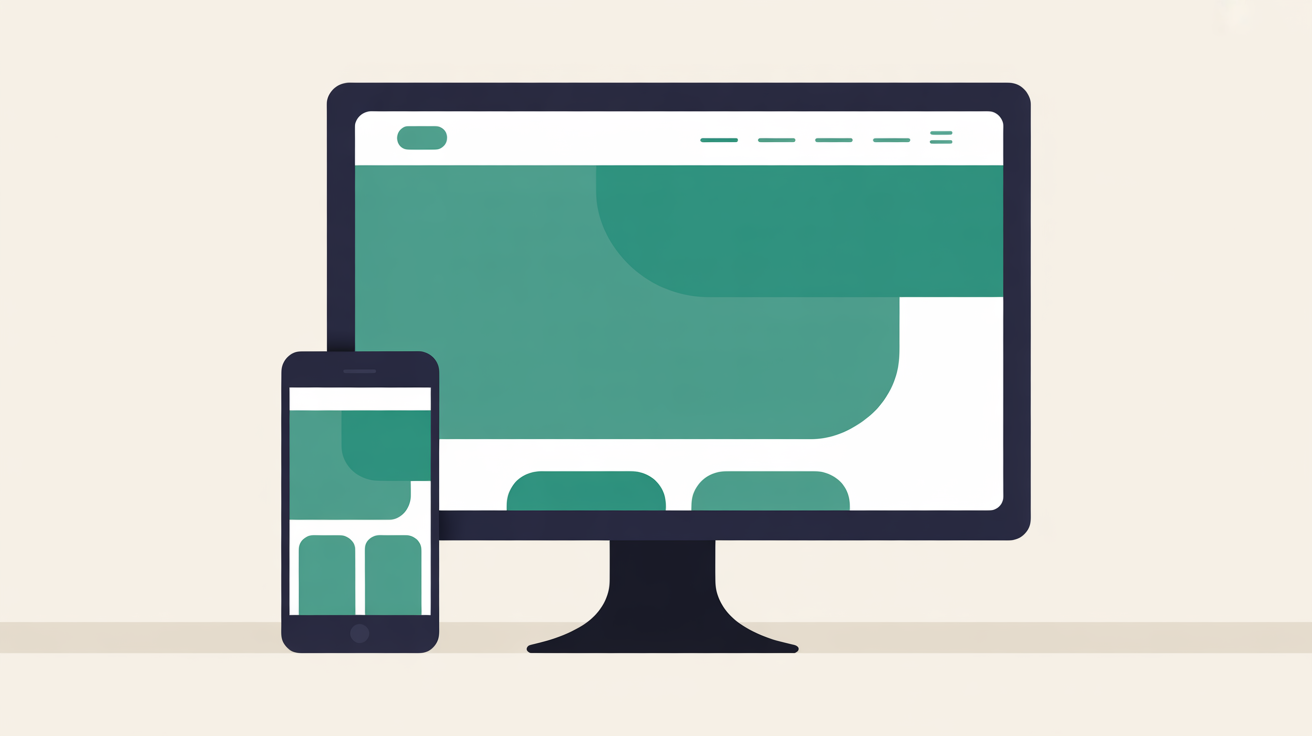
Here is a number worth knowing: according to StatCounter's global data, somewhere between 6 and 7 out of every 10 website visits now happen on a mobile device [4]. In Europe the split is closer to even, but more than half your visitors are still on their phones.
Your Web60 site runs on WordPress with a responsive theme, so it should display well on mobile by default. But "should" is not the same as "does."
Pull out your phone. Actually look at your site. Tap every button. Fill in your contact form. Check that your phone number is tappable. Read your homepage text on a small screen, because a paragraph that reads fine on a desktop can feel like a wall of text when it is five inches wide. A café owner on the Galway Quays told me she found three issues in under two minutes just by checking on her phone: a button too small to tap, a photo cropped oddly at mobile width, and her weekend hours hidden below the fold. Two minutes of checking. Three quick fixes. Worth every second. For related reading, see our guide on How to Update Your WordPress Website Yourself Without Breaking Anything. For related reading, see our guide on How to Migrate Your Website to Web60: A Complete Step-by-Step Guide.
Step 7: Share It on Social Media
Your site is customised. Your photos are real. Your domain is connected. Google knows you exist. Everything works on mobile. Now tell people.
Post your new website on every platform where your customers already follow you. Facebook, Instagram, LinkedIn, wherever your audience is. Do not overthink the wording. Something straightforward works perfectly: "We have just launched our new website. Have a look and tell us what you think." Include the link.
Ask your team to share it. Ask your regulars. The first wave of visitors to a new website nearly always comes from people who already know your business. That early activity signals to search engines that your site is real and worth indexing.
Here is the part worth sitting with for a moment. You built this site yourself, with no technical skills, on the same WordPress platform that powers 43% of the world's internet according to W3Techs. This is not a cut-down website builder or a walled garden. It is full WordPress with the entire plugin and theme ecosystem. And as your confidence grows, Web60's guide to updating your site safely shows you how to make changes with confidence whenever you are ready. You did all of this for EUR 60 a year, with everything included. Design, hosting, SSL, backups, security, analytics. No hidden fees. No renewal surprises. That is genuinely worth sharing.
You Built This. Now It Works for You.
Those seven steps take about an hour. Less if your photos and domain are already sorted. At the end of that hour, you have a professional WordPress website that sounds like you, looks like your business, shows up on Google, works on every device, and your customers know about it.
No EUR 3,000 agency invoice. No weeks of back-and-forth with a designer. No hourly rates for text changes. You own the site, you control it, and you can update it whenever you want.
The AI did the building. You added the parts that only you could: your voice, your photos, your story. That combination of speed and authenticity is what makes self-building work. Not just because it costs less than hiring someone, though it does. Because nobody understands your business the way you do.
Frequently Asked Questions
Do I need to complete all seven steps immediately?
Steps 1 through 3 (content, photos, contact details) should happen before you share the site publicly. A site with placeholder content and a wrong phone number does more harm than good. Steps 4 and 5 (domain and Google Business Profile) can follow within the first week. Step 6 takes two minutes. Step 7 happens whenever you are ready. The important thing is not to leave steps 4 and 5 indefinitely, because they are what make your site findable.
What if I do not have professional photos of my business?
Use your smartphone. A modern phone camera in decent natural light produces images that are more than adequate for a business website. Photograph your premises, your products, your workspace. Authenticity matters more than polish. You can always upgrade to professional photography later, but do not let its absence delay your launch.
How long does connecting my own domain take?
The technical connection through the Web60 dashboard takes a few minutes. If you need to update DNS records with your domain registrar, allow 24 to 48 hours for those changes to propagate fully, though most complete within a few hours. Your site remains accessible via the smartsitebuilder.ie subdomain in the meantime.
Can I change the site design after going live?
Yes. WordPress gives you full control over your theme, layout, colours, fonts, and page structure. The AI-built design is a starting point, not a locked template. You can adjust anything through the WordPress dashboard at any time without technical skills or developer fees. You might also find our article on AI-Powered WordPress: What Every Business Owner Needs to Know in 2026 useful. You might also find our article on How Irish Shops and Cafés Use Their Website to Bring Customers Through the Door useful.
Is Google Business Profile really necessary for my business?
If you serve local customers, yes. With close to half of all Google searches carrying local intent, your Business Profile is how people find you on Maps and in local search results. It is free to set up, takes about fifteen minutes, and for any business with a physical location or service area, skipping it means being invisible to the customers most likely to walk through your door.
Sources

Eamon leads sales at Web60 and SmartHost, working directly with Irish business owners making the switch from cheap shared hosting to managed WordPress. With a background in enterprise technology sales — including Oracle and multiple Irish SaaS businesses — he understands the questions Irish SMEs ask before committing to a hosting platform. He writes about hosting comparisons, total cost of ownership, web design for Irish businesses, and how to evaluate what you’re actually buying.
More by Eamon Rheinisch →Ready to get your business online?
Describe your business. AI builds your website in 60 seconds.
Build My Website Free →More from the blog
WordPress Missed Schedule: Why Scheduled Posts and Sales Fail to Publish
Scheduled post not published? Why WordPress shows Missed schedule, what else stalls with it (WooCommerce sales, reminders) and how to verify and fix it.
Website Change Freeze: Finish the Work in October, Then Leave Your Site Alone for Christmas
A website change freeze stops risky plugin and design changes during your Christmas peak. What to freeze, what to keep updating, and why October is the time.