

SEO & PageSpeed
Tracking AI Referral Traffic: The Customers Your Analytics Cannot See

Consider a heat pump installer in Leitrim. Not one business, a pattern we have watched repeat across our customer base since roughly the spring, and the shape of it barely changes.
Enquiries climb over about six weeks. Same character to all of them: long messages from people who already know roughly what a retrofit costs in a draughty stone cottage and want a survey booked, not a brochure. Nothing on the site has changed. No ads, no new pages, no leaflet drop.
Then the owner opens the analytics and very nearly cancels the thing that is working.
Organic search, flat. Referrals, nothing. The only line moving is Direct, and every business owner has been trained to read Direct as "people who already knew us". So the conclusion writes itself. The website is not pulling its weight. Those enquiries must be word of mouth. Cancel the writer, put the money into signage for the van.
He was wrong. I do not blame him for one second, because that is precisely what the tools were telling him.
Two AI dashboards arrived this year, and they disagree
Both of the big free measurement tools grew AI features in 2026. That sounds like progress. Read the documentation and it is more complicated.
Google launched generative AI performance reports in Search Console on Wednesday 3 June 2026. Hillel Maoz and Moshe Samet, writing on the Search Central blog, described them as dedicated views of your impressions within generative AI features on Search, meaning AI Overviews and AI Mode. Google was explicit that it was rolling these out to a subset of websites first, and the help page still carries the line that not all properties have access.
Separately, Google Analytics 4 added an AI Assistant channel to its default channel group. Google defines it as the channel by which users arrive at your site from sources like ChatGPT, Gemini, Deepseek, Copilot or Grok, and it stamps those visits with a medium of ai-assistant automatically when the referrer matches its list.
Two useful additions. Neither one answers the installer's question, which was never "am I visible in AI". It was "did any of this bring me a job".
Impressions are not customers
Look at what the Search Console generative AI report actually contains. Impressions. Pages. Countries. Devices. Dates. That is the list Google published, and Google added, in the same post, that it is continuing to work with website owners on adding additional metrics over time.
There is no click column.
So the report will tell you that links to your site appeared in AI answers eleven thousand times last month. It will not tell you whether a single human read that answer and came to you. For a publisher selling advertising against page views, an impression has some standalone worth. For a business that installs heat pumps, an impression is a rumour. You cannot bank it, you cannot roster staff against it, and you certainly cannot use it to decide whether the content budget stays.
Clicks from AI features do exist in Search Console, to be fair. Google's documentation on AI features is clear that sites appearing in AI Overviews and AI Mode are included in the overall search traffic in Search Console, reported in the Performance report within the Web search type, and a click on an external link in AI Mode is counted as a click.
They are simply blended in with every other result, so you cannot separate them out. You get a number that includes AI clicks and a number that isolates AI impressions, and never the two in one place. If your site is not surfacing in those answers in the first place, that is a different problem with a different fix, and one we covered when we looked at why most local firms are not present in AI search answers at all.
One more thing about that report, and it is the kind of detail I look for before trusting any new dashboard. Google's own data anomalies page records that a logging error caused a decrease in impressions on the generative AI performance report in Search for data from 13 to 17 August 2026. The report is ten weeks old and has already had a documented gap in its numbers. Use it, by all means. Do not run your business off a single line in it.
Why so much of it lands in "Direct"
Underneath both dashboards sits an older and more stubborn problem.
Analytics identifies where a visitor came from using the referrer header the browser sends along with the request. If the header is there, you get a source. If it is missing, the visit drops into Direct, which is not really a channel at all. It is a shrug.
AI assistants are inconsistent about that header. OpenAI's publisher documentation states that ChatGPT automatically includes the parameter utm_source=chatgpt.com in referral URLs, which means some ChatGPT visits arrive properly labelled whatever the browser does. But tagged citation links are only part of what an assistant produces, and a link tapped inside a phone app often loses its origin on the way to the browser.
This is not a fringe concern raised by people selling attribution software. Cloudflare, publishing its crawl-to-refer ratios on Radar, caveated its own figures by noting that traffic referred by Claude's native app does not include a referrer header, so the calculations may overstate the ratios, and that it is unclear by how much. When the company measuring a large slice of the world's web traffic says it cannot fully see this either, take the hint about your own numbers.
The street-level version: a customer asks an assistant who fits heat pumps in the north west, taps your name, reads two pages, rings you the next morning. Your analytics logged a Direct visit. Your phone logged a job. Nothing connects the two.
Google's own AI does not count as AI
Here is the detail that catches most people out, and it is sitting in Google's Analytics documentation in plain sight.
That new AI Assistant channel covers the outside assistants. Google's own AI Overviews and AI Mode are excluded from it and classified as Organic Search instead.
Which is defensible, since they happen inside a Google search. It also means the two Google products now use two different definitions of AI traffic. Search Console counts AI Overviews and AI Mode as generative AI. Analytics counts them as organic. Read the AI Assistant channel as "all my AI traffic" and you will underestimate it, possibly by a lot, and draw the wrong conclusion about which pages are working.
The exchange rate is worse than people assume
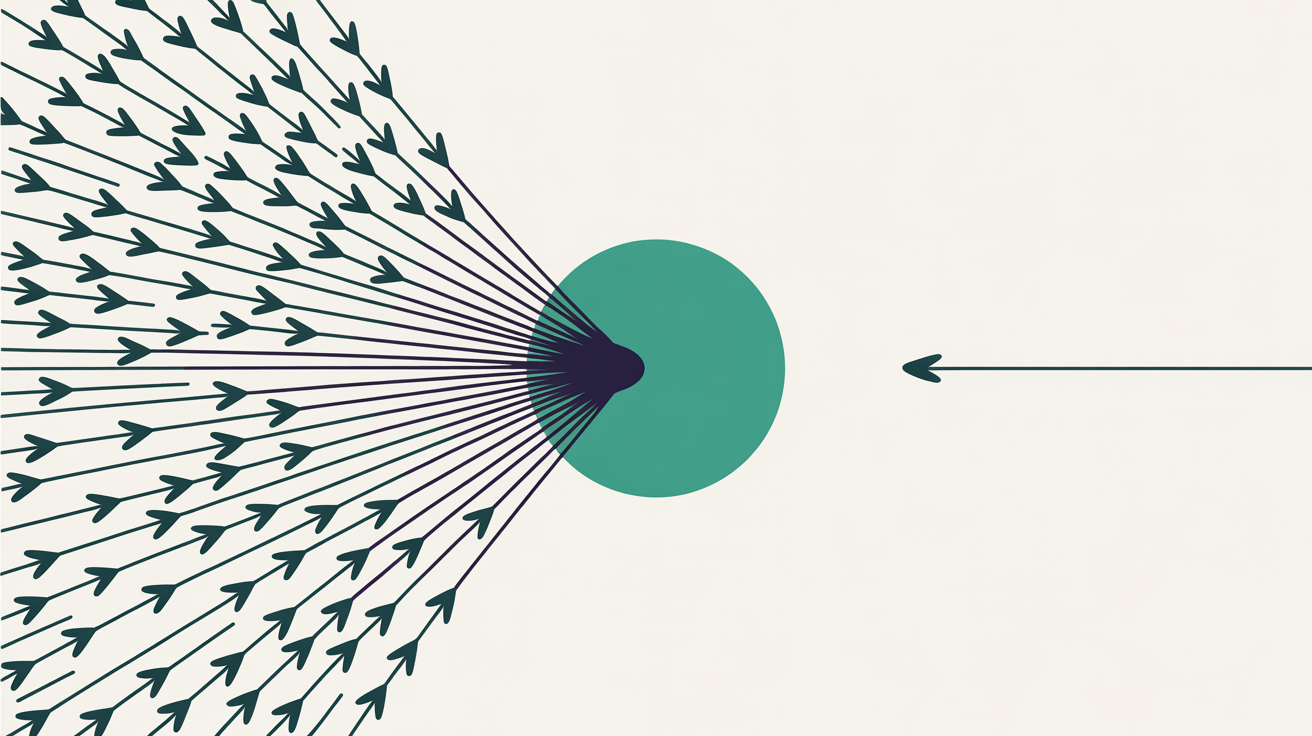
While we are being honest about numbers, the volume of AI reading your site will not match the volume of people AI sends you, and it is not close.
Cloudflare's crawl-to-refer work divides the requests a platform makes for your pages by the visits it sends back. The published ratios for the major AI platforms have run into the thousands to one, against roughly low double digits for traditional Google crawling. Those are Cloudflare's network measurements rather than a universal law, they move a great deal between platforms and months, and Cloudflare itself flags the missing-referrer problem that may inflate them. Treat the figures loosely. Treat the direction as settled.
What that means for the owner-operator is simple enough. Your site is being read constantly by systems that will summarise it to somebody you never see. A page that is thin, out of date or slow to serve does not just lose you a visitor now. It gets summarised badly, and that summary is what the customer acts on.
Reading your AI traffic in four steps
None of the following requires a developer or a paid tool. It does require you to stop reading channels in isolation.
- Verify the AI Assistant channel exists in your reports. In GA4, open the traffic acquisition report and check whether AI Assistant appears in the default channel group. If it does, that is your floor for ChatGPT, Gemini, Copilot and similar. It is not the ceiling.
- Read Direct and Organic together, not separately. Chart both across the last twelve months. Direct rising while Organic sits flat, with no offline campaign to explain it, is the signature of referrer loss. Small numbers, so expect noise, and never call it on a single fortnight.
- Add a free text field to your enquiry form. One box: how did you find us. Not a dropdown, because a dropdown only returns the answers you already thought of. Read what people type. This is the only measurement in the list that does not depend on a header surviving the trip.
- Deploy a monthly review, not a daily one. Check the Search Console generative AI report if your property has it, note the trend, and pair it with the enquiry answers from the same month. Anything shorter than monthly is reading static.
Step three is the one that closes the loop, and it is close to free. It is also the step that would have saved the Leitrim installer his content budget, because the answers people were typing named the assistant they had used.
The infrastructure underneath matters more than it sounds too, because an assistant that cannot fetch your page quickly cannot quote it accurately. That is a large part of why every Web60 site runs on a properly cached WordPress stack with privacy-first analytics included in the €60 a year rather than bolted on afterwards. If you want the longer version of how AI and WordPress fit together for a business rather than a development team, our guide to AI-powered WordPress for Irish businesses is the place to start.
What none of this can actually do
Now the limitation, because I would rather you heard it from me than found it out in three months.
No analytics product can recover a referrer that was never sent. Not GA4, not the privacy-first analytics we build into our own platform, not the expensive one either. If the assistant strips the header and the link carries no tag, the visit is anonymous at the moment it arrives and it stays anonymous. What you can do is narrow the uncertainty by triangulating: channel data plus the shape of your Direct line plus what customers tell you in their own words. What you cannot do is get a clean, auditable number that says AI sent you fourteen jobs last quarter. Anyone selling you that number is selling you a model, not a measurement.
There is a case where paying for more than this makes sense. If you run several hundred URLs, publish weekly, and need to know which specific prompts surface you against named competitors across four assistants, a dedicated AI visibility monitoring platform will earn its subscription. That is a real job with real complexity. For a trade business with a dozen pages and a phone that either rings or does not, the free tools plus one form field will get you close enough, and the subscription is money better spent on the pages themselves.
Conclusion
The installer kept his content budget. He added the form field, watched the answers for two months, and found that a meaningful share of his new enquiries named an assistant when asked directly, even though not one of them had shown up as anything other than Direct.
That gap between what the dashboards showed and what customers said is the whole story of measurement right now. Google shipped two AI reports this year and both beat having nothing. Neither closes the gap yet, and Google has said openly it intends to add metrics over time, which is a fair way of admitting as much.
Until then, the numbers are a partial view and the customer is the primary source. Read them in that order, and you will make better decisions with less data than the owner who trusts a clean chart that happens to be measuring the wrong thing.
Frequently Asked Questions
Why does ChatGPT traffic show up as direct traffic in my analytics?
Analytics tools identify where a visitor came from using the referrer header the browser sends. AI assistants do not always send one. Links opened from a phone app in particular often arrive with no referrer at all, so the visit falls into the Direct bucket alongside people typing your address from memory. Cloudflare has flagged the same gap in its own measurement work, noting that traffic referred by Claude's native app carries no referrer header.
Does Google Search Console show how much traffic AI Overviews sends me?
Partly. Google launched a generative AI performance report on 3 June 2026 covering AI Overviews and AI Mode, but it reports impressions only, along with pages, countries, devices and dates. There is no click metric in that view. Clicks from AI features are still counted inside the main Performance report under the Web search type, mixed in with every other search result, so they cannot be isolated there.
What is the AI Assistant channel in Google Analytics 4?
It is a channel in the GA4 default channel group covering visitors arriving from sources such as ChatGPT, Gemini, Deepseek, Copilot or Grok. Google assigns a medium of ai-assistant when the referrer matches its list of AI assistants. Google states that AI Overviews and AI Mode are excluded from this channel and are classified as Organic Search instead.
Should I add a "how did you hear about us" field to my enquiry form?
Yes, and make it a free text box rather than a dropdown. It is the one measurement that does not depend on a referrer header surviving the trip. Answers mentioning ChatGPT, Gemini or Copilot by name tell you something no dashboard currently can, and the phrasing people use also shows you which questions your site is being quoted to answer.
Can I block AI assistants from using my website content?
You can control crawler access through robots.txt, and OpenAI documents separate agents for search and for model training, so allowing one while disallowing the other is possible. Bear in mind the trade. OpenAI states that content needs to be reachable by its search agent to appear in ChatGPT summaries and snippets, so blocking it removes you from those answers entirely.
Sources
- Google Search Central, Introducing Search Generative AI performance reports in Search Console, 3 June 2026
- Google Search Console Help, Generative AI performance report (Search)
- Google Search Console Help, Data anomalies in Search Console
- Google Search Central, AI Features and Your Website
- Google Analytics Help, Default channel group
- Cloudflare, The crawl before the fall of referrals: understanding AI's impact on content providers

Graeme Conkie founded SmartHost in 2020 and has spent years building hosting infrastructure for Irish businesses. He created Web60 after seeing the same problem repeatedly — Irish SMEs paying too much for hosting that underdelivers. He writes about WordPress infrastructure, server security, developer workflows, managed hosting strategy, and the real cost of hosting decisions for Irish business owners.
More by Graeme Conkie →Ready to get your business online?
Describe your business. AI builds your website in 60 seconds.
Build My Website Free →More from the blog
Google AI Overviews Opt-Out: Switching It Off Rarely Brings Your Customers Back
Google now lets any website opt out of AI Overviews and AI Mode in Search Console. What the switch removes, what it leaves alone, and who should use it.
Fake Author Profiles on Your Website: Google Now Calls Them Deception
Google now calls fake author profiles, AI headshots and invented credentials a sign of a low-quality page. How to audit the bylines on your business website.