

Industry News
WordPress 7.0 RC1 Drops March 19th: The AI Revolution Your Business Cannot Afford to Miss
WordPress 7.0 Release Candidate 1 launches on 19 March 2026, marking the biggest platform shift since Gutenberg transformed content editing. For Irish SMEs, this isn't just another update, it's the moment WordPress becomes an AI-native platform, fundamentally changing how businesses engage with customers and manage their digital presence.
The centrepiece is WordPress's new AI Client feature, integrated directly into the core platform for the first time. Unlike bolt-on solutions, this native AI infrastructure opens doors to intelligent automation, personalised customer experiences, and streamlined business processes that were previously exclusive to enterprise-level platforms.
WordPress 7.0's AI Client Feature: What It Actually Means for Your Business
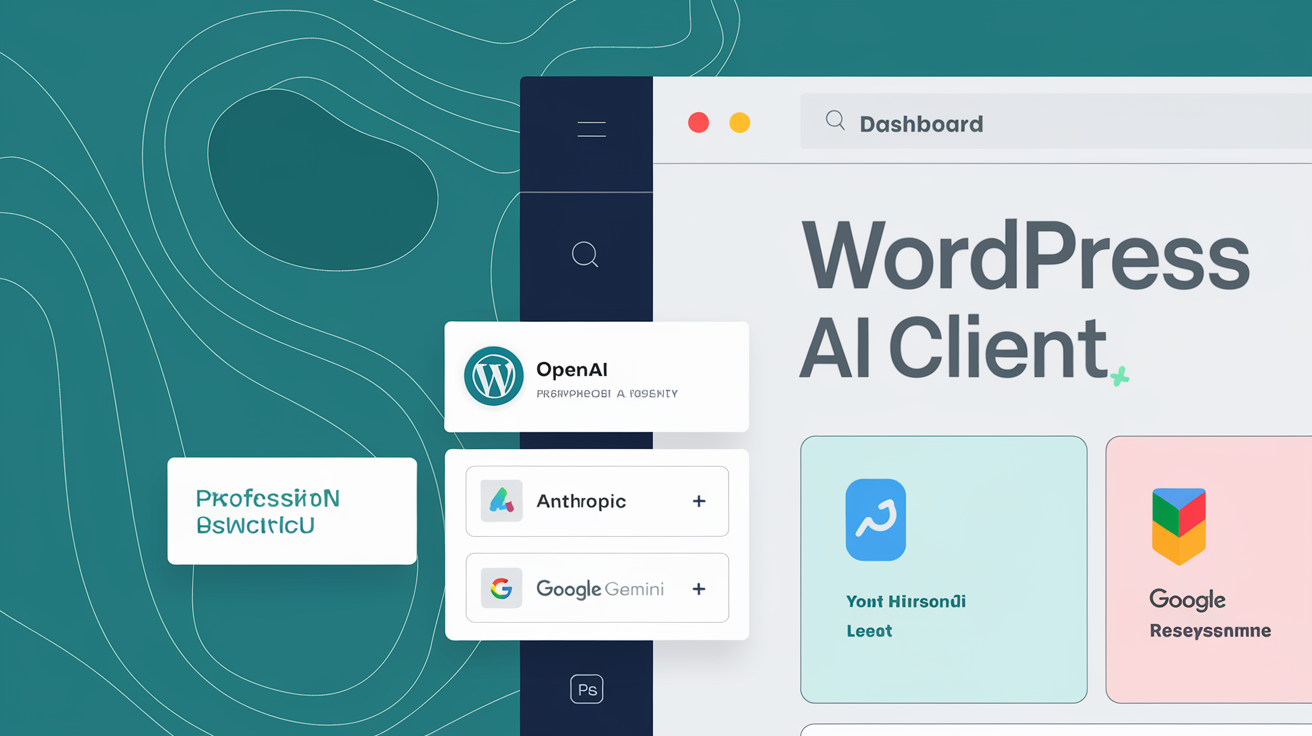
WordPress 7.0's AI Client isn't a flashy chatbot or content generator. It's infrastructure, the foundation that enables AI-powered plugins and themes to communicate with major AI providers like OpenAI, Anthropic Claude, and Google Gemini [1].
Think of it as plumbing for intelligence. Just as WordPress handles database connections so plugins don't have to, the AI Client manages the complex authentication, rate limiting, and error handling required for AI services. To see how AI is already building WordPress sites in under a minute, look at what this infrastructure layer enables in practice. This means developers can focus on building useful AI features rather than wrestling with API integrations.
For Irish SMEs, this creates opportunities previously reserved for businesses with dedicated development teams:
- Intelligent customer service: AI-powered support that understands context and provides relevant answers
- Dynamic content personalisation: Websites that adapt messaging based on visitor behaviour and preferences
- Automated workflow management: AI assistants that handle routine business tasks like appointment scheduling and follow-ups
- Smart inventory management: Predictive analysis for stock levels and purchasing decisions
The key advantage is provider flexibility. Unlike platforms that lock you into specific AI services, WordPress 7.0's approach lets businesses choose the AI provider that best fits their needs and budget.
Breaking Down the Technical Changes (In Plain English)
WordPress 7.0 introduces significant under-the-hood changes that affect how your website operates. The most important for business owners to understand:
PHP Version Requirements: WordPress 7.0 drops support for PHP versions below 7.4 [2]. If your current hosting runs older PHP versions, your site will break during the update. This isn't optional, it's a hard requirement.
API Architecture Changes: The platform introduces new programming interfaces that enable AI functionality. While this creates opportunities, it also means some plugins need updates to remain compatible.
Performance Implications: AI features require more server resources than traditional WordPress installations, and understanding how AI is reshaping Irish SME WordPress strategy shows just how significant these demands are. Shared hosting plans that struggle with current WordPress versions will likely buckle under AI workload demands.
Security Considerations: AI Client connections involve sensitive API credentials and potentially confidential business data. Proper configuration becomes critical for maintaining security standards.
For context, WordPress 6.9's release in December 2025 broke three major plugins (WooCommerce, Yoast SEO, and Elementor) on launch day due to similar API changes [3]. The lesson: preparation matters more than speed when adopting major WordPress releases. You can understand how Web60 manages your site to see what this means in practice. You can understand how Web60 manages your site to see what this means in practice.
Immediate Action Items for Irish Web Teams This Week
Before 19 March 2026, Irish businesses need to complete these essential preparation steps:
1. Audit Your Current Setup
- Check your PHP version through your hosting control panel
- Document all active plugins and themes
- Note any custom code or integrations
- Review backup procedures and test restore functionality
2. Test Environment Preparation
- Set up a staging site for WordPress 7.0 testing
- Clone your live site to the staging environment
- Prepare to test plugin compatibility without affecting your live website
3. Plugin Compatibility Review
- Contact developers of critical plugins about WordPress 7.0 support
- Identify alternative plugins for any that won't be updated
- Test essential functionality on your staging site
4. Infrastructure Assessment
- Evaluate whether your current hosting can handle AI workloads
- Consider managed WordPress hosting that includes automatic compatibility testing
- Review your disaster recovery plan
The golden rule: never auto-update major WordPress releases on live sites. Only minor security patches are safe for automatic updates [4].
How Web60's AI-Powered Infrastructure Gives You the Edge
Web60's infrastructure is already optimised for WordPress 7.0's AI Client demands. While other hosting providers scramble to adapt their infrastructure for AI workloads, Web60's AI-powered managed hosting platform handles these requirements smoothly.
Our approach eliminates the technical complexity that overwhelms most SMEs:
- Pre-tested Compatibility: We test major WordPress updates before they reach your site, preventing the plugin breakages that caught businesses off-guard with WordPress 6.9
- Optimised Performance Stack: Our WordOps-based infrastructure with Nginx, PHP-FPM, and Redis caching handles AI feature demands without performance degradation
- Automatic Security Management: Server-level hardening and malware scanning protect AI API credentials and sensitive data
- Irish-Based Support: Our team understands local business needs and provides hands-on assistance during the WordPress 7.0 transition
Unlike WP Engine's location-based surcharges or Kinsta's €35/month entry pricing, Web60 provides comprehensive AI-ready hosting for €60 annually, transparent pricing without hidden fees for premium features.
| Feature | Traditional Hosting | Web60 |
|---|---|---|
| WordPress 7.0 AI support | Manual configuration required | Pre-configured and optimised |
| Plugin compatibility testing | Customer responsibility | Automated pre-release testing |
| Performance optimisation | Basic shared resources | Dedicated AI-optimised stack |
| Support quality | Outsourced generic help | Irish-based WordPress experts |
Try Web60's AI-ready infrastructure and prepare for WordPress 7.0 with confidence.
Timeline: When to Expect Full WordPress 7.0 Release and What Happens Next
WordPress 7.0's development follows a predictable schedule:
- 19 March 2026: Release Candidate 1 launches for final testing
- 26 March 2026: Release Candidate 2 (if critical issues found)
- 9 April 2026: WordPress 7.0 final release [5]
Post-Release Expectations:
The first 30 days after release will reveal compatibility issues missed during testing. Smart businesses wait for this initial feedback before updating production sites.
Plugin developers typically need 2-4 weeks after WordPress release to update their code for full compatibility. Essential plugins like WooCommerce and Yoast SEO will likely have updates ready on release day, but smaller plugins may lag.
AI-powered features will emerge gradually as developers use the new AI Client infrastructure. Expect the first wave of AI-enhanced plugins within 60-90 days of WordPress 7.0's release. For related reading, see our guide on CloudFest 2026 Reveals Multi-Cloud Dominance: What 92% Enterprise Adoption Means for Small Businesses. For related reading, see our guide on AI Support Chat: Get Instant WordPress Help When You Need It Most.
For Irish SMEs, this timeline suggests optimal update windows:
- Conservative approach: Wait until May 2026 for initial compatibility issues to resolve
- Early adopter approach: Update in staging environments immediately, move to production after plugin compatibility confirmation
- Managed hosting approach: Let your hosting provider handle testing and compatibility verification
The AI revolution in WordPress isn't optional, it's the direction the platform is moving. The question isn't whether to adopt WordPress 7.0's AI features, but how to prepare your business for the transition. You can try Web60's WordPress hosting built for AI-first development to see how AI-ready infrastructure performs in practice.
Conclusion
WordPress 7.0 represents more than a software update, it's the foundation for AI-powered business operations that will define competitive advantage in the coming years. Irish SMEs that prepare now position themselves to use these capabilities while competitors struggle with compatibility issues and infrastructure limitations.
The key is choosing infrastructure that's already optimised for AI workloads and backed by expertise that understands both WordPress development and Irish business needs. Web60's AI-powered hosting platform eliminates the technical complexity while providing the performance and reliability essential for AI-enhanced WordPress sites. Start your WordPress 7.0 preparation today with Web60 and ensure your business is ready for the AI revolution.
Frequently Asked Questions
When should I update my WordPress site to version 7.0?
Never update immediately on release day. Wait 2-4 weeks after the 9 April 2026 release for plugin compatibility issues to be resolved. Test on a staging site first, then update your live site only after confirming all essential plugins work correctly with WordPress 7.0.
Will WordPress 7.0 break my existing website?
WordPress 7.0 requires PHP 7.4 or higher and introduces API changes that may affect some plugins. If your hosting runs older PHP versions or you use plugins that haven't been updated for 7.0 compatibility, your site could break. Proper preparation and testing prevent these issues.
Do I need AI features for my small business website?
WordPress 7.0's AI Client provides infrastructure only, it doesn't add AI features automatically. However, this foundation enables AI-powered plugins for customer service, content personalisation, and business automation that can provide significant competitive advantages for SMEs.
What hosting requirements does WordPress 7.0 have?
WordPress 7.0 requires PHP 7.4 minimum, with PHP 8.5 support included. AI features demand more server resources than traditional WordPress installations. Shared hosting plans may struggle with AI workload demands, making managed WordPress hosting increasingly important.
How much does it cost to use WordPress 7.0's AI features?
WordPress 7.0's AI Client infrastructure is free, but AI features require API access to providers like OpenAI, Anthropic, or Google. Costs vary by provider and usage. The AI Client is provider-agnostic, allowing businesses to choose the most cost-effective option for their needs. You might also find our article on How to Migrate Your Website to Web60: A Complete Step-by-Step Guide useful. You might also find our article on Green WordPress Hosting: How Carbon-Neutral Infrastructure Cuts Energy Costs by 23% useful.
Should I wait for WordPress 7.1 instead of upgrading to 7.0?
WordPress 7.0 establishes the AI foundation that future versions will build upon. Waiting for 7.1 means missing opportunities to develop AI-powered business capabilities. However, conservative businesses should wait 30-60 days after release for initial compatibility issues to be resolved.
Sources

Eamon leads sales at Web60 and SmartHost, working directly with Irish business owners making the switch from cheap shared hosting to managed WordPress. With a background in enterprise technology sales — including Oracle and multiple Irish SaaS businesses — he understands the questions Irish SMEs ask before committing to a hosting platform. He writes about hosting comparisons, total cost of ownership, web design for Irish businesses, and how to evaluate what you’re actually buying.
More by Eamon Rheinisch →Ready to get your business online?
Describe your business. AI builds your website in 60 seconds.
Build My Website Free →More from the blog
EU Packaging Rules: The Irish Exemption That Does Not Travel With Your Parcel
The EU packaging rules applied from 12 August 2026. Ireland's 10 tonne exemption never covered exports. What that means for every parcel you post abroad.
The Advertising Code Applies to Your Website, Not Just Your Ads
Ireland's Advertising Code covers your own website, not only paid ads. Complaints are free, and upheld cases get published with your business name on them.