
Web60 Features
Why Every Irish Business Needs a Staging Environment (And How Web60 Makes It Simple)
It was 6:30 PM on a Friday evening in November when Sarah Murphy, owner of a thriving Cork gift shop, made a decision that would haunt her entire weekend. Her WooCommerce site had been running perfectly for months, bringing in steady online sales to complement her physical store. A plugin update notification had been sitting in her WordPress dashboard for weeks, and with the weekend approaching, she figured it was the perfect time to get it sorted. 'How hard could it be?' she thought, clicking the update button without a second thought.
By 7:15 PM, her website was displaying a white screen of death. No products. No checkout. No way for customers to place orders during what should have been her busiest online shopping period of the week. Her phone started ringing with confused customers asking why they couldn't complete their purchases. Over the next 48 hours, while frantically trying to restore her site, Sarah watched €3,200 in potential sales slip away as customers went to competitors instead.
This disaster could have been completely avoided with something most business owners have never heard of: a staging environment.
The Friday Night Website Disaster That Could Have Been Avoided
Sarah's story isn't unique. In fact, it's depressingly common across Ireland. According to research from Queue-it, 57% of small-to-medium sized businesses with 20 to 100 employees report that downtime costs them £100,000 per hour [1]. Even for smaller operations like Sarah's gift shop, the financial impact adds up quickly when you factor in lost sales, customer trust, and the stress of weekend emergency repairs.
What makes Sarah's situation particularly frustrating is how preventable it was. That innocent-looking plugin update she installed was incompatible with her theme, causing a fatal PHP error that crashed the entire site. If she had tested the update in a staging environment first, she would have discovered the conflict in a safe space, found an alternative solution, and kept her live site running smoothly throughout the weekend.
The really maddening part? Sarah had actually been meaning to test the update properly, but like most business owners, she assumed she needed technical expertise to set up a testing environment. She didn't realise that modern hosting platforms can create one with a single click, making safe testing as simple as updating a plugin.
What Exactly Is a Staging Environment?
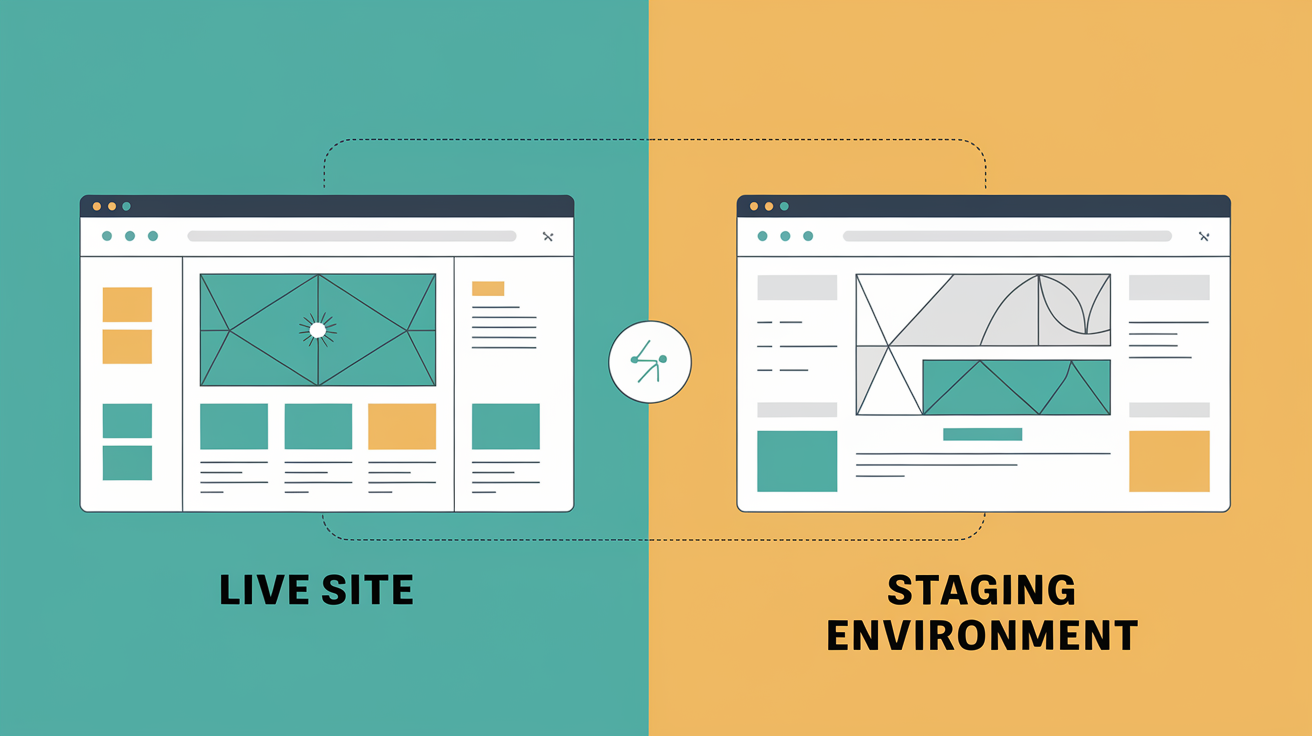
Think of a staging environment as a complete, private copy of your live website where you can break things without consequences. It's identical to your main site in every way - same files, same database, same plugins, same theme - but completely separate from the version your customers see.
When you create changes in staging, you're working on a duplicate that nobody can access except you. Test that plugin update, try a new theme, modify your checkout process, experiment with page layouts. If something goes wrong, your live site continues running normally while you fix the issue in the safe testing space.
Once you've confirmed everything works perfectly in staging, you can push those changes to your live site with confidence. It's like having a rehearsal before the actual performance.
Web60's one-click staging environments include the full Irish hosting infrastructure, so your tests run on exactly the same server configuration as your live site. This eliminates the common problem where changes work fine on a different hosting setup but break when moved to production.
Hostinger research confirms that WordPress staging environments act as a bridge between development and live versions of sites, allowing testing of changes before rollout [2]. For a deeper dive, read the full guide to WordPress staging environments for Irish businesses. This isn't just nice-to-have functionality - it's essential infrastructure for any business that depends on their website for revenue.
The Real Cost of Testing Changes on Your Live Website
Let's return to Sarah's gift shop disaster and break down what that 'simple' plugin update actually cost her business:
Immediate Revenue Loss: €3,200 in weekend sales that went to competitors instead. These weren't just delayed purchases - they were permanent losses to businesses that could fulfill orders when Sarah couldn't.
Emergency Support Costs: €400 spent on weekend developer rates to restore her site. Emergency WordPress support during weekends and evenings commands premium pricing, often 2-3 times normal rates.
Customer Trust Impact: Harder to quantify but potentially more damaging. Sarah had to send apologetic emails to 47 customers who experienced checkout failures, and she knows at least 12 of them have since shopped with competitors.
Stress and Time: Sarah spent her entire weekend dealing with the crisis instead of preparing for the busy week ahead. The emotional cost of watching your business hemorrhage money whilst feeling helpless is significant.
Total Weekend Cost: Over €3,600 in direct losses, plus immeasurable damage to customer relationships and personal wellbeing.
Research from Information Technology Intelligence Consulting shows that 90% of midsize and large businesses report downtime costs exceeding £300,000 per hour [3]. While Sarah's shop operates on a smaller scale, the principle remains the same: when your website stops working, money stops flowing.
Common Website Changes That Need Staging First
Sarah's plugin update disaster highlights a crucial point: it's not just major redesigns that can break your site. Some of the most common website maintenance tasks carry significant risk when performed on live sites:
Plugin Updates: Even minor updates can introduce compatibility conflicts, which is why testing plugin updates in staging prevents the disasters Irish sites face. WordPress hosting provider research indicates that plugin updates and WordPress core updates can sometimes lead to site crashes, especially when there are compatibility issues with outdated plugins or themes [4].
Theme Changes: Switching themes or even updating your current theme can break custom functionality, alter your checkout process, or cause layout issues that weren't apparent in the preview.
WooCommerce Modifications: Changes to product pages, checkout processes, or payment gateways need thorough testing. A broken checkout costs immediate sales, and customers rarely give you a second chance.
Contact Form Updates: Seems harmless, but form plugin conflicts can break your lead generation completely. You might not notice for days while potential customers try unsuccessfully to reach you.
SEO Plugin Changes: Modifications to titles, descriptions, or schema markup can accidentally remove important SEO elements or create duplicate content issues.
Custom CSS or JavaScript: Even small styling changes can have unexpected consequences across different devices and browsers.
The pattern here is clear: virtually any change to your WordPress site carries risk. What seems like a five-minute update can turn into a multi-day disaster recovery operation. Smart business owners test everything in staging first, no matter how minor the change appears.
How Web60's One-Click Staging Works
Here's where Web60 eliminates the technical barriers that keep Irish businesses from testing safely. While competitors like WP Engine require complex setup processes or Kinsta charges an extra €20/month for proper staging resources, Web60 includes full-featured staging environments with every €60/year hosting plan.
Creating a staging site takes exactly one click in your Web60 dashboard. The system automatically creates a complete copy of your live site, including:
- All WordPress files and plugins
- Your complete database with all content and settings
- The same server configuration and caching setup
- Automatic backup taken before staging creation
Your staging environment runs on the same Irish-based infrastructure as your live site, ensuring test results accurately reflect real-world performance. This matters because changes that work on different server configurations sometimes fail when moved to production.
Once you've tested your changes and confirmed everything works correctly, pushing those changes to your live site is equally simple. Web60 automatically creates a safety snapshot of your live site before applying any changes, so you can instantly roll back if something unexpected occurs.
To illustrate the difference: if Sarah had been using Web60, she could have created a staging environment in seconds, tested that problematic plugin update safely, discovered the conflict before it affected customers, and either found an alternative solution or postponed the update until a compatible version became available.
The entire process - from creating staging to testing changes to pushing live - can be completed in minutes rather than the hours or days required with traditional hosting providers.
Best Practices for Using Your Staging Environment
Having a staging environment is only valuable if you actually use it properly. Here are the practices that keep your website running smoothly:
Test Everything, No Exceptions: Develop a habit of testing every change in staging first, regardless of how minor it seems. Sarah's disaster started with what she considered a routine update.
Keep Staging Current: Refresh your staging environment regularly so it matches your live site exactly. Old staging environments can give false confidence if they're missing recent changes or content.
Document What You Test: Keep notes about what changes you're testing and what you've verified works correctly. This helps when you need to troubleshoot issues later.
Test Across Devices: Use staging to verify changes work properly on mobile devices, tablets, and different browsers. A change that looks perfect on your desktop might break mobile checkout.
Verify Critical Functions: Always test your most important business processes - contact forms, checkout systems, lead capture, booking systems. These are the functions that directly impact revenue.
Plan Update Timing: Schedule updates for low-traffic periods, even when using staging. If something unexpected does go wrong, you want maximum time to fix it before peak business hours.
Use Staging for Training: If you have staff who update website content, let them practice in staging first. This prevents accidental content publication or formatting mistakes on the live site.
The key insight is that staging environments work best when they become part of your routine workflow, not just emergency tools you remember after something breaks.
When to Skip Staging (Spoiler: Almost Never)
There's an honest conversation to be had about when staging might be overkill. If you're running 50 WooCommerce stores with a dedicated DevOps team billing €200,000 a year, Kinsta's enterprise infrastructure genuinely suits that workload better than typical SME hosting. But that's not most Irish businesses.
For the vast majority of Irish business websites, the answer to 'Should I test this in staging?' is almost always yes. The few exceptions might include:
Emergency Security Fixes: If your site is actively compromised and you need to install a critical security patch immediately, the risk of leaving the vulnerability exposed might outweigh staging concerns.
Minor Content Updates: Adding a blog post or updating contact information typically doesn't require staging, though even content changes can sometimes reveal plugin conflicts or formatting issues.
Urgent Bug Fixes: If your checkout is already broken and you have a confirmed fix, applying it immediately might make sense rather than testing while losing sales.
But here's the thing: even these exceptions prove the rule. Emergency situations are stressful and error-prone. Having staging available means you can quickly test potential fixes before applying them to a live site that's already having problems.
Sarah's situation wasn't an emergency - she chose convenience over safety. That plugin update could have waited until Monday when she had time to test properly. The urgency was artificial, created by procrastination rather than genuine business necessity.
Most businesses that skip staging do so because they think it's too complex or time-consuming. Web60's one-click staging eliminates both objections, making safe testing faster than the risky alternative of crossing your fingers and hoping for the best.
Conclusion
Sarah Murphy's weekend disaster perfectly illustrates why staging environments aren't optional for modern Irish businesses - they're essential insurance against preventable catastrophes. Her €3,600 loss from a simple plugin update could have been completely avoided with proper testing procedures.
The reality is stark: website failures don't happen during convenient business hours. They happen at 6:30 PM on Friday evenings, during busy weekend shopping periods, or right before important product launches. When your customers can't buy from you, they buy from competitors instead. Those lost sales rarely come back.
Web60's one-click staging environments eliminate every technical barrier that keeps Irish businesses from testing safely. No complex setup processes, no additional fees, no separate server configurations that give false test results. Just professional-grade website management that fits your actual budget and expertise level.
Every day you operate without staging, you're gambling with your business revenue. The question isn't whether you can afford proper testing infrastructure - it's whether you can afford another weekend like Sarah's. Try Web60's one-click staging environments free and discover how simple professional website management can be.
Frequently Asked Questions
How long does it take to create a staging environment?
With Web60, creating a staging environment takes exactly one click and typically completes within 2-3 minutes. The system automatically copies your entire live site including all files, databases, and configurations, so you can start testing immediately without any technical setup.
Will my staging environment affect my live website performance?
No, staging environments are completely separate from your live site and don't impact live performance. Web60's staging runs on the same Irish infrastructure but uses dedicated resources, so testing activities won't slow down your customer-facing website.
Can I test WooCommerce changes safely in staging?
Yes, staging environments are perfect for testing WooCommerce changes including plugin updates, theme modifications, checkout process changes, and payment gateway configurations. You can process test orders, verify functionality, and ensure everything works before pushing changes to your live store.
What happens if I break something in my staging environment?
Breaking things in staging is the whole point - that's where it's safe to experiment and make mistakes. If something goes wrong, your live site continues running normally. You can either fix the issue in staging, restore from a backup, or simply delete the staging environment and create a fresh copy.
How do I move changes from staging to my live website?
Web60 makes this process simple with built-in deployment tools. Once you've tested changes in staging and confirmed they work correctly, you can push those changes to your live site with one click. The system automatically creates a backup before deployment so you can roll back if needed.
Do I need technical knowledge to use staging environments?
Not with Web60's system. Creating staging environments, testing changes, and deploying to live sites all happen through simple dashboard buttons. You don't need FTP knowledge, database skills, or command line experience - just basic WordPress familiarity.
How often should I refresh my staging environment?
It depends on how frequently you update your live site content. For most Irish businesses, refreshing staging weekly or after major content changes ensures accurate testing. Web60 makes creating fresh staging environments so quick that you can easily keep them current.
Can multiple people work on the same staging site?
Yes, staging environments support multiple users just like your live WordPress site. This makes them perfect for teams to collaborate on changes, test new features, or train staff members without affecting the live website that customers see.
Sources

Eamon leads sales at Web60 and SmartHost, working directly with Irish business owners making the switch from cheap shared hosting to managed WordPress. With a background in enterprise technology sales — including Oracle and multiple Irish SaaS businesses — he understands the questions Irish SMEs ask before committing to a hosting platform. He writes about hosting comparisons, total cost of ownership, web design for Irish businesses, and how to evaluate what you’re actually buying.
More by Eamon Rheinisch →Ready to get your business online?
Describe your business. AI builds your website in 60 seconds.
Build My Website Free →More from the blog
The €520 Million Reality Check: How Irish Retailers Are Winning with Hybrid Online-Offline Strategies
Discover how Irish retailers achieve 24% growth with hybrid online-offline strategies. Learn from €520 million in data revealing the winning approach.
The €16.5 Billion Reality: How 'Phygital' Irish Consumer Behaviour is Breaking Traditional WordPress E-commerce
Irish consumers shop phygitally—browsing online, buying in-store. Traditional WordPress hosts miss this €16.5B opportunity. Web60's infrastructure handles it.