

When connecting your domain to Web60, you have two options: nameserver delegation or A record pointing. Both work well, but each suits different situations.
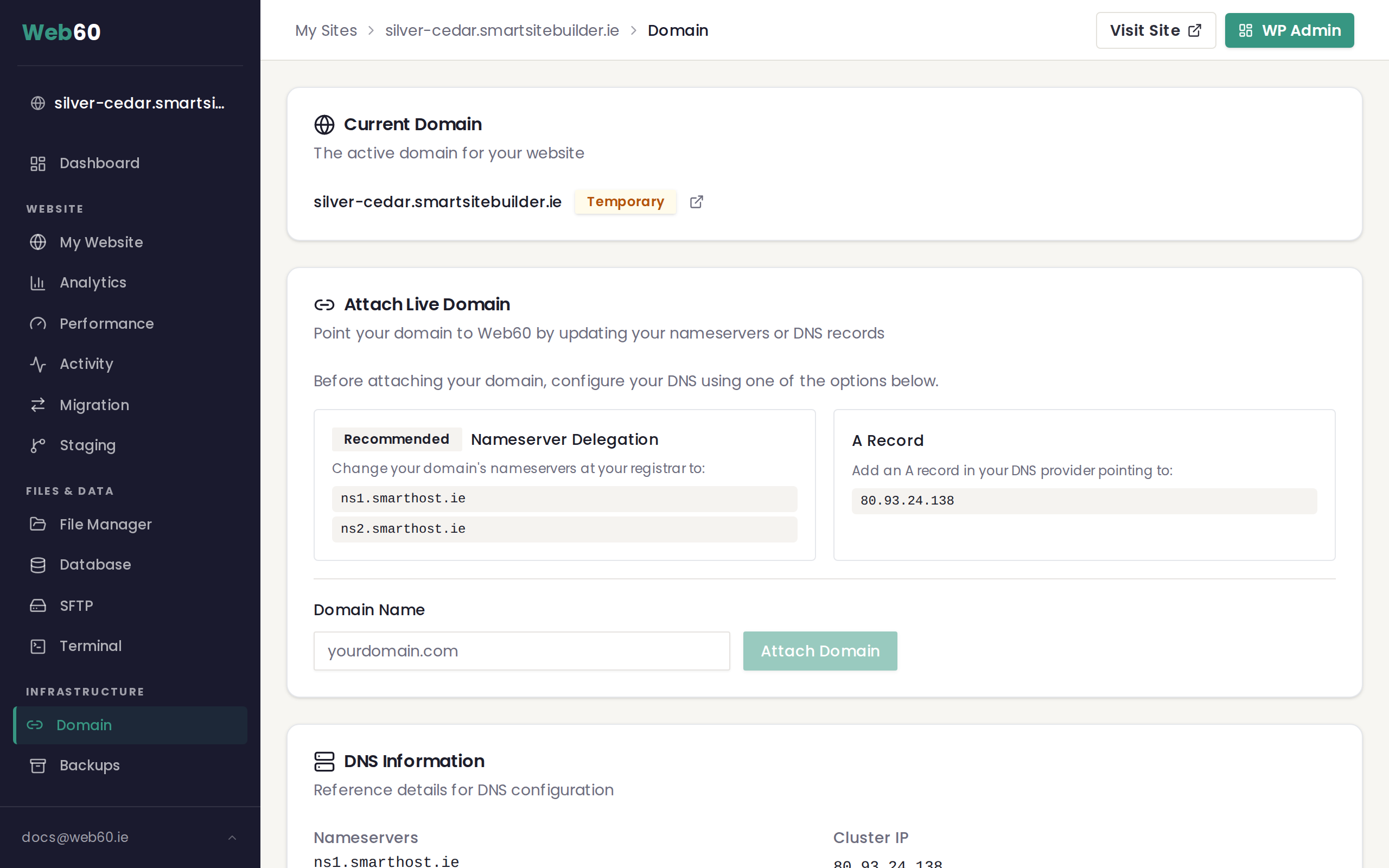
Method 1: Nameserver delegation (recommended)
You change your domain's nameservers at your registrar to point to Web60. After this, Web60 manages all DNS records for your domain.
Nameservers to use:
ns1.web60.iens2.web60.ie
How to set it up:
- Sign in to the website where you purchased your domain (your registrar).
- Find the nameserver or DNS settings for your domain.
- Replace the existing nameservers with
ns1.web60.ieandns2.web60.ie. - Save the changes.
- In your Web60 dashboard, go to the Domain tab and enter your domain name to attach it.
Advantages:
- Simplest option with the fewest steps
- SSL certificate is set up automatically
- All DNS is managed in one place through your Web60 dashboard
- Best for new domains with no existing services
Things to keep in mind:
- If you have email or other services on this domain, they will stop working until you recreate the necessary DNS records in your Web60 dashboard
- Changes take up to 48 hours to fully propagate (most complete within 1 to 4 hours)
Method 2: A record pointing
You keep your DNS at your current provider and add a single A record that points to the Web60 server.
A record to use:
- Type: A
- Host/Name: @ (or your domain name)
- Value: 80.93.24.138
How to set it up:
- Sign in to your DNS provider (this is often where you purchased your domain).
- Go to DNS settings for your domain.
- Add a new A record with the value
80.93.24.138. - If you want
www.yourdomain.comto work as well, add a CNAME record forwwwpointing to your domain. - Save the changes.
- In your Web60 dashboard, go to the Domain tab and enter your domain name to attach it.
Advantages:
- Your existing email and other services continue working without interruption
- You stay in control of all your DNS records
- Good for domains with complex DNS setups
Things to keep in mind:
- Slightly more technical to set up
- You will manage DNS in two places (your DNS provider and Web60)
- You may need to verify domain ownership for SSL provisioning
Quick comparison
| Feature | Nameservers | A Record |
|---|---|---|
| Difficulty | Easy | Moderate |
| SSL setup | Automatic | May need verification |
| Email disruption | Yes, until reconfigured | No |
| DNS management | One place (Web60) | Two places |
| Best for | New domains | Domains with existing email |
Which should you choose?
If your domain is brand new with no existing services, choose nameservers for the simplest experience. If you have email or other services already running on your domain, choose the A record method to avoid any disruption. When in doubt, the nameserver method is the safer starting point for most people.
Need help?
If you are not sure which method is right for your situation, visit our support page and we will advise you on the best approach.
Frequently asked questions
Which method is easier?
Nameserver delegation is the easier option. You make one change at your domain registrar and Web60 takes care of all DNS settings from that point on. With the A record method, you manage DNS yourself at your current provider.
Will changing nameservers affect my email?
If you have email or other services running on your domain, changing nameservers will temporarily interrupt them because all DNS records move to Web60. You will need to recreate your email DNS records (such as MX records) in your Web60 dashboard after the switch. If you want to avoid this, use the A record method instead.
Can I switch between methods later?
Yes. You can start with one method and switch to the other at any time. For example, you might start with the A record method to keep your email running, then switch to nameservers later once you have moved your email provider.
Last updated: 16 March 2026