
The Devices report in your Web60 dashboard shows what type of hardware and software your visitors are using to browse your website. This information helps you make sure your site works well for the people who actually visit it.
Opening the Devices report
- Log in to your Web60 dashboard.
- Select the website you want to review.
- Click Analytics in the left-hand sidebar.
- Click the Devices tab in the analytics navigation.
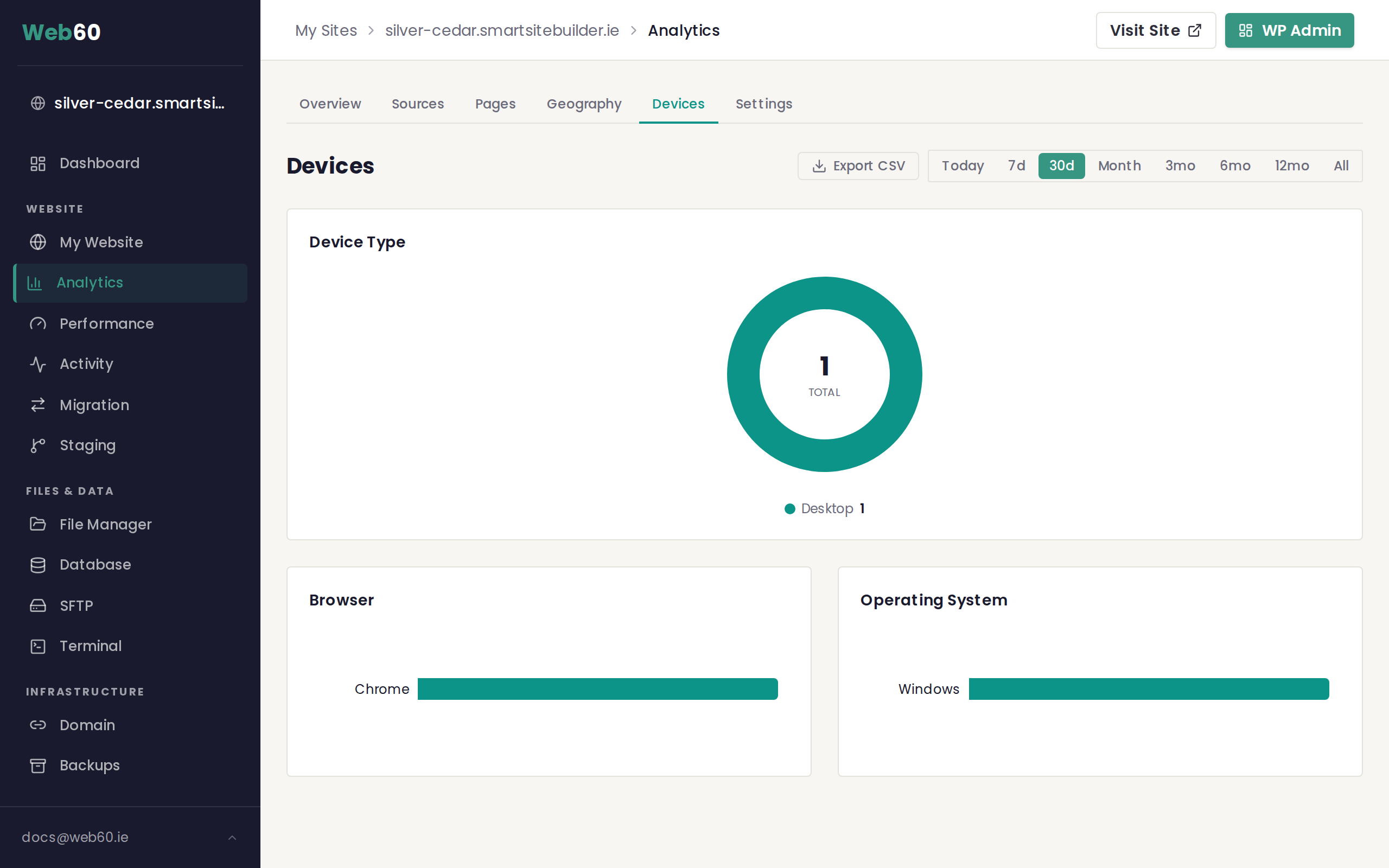
Device type breakdown
The main chart at the top of the page is a donut (ring) chart showing how your visitors split across three categories:
- Desktop covers laptops and desktop computers
- Mobile covers smartphones
- Tablet covers tablets such as iPads
The total number of visitors appears in the centre of the chart, and a legend below it shows the exact count for each device type.
Why the device split matters
For most Irish small business websites, mobile visitors now make up at least half of all traffic. If your mobile numbers are high, it is important that your site loads quickly on a phone, that text is easy to read without zooming, and that buttons and links are large enough to tap comfortably. Web60 sites are designed to be responsive, so they adjust to any screen size automatically.
If you notice a very high bounce rate on mobile (check the analytics overview for your bounce rate), it may be worth reviewing how your key pages look on a phone.
Browser breakdown
Below the device chart you will find a horizontal bar chart showing which web browsers your visitors use. Common browsers include Chrome, Safari, Firefox, and Edge. This data is mostly useful if you ever notice that your website looks or behaves differently in one browser. You can check here to see how many of your visitors are affected.
Operating system breakdown
Next to the browser chart is a second bar chart showing which operating systems your visitors run, such as Windows, macOS, iOS, or Android. This gives you another angle on your audience. A high percentage of iOS and Android visitors confirms that mobile traffic is significant for your site.
Changing the date range
Use the period selector in the top right corner to view device data for different time periods. Comparing the last 30 days with the previous 30 days can reveal trends, such as a growing share of mobile traffic over time.
What to do with this information
- If mobile traffic is dominant, test your key pages on your own phone regularly to make sure everything looks right.
- If desktop is dominant, your audience may be visiting during work hours. Consider this when planning new content or promotions.
- If one browser stands out, and you hear reports of display issues, you know which browser to check first.
Need help?
If you have questions about your device data, visit our support page and we will be happy to assist.
Frequently asked questions
Why does mobile traffic matter?
If most of your visitors are on mobile phones, your website needs to look and work well on smaller screens. A site that is difficult to use on a phone will lose visitors quickly. Web60 sites are built to be mobile-friendly by default.
What does the browser breakdown tell me?
The browser breakdown shows which web browsers your visitors use, such as Chrome, Safari, or Firefox. If you notice your site looks different in a particular browser, this data tells you how many visitors are affected.
Can I export the devices data?
Yes. Click the Export button at the top of the Devices report to download a spreadsheet containing your device, browser, and operating system data for the selected period.
Last updated: 16 March 2026