
The Sources report in your Web60 dashboard reveals how visitors are finding your website. Knowing where your traffic comes from helps you focus your marketing efforts on the channels that work best for your business.
Opening the Sources report
- Log in to your Web60 dashboard.
- Select the website you want to review.
- Click Analytics in the left-hand sidebar.
- Click the Sources tab in the analytics navigation.
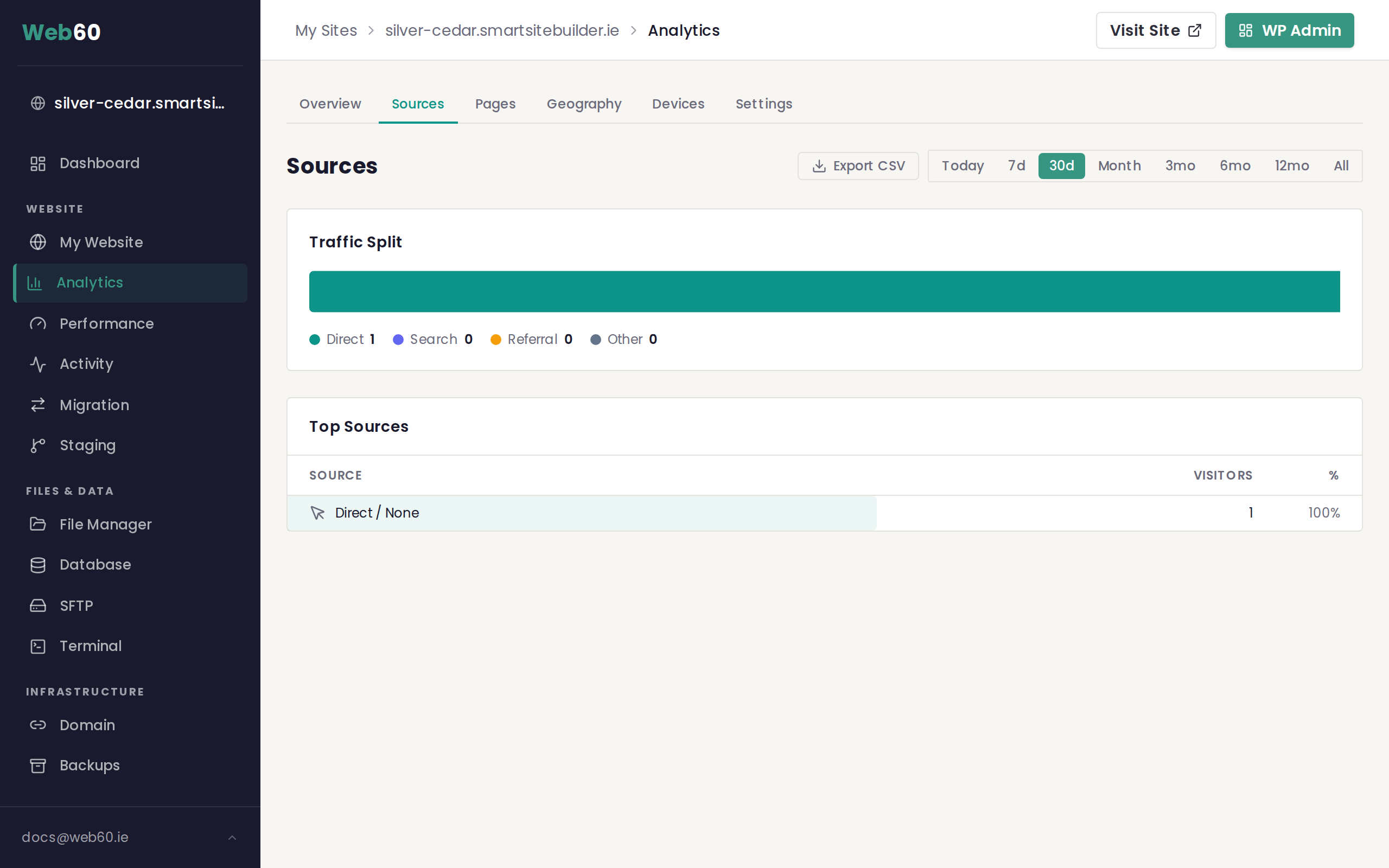
The traffic split bar
At the top of the report you will see a horizontal bar chart that gives you a quick visual overview of your traffic, broken into four categories:
- Direct includes visitors who typed your web address directly, used a bookmark, or clicked an untagged link in an email or document.
- Search includes visitors who found your site through a search engine such as Google or Bing.
- Referral includes visitors who clicked a link to your site from another website, such as a directory listing, blog, or news article.
- Other covers any traffic that does not fit into the categories above.
Below the bar you will see the exact number of visitors for each category.
The top sources table
Below the traffic split is a detailed table listing every individual source, ranked by the number of visitors. Each row shows:
- Source showing the name or domain of the referring website
- Visitors showing how many people came from that source
- Percentage showing what share of your total traffic that source represents
A coloured bar behind each row helps you compare sources at a glance.
Understanding each source type
Direct traffic
This is often the largest source for small business websites. It means visitors already know your web address and are coming to you intentionally. A high percentage of direct traffic is a good sign that people remember your brand.
Search traffic
Visitors who arrive from search engines are typically looking for something specific. If search traffic is growing, it means your website is becoming more visible in search results. You can learn more about which pages attract search visitors in the Pages report.
Referral traffic
Referral visitors clicked a link on another website that pointed to yours. This could be a business directory, a partner's website, or a social media post. Reviewing your referral sources helps you understand which external links are driving real visitors.
Using tracking links
If you share links to your website in email newsletters, social media posts, or online advertisements, you can add tracking tags to those links so they appear as distinct sources in your report. These tags, called UTM parameters, are added to the end of your web address. For example:
yoursite.ie/special-offer?utm_source=facebook&utm_medium=social
This would show "facebook" as a source in your analytics so you can measure how well that particular post performed.
Changing the date range
Use the period selector in the top right corner to compare traffic sources across different time windows. This helps you spot whether a recent marketing effort brought in new visitors.
Need help?
If you have questions about your traffic sources, visit our support page and our team will be glad to help.
Frequently asked questions
What does Direct traffic mean?
Direct traffic includes visitors who typed your website address straight into their browser, used a bookmark, or clicked a link in an email that did not include tracking information. It is the most common source for many small business websites.
What are UTM parameters?
UTM parameters are small tags you can add to the end of a link so that your analytics can tell where that particular link was shared. For example, adding ?utm_source=newsletter to a link lets you see how many visitors came from your email newsletter.
Why do I see traffic from websites I do not recognise?
Referral traffic can come from any website that links to yours. Sometimes this includes directories, forums, or aggregator sites that you may not have heard of. If a referral source shows very short visit times, it may be automated traffic rather than real visitors.
Last updated: 16 March 2026