

While Web60 backs up your website automatically every night, there are times when you might want to create an extra backup yourself, especially before making changes to your site. This guide shows you how.
Why create a manual backup?
A manual backup gives you a safety net right before you make changes. If something goes wrong, you can restore your website to exactly how it was moments before.
It is a good idea to create a manual backup before:
- Updating your plugins, because sometimes updates can cause unexpected issues
- Changing your website design, in case the new look is not what you expected
- Adding new features, so you can undo them easily if needed
- Removing pages or content, in case you change your mind later
How to create a manual backup
- Sign in to your Web60 dashboard.
- Click "Backups" in the left-hand sidebar.
- Click the "Run Backup" button on the Backup Status card.
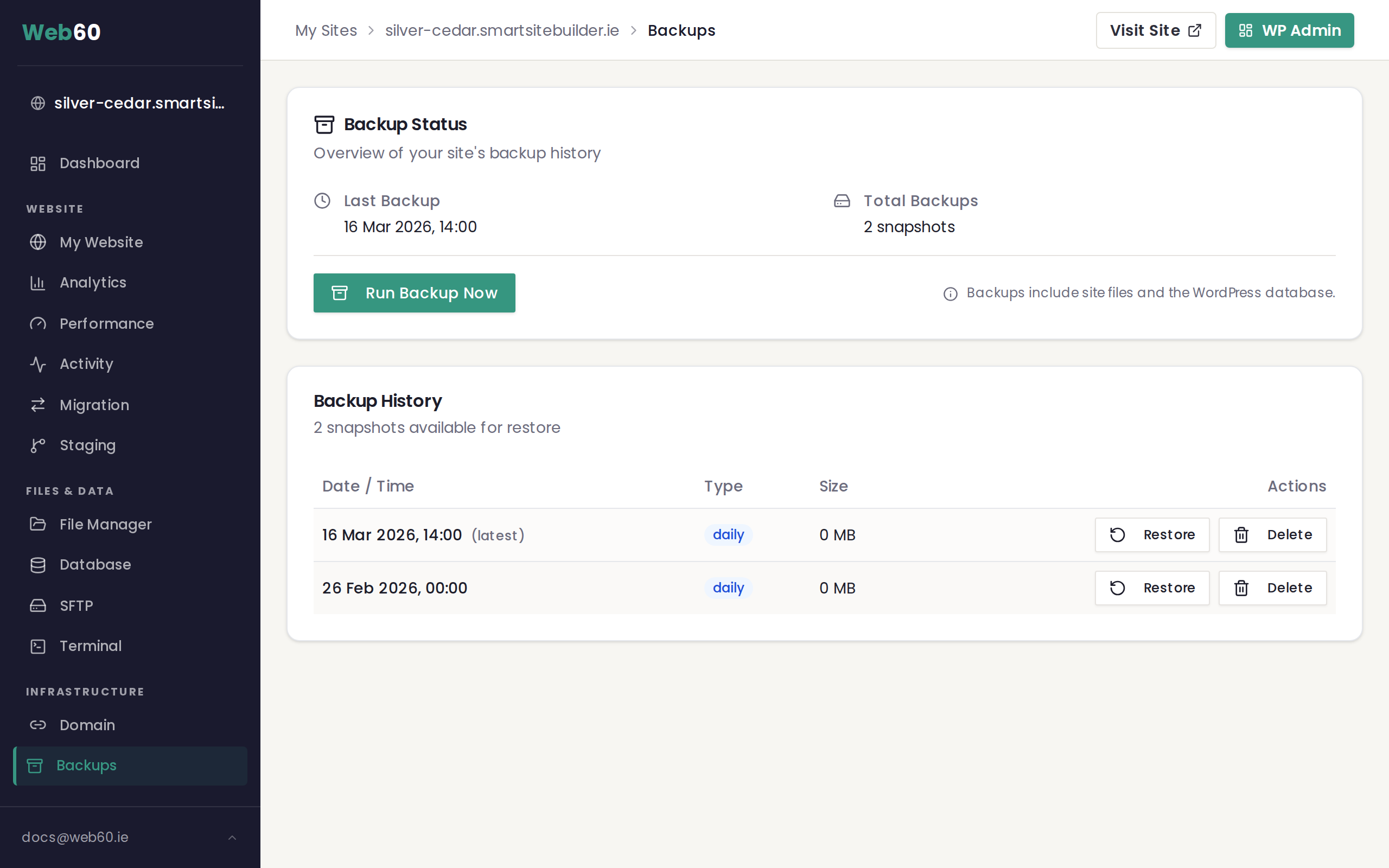
A blue progress banner will appear at the top of the page while your backup is being created. This usually takes just a few minutes.
- Wait for the backup to complete. Once finished, your new backup will appear in the Backup History table below.
Things to keep in mind
- One manual backup per day. You can create one manual backup every 24 hours. This is in addition to the automatic nightly backups.
- Your site stays online. Creating a backup does not affect your website. Visitors can still browse your site as normal while the backup is running.
- Manual backups can be deleted. Unlike automatic backups, you can remove manual backups from the history table if you no longer need them.
After creating your backup
Once your manual backup is saved, go ahead and make your changes with confidence. If anything goes wrong, you can restore your website from the backup you just created.
Need help?
If you have any trouble creating a backup, visit our support page and we will sort it out for you.
Frequently asked questions
How often can I create a manual backup?
You can create one manual backup every 24 hours. This is on top of the automatic nightly backups that Web60 creates for you.
When should I create a manual backup?
It is a good idea to create a manual backup before making any significant changes to your website, such as updating plugins, redesigning pages, or installing new features.
Will creating a backup take my website offline?
No. Your website stays fully online and accessible to visitors while the backup is being created. The process runs in the background on our servers.
Last updated: 15 March 2026