
You can update your personal and business details at any time from inside your Web60 dashboard. This guide walks you through the steps.
How to update your details
- Sign in to your Web60 dashboard.
- Click "Account" in the left-hand sidebar.
- You will see the Profile section with your current details.
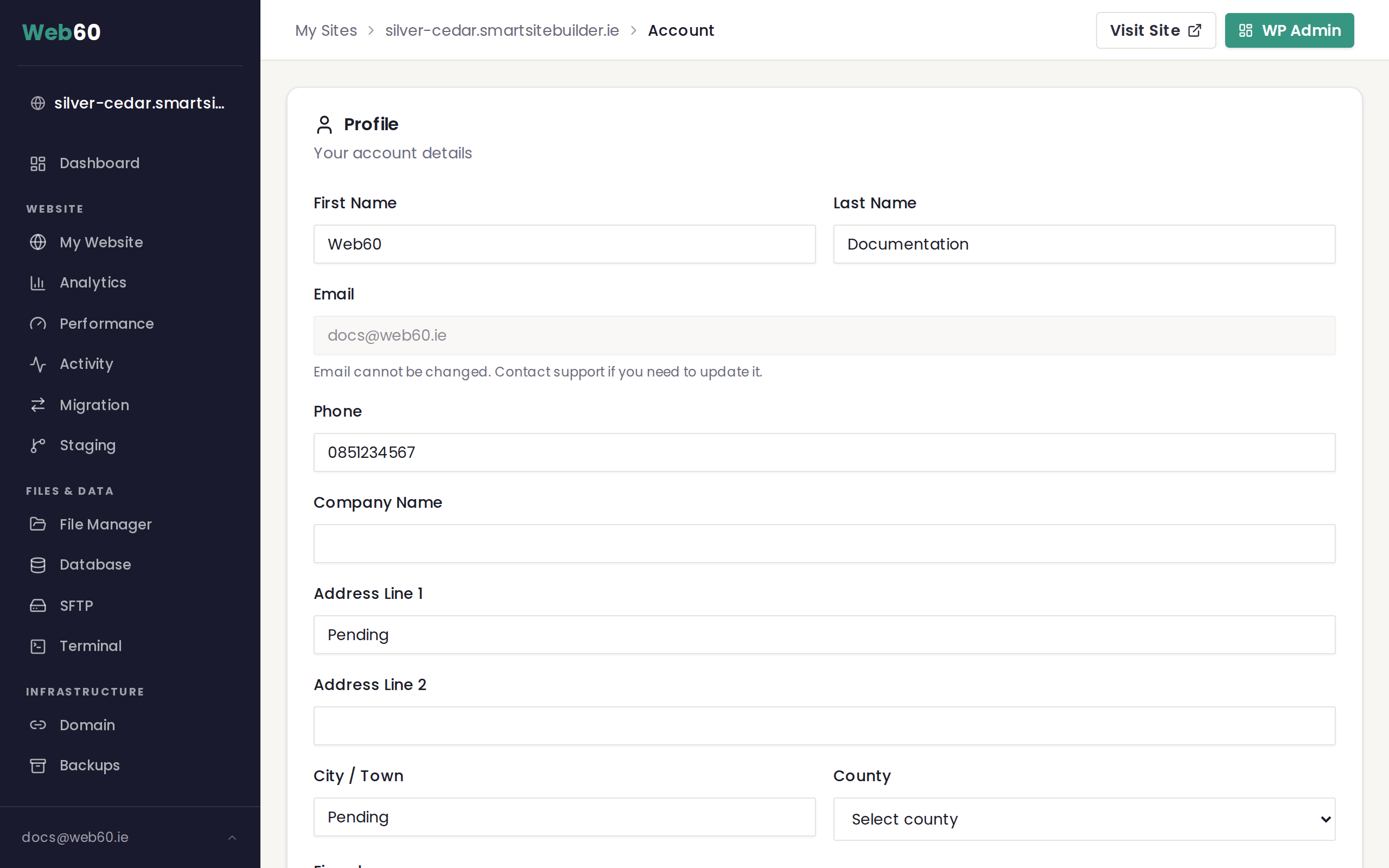
What you can change
The Profile section has the following fields:
- First Name is your first name.
- Last Name is your surname.
- Email is shown but cannot be changed from the dashboard (see below).
- Phone is your phone number.
- Company Name is your business name, if you have one.
- Address Line 1 is the first line of your address.
- Address Line 2 is an optional second line.
- City / Town is your city or town.
- County lets you choose your county from the dropdown list.
- Eircode is your Eircode, if you have one.
Saving your changes
Once you have updated the fields you want to change, click the "Save Changes" button at the bottom of the form. You will see a confirmation that your details have been saved.
About your email address
Your email address is shown on the Account page, but it is read-only, meaning you cannot edit it yourself. This is because your email is linked to your sign-in credentials and your invoices.
If you need to change your email address, please contact our support team and we will update it for you.
Why keep your details up to date?
Having the correct name, company, and address on file means your invoices will be accurate. It also helps us get in touch with you if there is ever an issue with your website.
Need help?
If you are having trouble updating your details, or need to change your email address, visit our support page and we will take care of it.
Frequently asked questions
Can I change my email address?
Your email address cannot be changed from the dashboard. If you need to update your email, please contact our support team and we will take care of it for you.
Do I need to fill in every field?
No. Only your first name and last name are required. The other fields (phone, company name, and address) are optional but helpful for invoicing.
What happens if I update my company name or address?
Your updated details will appear on any future invoices. Previous invoices will not change, so your records stay accurate.
Last updated: 15 March 2026