

The Robots.txt Generator creates a robots.txt file tailored to your needs. You choose your settings, and the tool generates the file ready to download and upload to your website.
What is a robots.txt file?
A robots.txt file is a small text file that sits at the root of your website (at yourdomain.ie/robots.txt). It contains instructions for search engines and other automated crawlers, telling them:
- Which pages they are allowed to access
- Which pages they should ignore
- Where to find your sitemap
Think of it as a set of polite instructions for visitors who are not human. Well-behaved crawlers will follow these instructions, though it is worth noting that malicious scrapers may ignore them.
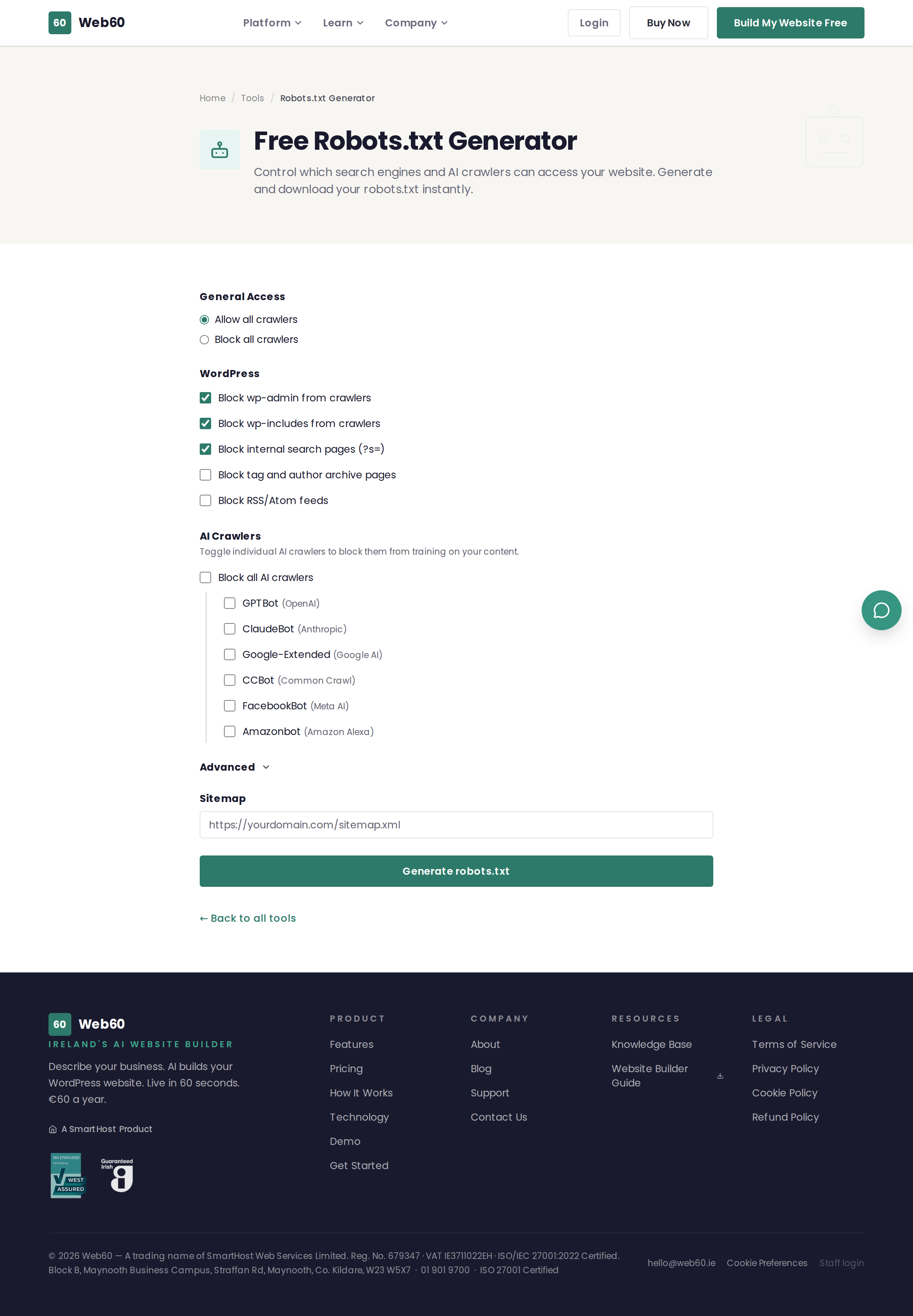
What options are available
General access
- Allow all crawlers - The default setting. All search engines can access your entire site.
- Block all crawlers - No crawlers can access any part of your site. Use this only if you want your site completely hidden from search engines.
WordPress-specific rules
When using the "Allow all crawlers" setting, you can also block specific WordPress areas:
- Block wp-admin - Prevents crawlers from accessing the WordPress administration area.
- Block wp-includes - Prevents crawlers from accessing WordPress system files.
- Block search pages - Prevents search result pages on your site from appearing in Google.
- Block tag and author archives - Prevents duplicate content from tag and author pages.
- Block RSS/Atom feeds - Prevents crawlers from indexing your feed pages.
AI crawler blocking
You can individually block AI training crawlers from specific companies:
- GPTBot - OpenAI's crawler used to train AI models.
- ClaudeBot - Anthropic's crawler used for AI training.
- Google-Extended - Google's AI training crawler (separate from their search crawler).
- CCBot - Common Crawl's crawler used by many AI companies.
- FacebookBot - Meta's crawler used for AI training.
- Amazonbot - Amazon's crawler used for Alexa and AI services.
Blocking these crawlers prevents them from using your website content for AI model training. This does not affect your regular search engine rankings.
Advanced options
- Custom disallow paths - Block specific pages or folders from all crawlers.
- Crawl delay - Ask crawlers to wait a number of seconds between requests (note: Google ignores this setting).
- Sitemap URL - Tell crawlers where to find your sitemap for faster indexing.
How to use it
- Go to web60.ie/tools/robots-generator.
- Choose your general access setting (allow or block all).
- Toggle any WordPress-specific rules you want.
- Select any AI crawlers you want to block.
- Optionally expand the Advanced section for custom paths, crawl delay, or sitemap URL.
- Click Generate robots.txt.
- Review the generated file in the preview.
- Click Copy to clipboard or Download robots.txt.
- Upload the file to the root directory of your website.
Where to put the robots.txt file
The file must be placed in the root directory of your website, so it is accessible at yourdomain.ie/robots.txt. If you are not sure how to upload files, ask your hosting provider or check their file manager tool.
How Web60 handles this
Web60 generates and maintains a correct robots.txt file for every website automatically. You do not need to create or upload one manually.
Need help?
If you have questions about robots.txt or search engine crawling, visit our support page.
Frequently asked questions
What is a robots.txt file?
It is a small text file that sits in the root of your website and tells search engines and other crawlers which parts of your site they should and should not access.
Will blocking AI crawlers stop my site appearing in ChatGPT?
Blocking AI training crawlers like GPTBot prevents your content from being used to train AI models. It does not affect whether your site appears in regular Google search results.
What happens if I do not have a robots.txt file?
Search engines will crawl all pages of your website. For most small business websites this is perfectly fine.
Last updated: 25 March 2026