

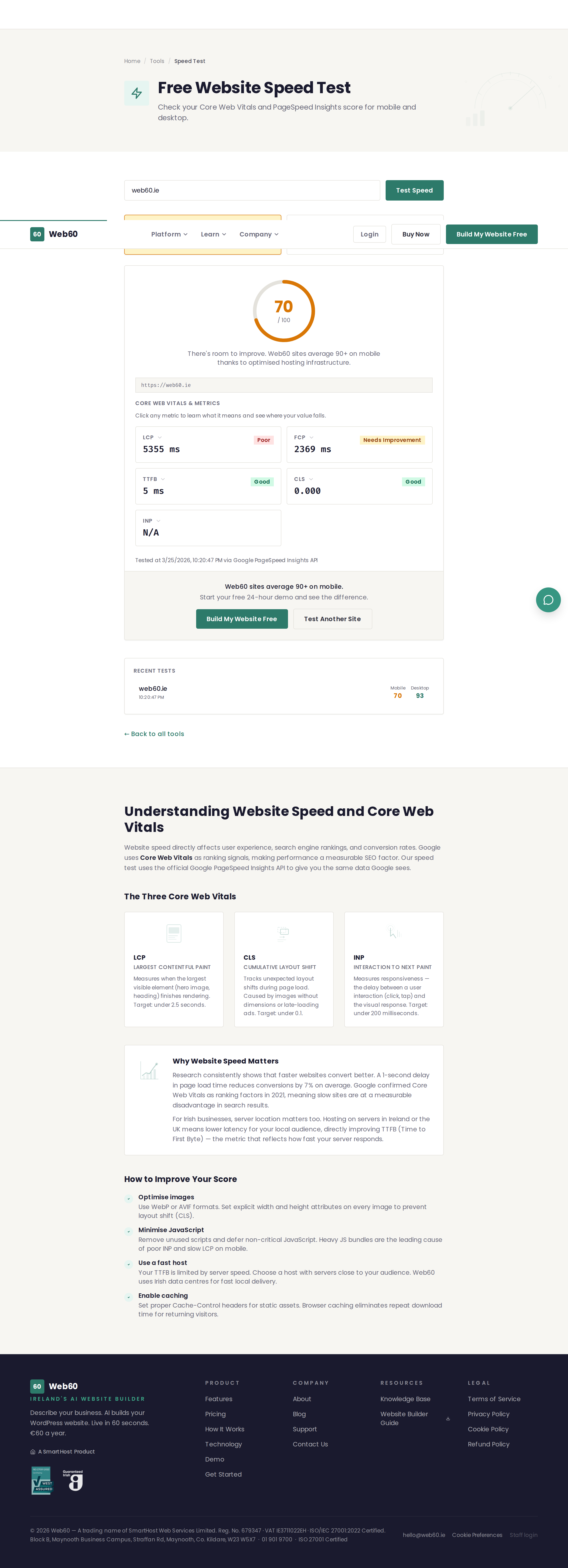
The Website Speed Test measures how fast your website loads and gives you a performance score for both mobile and desktop visitors.
What this tool does
The speed test analyses your website using Google's PageSpeed technology and returns:
- Performance score - A number from 0 to 100 rating your overall speed. Higher is better.
- Core Web Vitals - The three key metrics Google uses to measure real-world user experience:
- Largest Contentful Paint (LCP) - How long it takes for the main content to appear on screen.
- First Input Delay (FID) - How quickly your site responds when someone clicks or taps.
- Cumulative Layout Shift (CLS) - How much the page layout moves around while loading.
- Mobile and desktop results - Separate scores for each, because mobile devices load pages differently.
How to use it
- Go to web60.ie/tools/speed-test.
- Enter your website address (for example,
yourbusiness.ie). - Click Test Speed.
- Wait for the test to complete. This usually takes 10 to 20 seconds.
- Review your scores for both mobile and desktop.
Understanding your results
Performance score
| Score | Rating | What it means |
|---|---|---|
| 90-100 | Good | Your site loads quickly for most visitors. |
| 50-89 | Needs improvement | Your site is usable but could be faster. |
| 0-49 | Poor | Visitors may leave before your site finishes loading. |
Core Web Vitals
- LCP under 2.5 seconds is considered good. This means your main content appears quickly.
- FID under 100 milliseconds is considered good. This means your site feels responsive.
- CLS under 0.1 is considered good. This means the page does not jump around while loading.
Why speed matters
- Visitors leave slow sites. Research shows that over half of mobile visitors leave a website that takes more than 3 seconds to load.
- Google rewards fast sites. Page speed is a ranking factor, so faster sites tend to appear higher in search results.
- Speed affects sales. For online businesses, even a one-second delay can reduce conversions.
Tips for improving your score
- Optimise images - Use compressed images in modern formats. Large, uncompressed photos are the most common cause of slow websites.
- Reduce plugins - Each plugin adds code that must be loaded. Remove any you are not actively using.
- Use a fast host - Your hosting provider has a direct impact on how quickly your server responds.
Need help?
If your speed test results are concerning and you would like advice on how to improve them, visit our support page.
Frequently asked questions
Why is my mobile score lower than my desktop score?
Mobile scores are almost always lower because the test simulates a mid-range phone on a slower connection. This is normal and reflects how most people experience websites on their phones.
What is a good speed score?
A score of 90 or above is considered good. Scores between 50 and 89 need improvement, and anything below 50 is poor. Most small business websites score between 60 and 85.
Does Web60 hosting help with speed?
Yes. Web60 sites are hosted on fast servers in Ireland with built-in caching, image optimisation, and a content delivery network, all of which improve loading times.
Last updated: 25 March 2026