

If you want full control over your website from the very start, you can purchase Web60 with the Empty WordPress option. This gives you a clean WordPress installation without any pre-built content or builder plugins — a blank canvas for you to work with.
The process is almost identical to buying the standard plan, with one small difference at checkout.
Step-by-step: how to buy
-
Go to web60.ie/checkout in your web browser.
-
Fill in your details. The checkout form asks for:
- First name
- Last name
- Email address
- Phone number
You do not need to create a password at this stage.
-
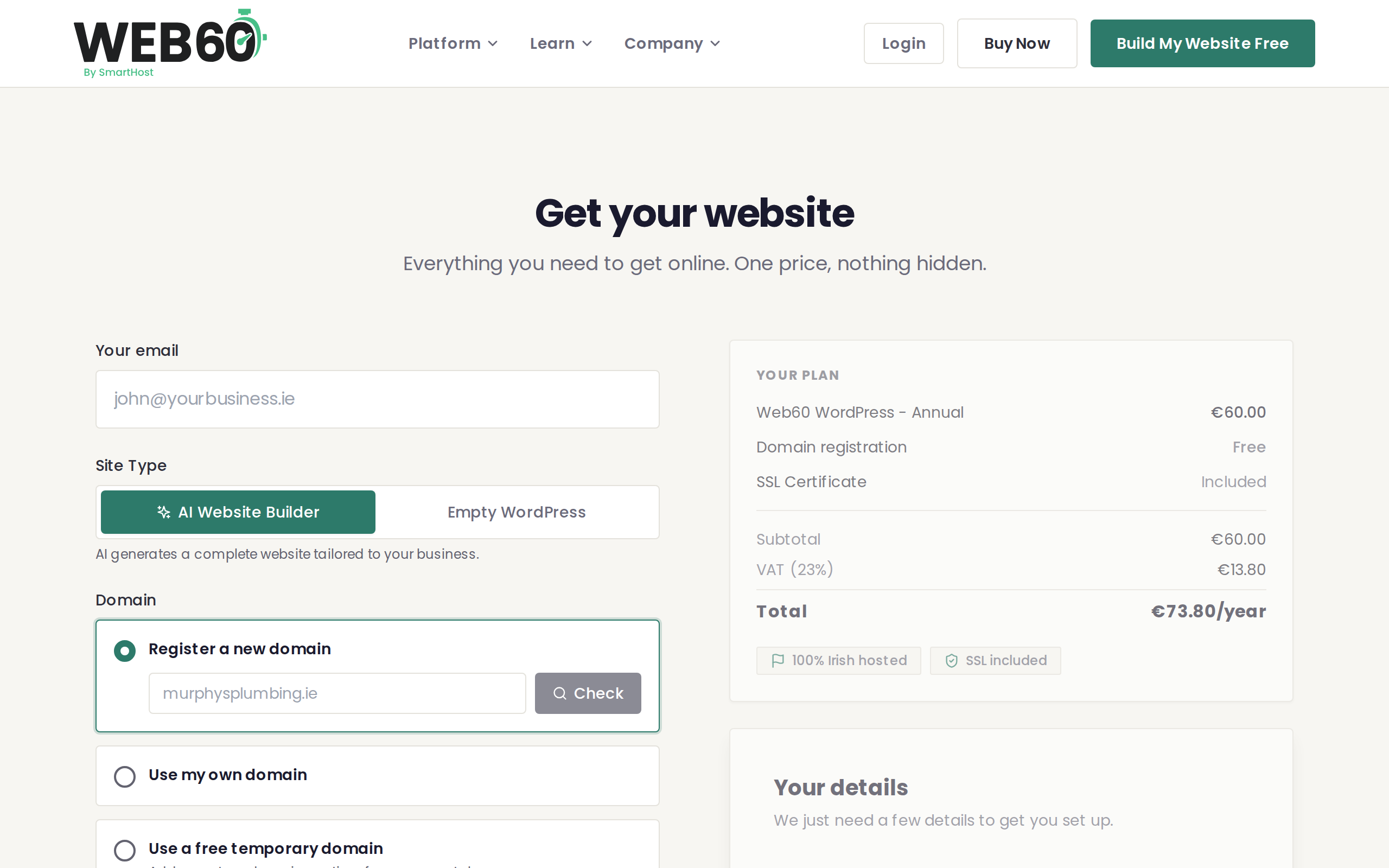
Select the Empty WordPress option. On the checkout form, you will see a toggle to switch between the AI Website Builder and Empty WordPress. Select Empty WordPress.
-
Complete your payment. The total cost is €60 per year + 23% VAT, which comes to €73.80. You can pay by card. The price is exactly the same regardless of which option you choose.
-
You are taken to the Get Started wizard. After your payment goes through, you will land on the Get Started screen. This is where you set your password and choose a domain for your site.
What happens after you buy
The Get Started wizard walks you through the essentials:
- Set your password. This is the password you will use to sign in to your Web60 dashboard.
- Choose your domain. You can connect your own domain name or use a temporary address while you get set up.
Because you chose Empty WordPress, the wizard will not ask you to describe your business or generate content. Instead, once you complete the wizard, your site will be ready as a clean WordPress installation with the default theme.
What is included
Your Empty WordPress plan includes everything that comes with any Web60 plan:
- Your Web60 dashboard for managing your site, domain, backups, and account
- Fast hosting in Ireland with daily automatic backups
- A free SSL certificate so your site is secure from day one
- Full WordPress access to install any theme and plugins you like
- Support from real people based in Ireland
What to do next
Once your account is set up, head over to our guide on your first steps with an Empty WordPress site for a walkthrough of what to do next — from choosing a theme to creating your first pages.
If you are not sure whether Empty WordPress is the right choice for you, read our comparison of the two options first.
Need help?
If you have any questions during the checkout process, visit our support page and we will get you sorted.
Frequently asked questions
What's the difference between this and the AI builder option?
With the AI builder, Web60 creates a fully designed website for you during setup. With Empty WordPress, you get a clean WordPress installation with the default theme and no pre-built content, giving you full control from the start.
Can I add the AI builder later?
Yes. If you change your mind after purchasing the Empty WordPress option, contact our support team and we can activate the AI builder on your site.
Do I still get the same dashboard features?
Yes. Both options include the exact same dashboard features — backups, domain management, analytics, staging, and everything else. The only difference is how your site starts out.
Last updated: 31 March 2026