
XML-RPC is a feature built into WordPress that allows external applications to communicate with your site remotely. It was originally designed to let desktop and mobile apps publish posts, manage comments, and perform other tasks without logging in through a web browser.
While it served a useful purpose in the early days of WordPress, most modern sites no longer need it. Unfortunately, attackers have found ways to misuse it, making it a common security risk.
How XML-RPC works
When XML-RPC is active, your site accepts requests at a special address (your domain followed by /xmlrpc.php). Any application that knows this address can attempt to send commands to your WordPress site, including login attempts.
Your WordPress editor, your site pages, and everything your visitors see operate through a completely separate system. Blocking XML-RPC has no effect on any of these.
Why it is a security risk
Attackers use XML-RPC in two main ways:
-
Brute-force login attempts. XML-RPC allows a single request to try multiple username and password combinations at once. This makes it much faster for an attacker to guess login credentials compared to using the standard login page.
-
Amplification attacks. Attackers can send a large number of requests through XML-RPC to overload your site or use it as a relay to attack other websites.
Because of these risks, security experts recommend blocking XML-RPC on any site that does not actively use it.
Who might still need it
A small number of tools and services rely on XML-RPC to function:
- Jetpack remote management uses XML-RPC to connect your site to its cloud dashboard. If your site's XML-RPC is managed at the platform level, approved Jetpack connections are automatically allowed through a whitelist.
- Some older backup tools that were built before WordPress introduced its newer connection method.
- Legacy mobile apps that have not been updated to use the modern WordPress interface.
If you are not using any of these tools, you almost certainly do not need XML-RPC.
How to check if you need it
Ask yourself these questions:
- Do I use Jetpack's remote management features? (If your site shows "Blocked by platform" in the Security card, Jetpack connections are already handled for you.)
- Do I use a third-party backup tool that connects remotely to my site?
- Do I publish posts using a desktop application instead of the WordPress editor?
If you answered no to all three, you can safely block XML-RPC.
How to block XML-RPC
- Log in to your Web60 dashboard.
- Select the website you want to protect.
- Click Advanced Settings in the sidebar.
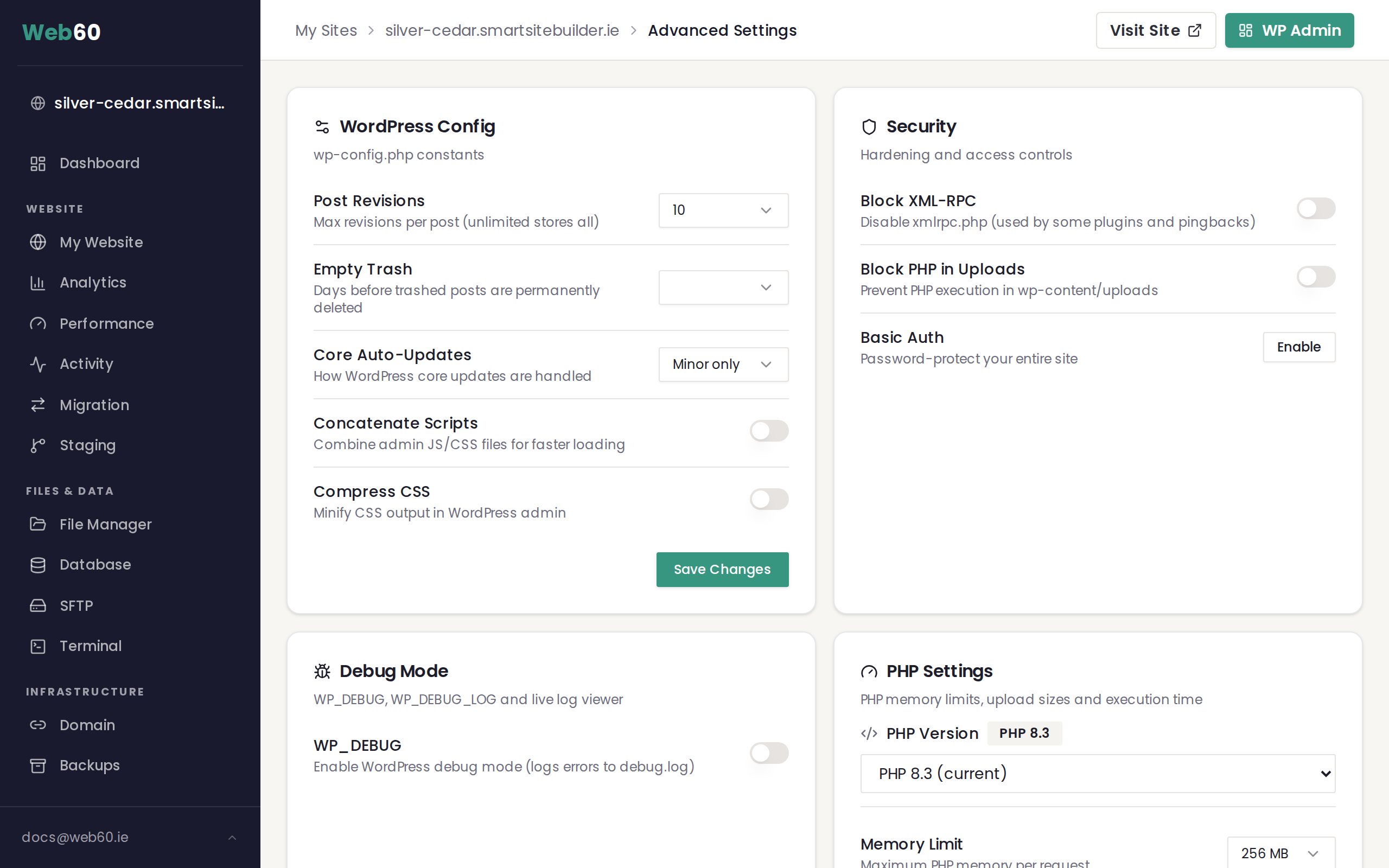
- Find the Security card.
- Toggle Block XML-RPC to the on position.
Once enabled, any request to your site's XML-RPC endpoint will receive a 403 error. Your website will continue to work normally for visitors and for you.
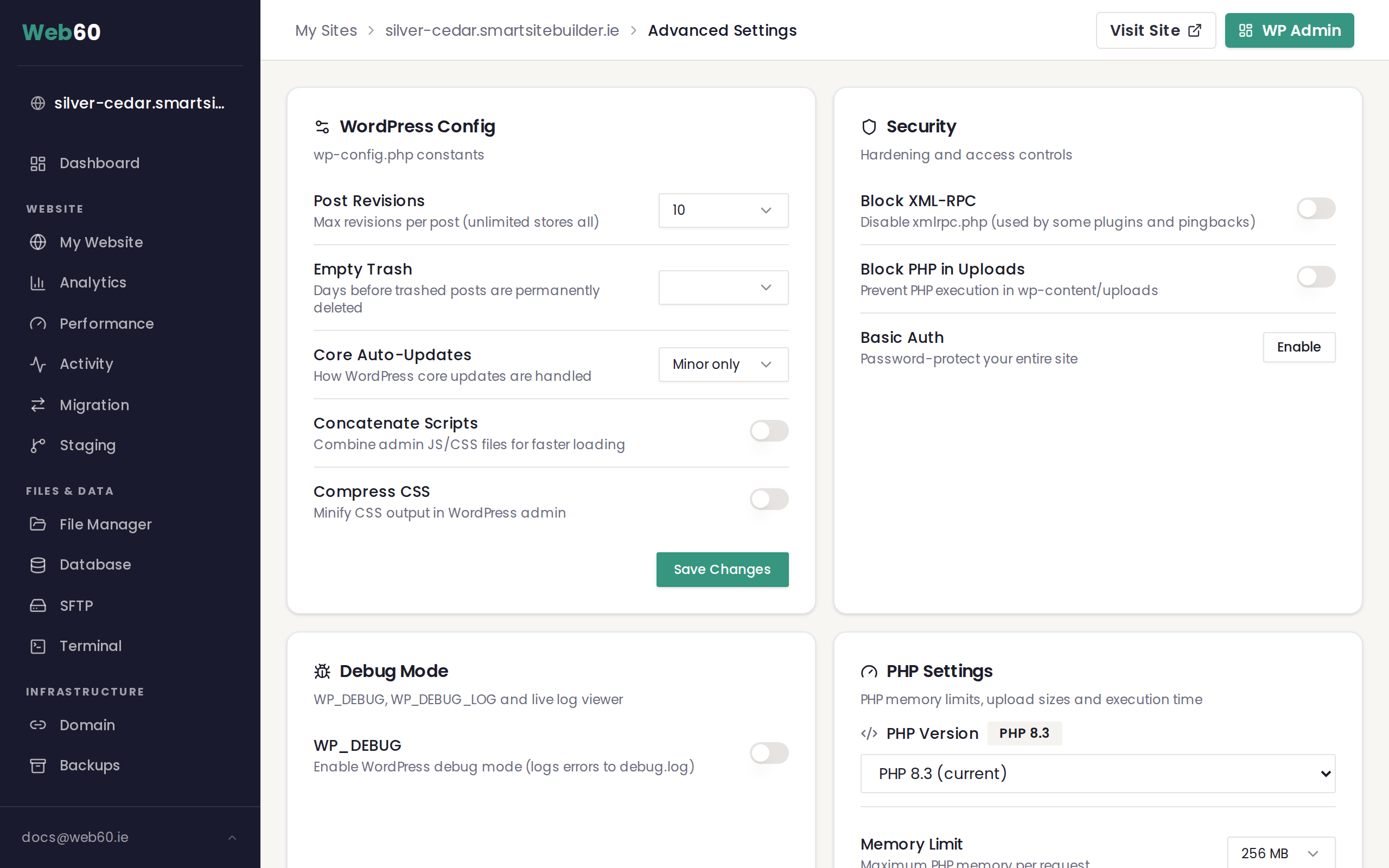
Platform-managed sites: If the toggle is replaced by a label reading "Blocked by platform", your hosting environment already blocks XML-RPC for you. Approved services like Jetpack are whitelisted automatically. No action is needed on your part.
What happens when it is blocked
- Visitors browsing your website see no difference at all.
- Your WordPress editor continues to work as normal.
- Any tool or script that tries to connect through XML-RPC receives a 403 (forbidden) error.
- If you later need XML-RPC for a specific tool, you can turn the toggle back off at any time.
For a full overview of all security options available in your dashboard, see How to protect your site with advanced security settings.
Need help?
Not sure whether your site relies on XML-RPC? Our team can check for you. Visit our support page to get in touch.
Frequently asked questions
What happens to my website visitors if I block XML-RPC?
Nothing changes for your visitors. XML-RPC is a background connection method used by external tools. Blocking it does not affect your website pages, your WordPress editor, or any visitor-facing features.
How do I know if something on my site uses XML-RPC?
The most common tool that relies on XML-RPC is Jetpack's remote management feature. Some older mobile apps and third-party backup services also use it. If you are not using any of these, it is safe to block. You can always enable the toggle and check whether anything stops working.
Can I unblock XML-RPC later if I need to?
Yes. The toggle in your Security card can be switched off at any time. If your site's XML-RPC is managed at the platform level, contact support and we can adjust it for you.
What does a 403 error on XML-RPC mean?
A 403 error means the request was blocked. When you enable the Block XML-RPC toggle, any tool or script trying to reach your site through XML-RPC will receive this error. This is the expected behaviour and confirms the block is working.
Last updated: 16 March 2026