

In Step 2, the AI suggests the best structure for your website based on your business description. Review the three questions and adjust if needed.
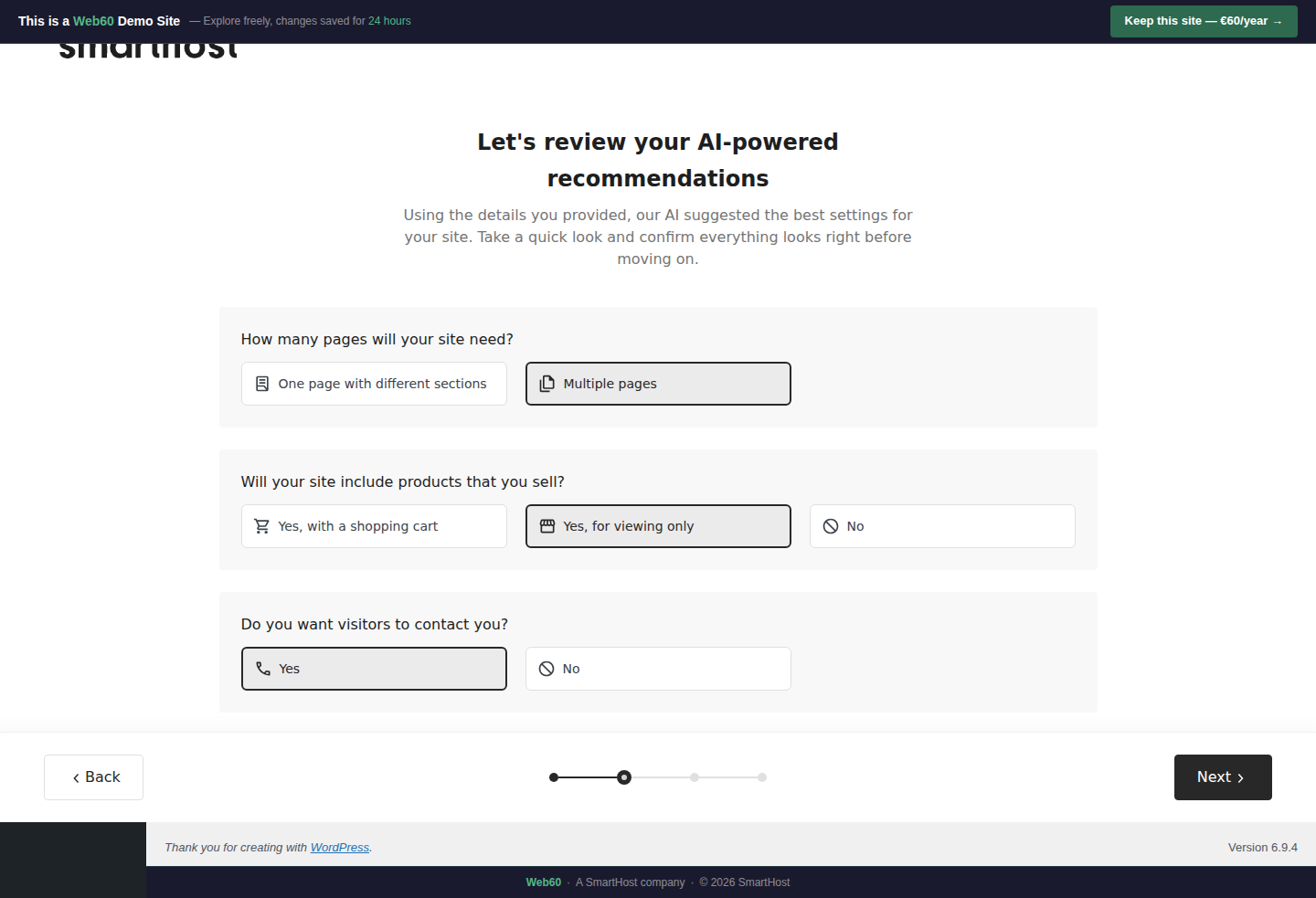
Question 1: How many pages will your site need?
Single page puts everything on one scrolling page. Best for very simple businesses, landing pages, or event sites.
Multiple pages creates separate pages for each topic. Best for most businesses. Gives better organisation, better search engine results, and a more professional structure.
For most Irish SMEs, choose Multiple pages.
Question 2: Will your site include products?
Yes, with a shopping cart gives you a full online shop where customers can browse, add to cart, and pay. Requires additional payment setup after the wizard.
Yes, for viewing only creates a catalogue. Customers can see what you offer but order by phone or in person. Good for florists, tradespeople, and restaurants.
No means no product section. Best for pure service businesses like solicitors, accountants, or consultants.
Question 3: Do you want visitors to contact you?
Yes adds a Contact page and a contact form on your homepage. Recommended for all businesses.
No means no contact form. You can add one manually later.
What happens next
A "Designing Your Options" spinner runs for about 22 seconds while the AI generates 6 unique design options for your business.
Frequently asked questions
Can I change these settings after the wizard?
The wizard settings can't be changed after generation, but you can manually add or remove features (like a contact form or product pages) afterwards.
What if I choose the wrong option?
You can start the wizard over and try different settings. Or you can make changes manually after the build.
Last updated: 19 March 2026