

There are three ways to sign in to your Web60 dashboard. Pick whichever suits you best, as they all get you to the same place.
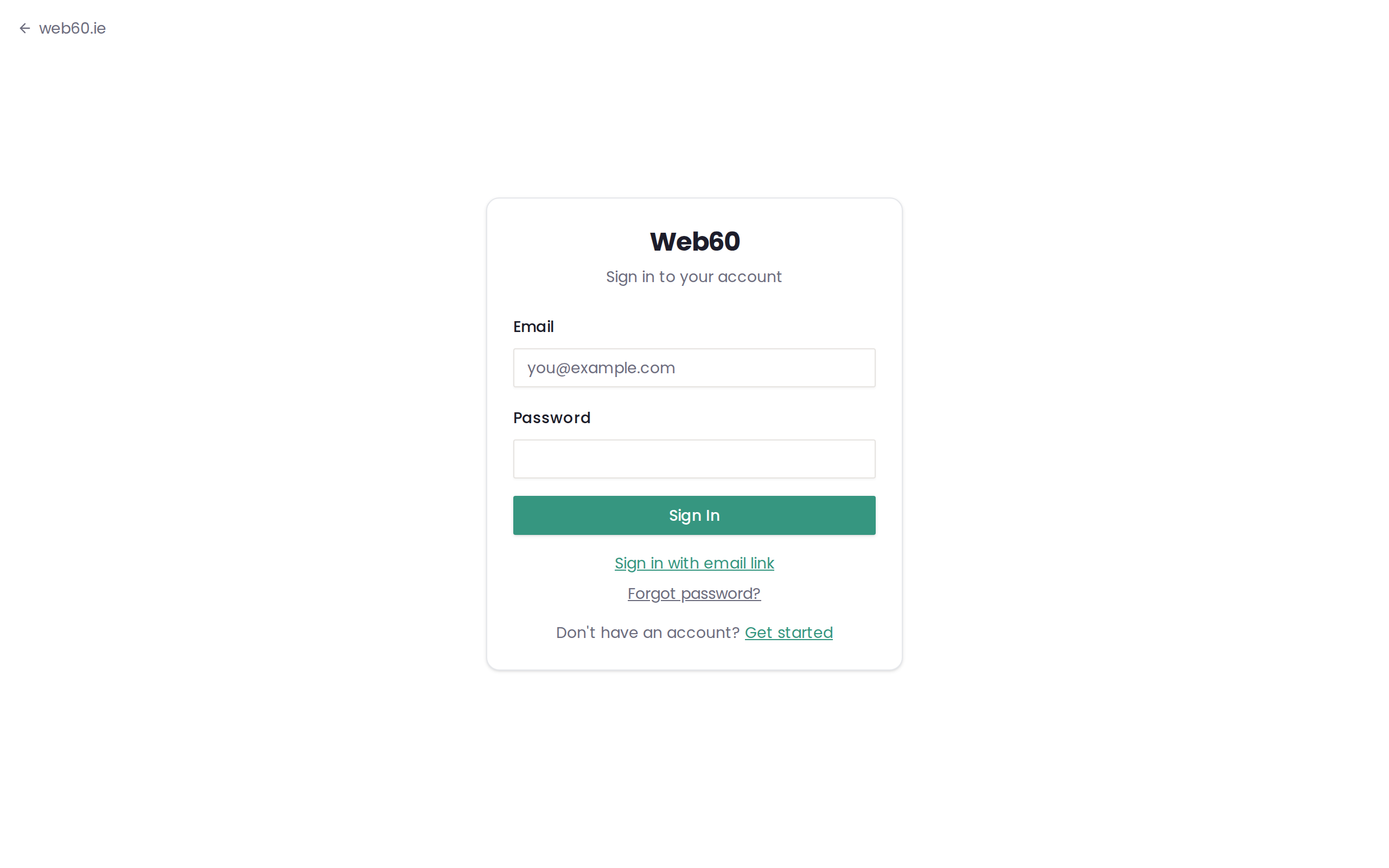
Option 1: Email and password
This is the most common way to sign in.
- Go to the sign-in page at app.web60.ie/login.
- Enter your email address in the email field.
- Enter your password in the password field.
- Click the "Sign In" button.
You will be taken straight to your Web60 dashboard, where you can manage your website.
Option 2: Magic link (recommended for beginners)
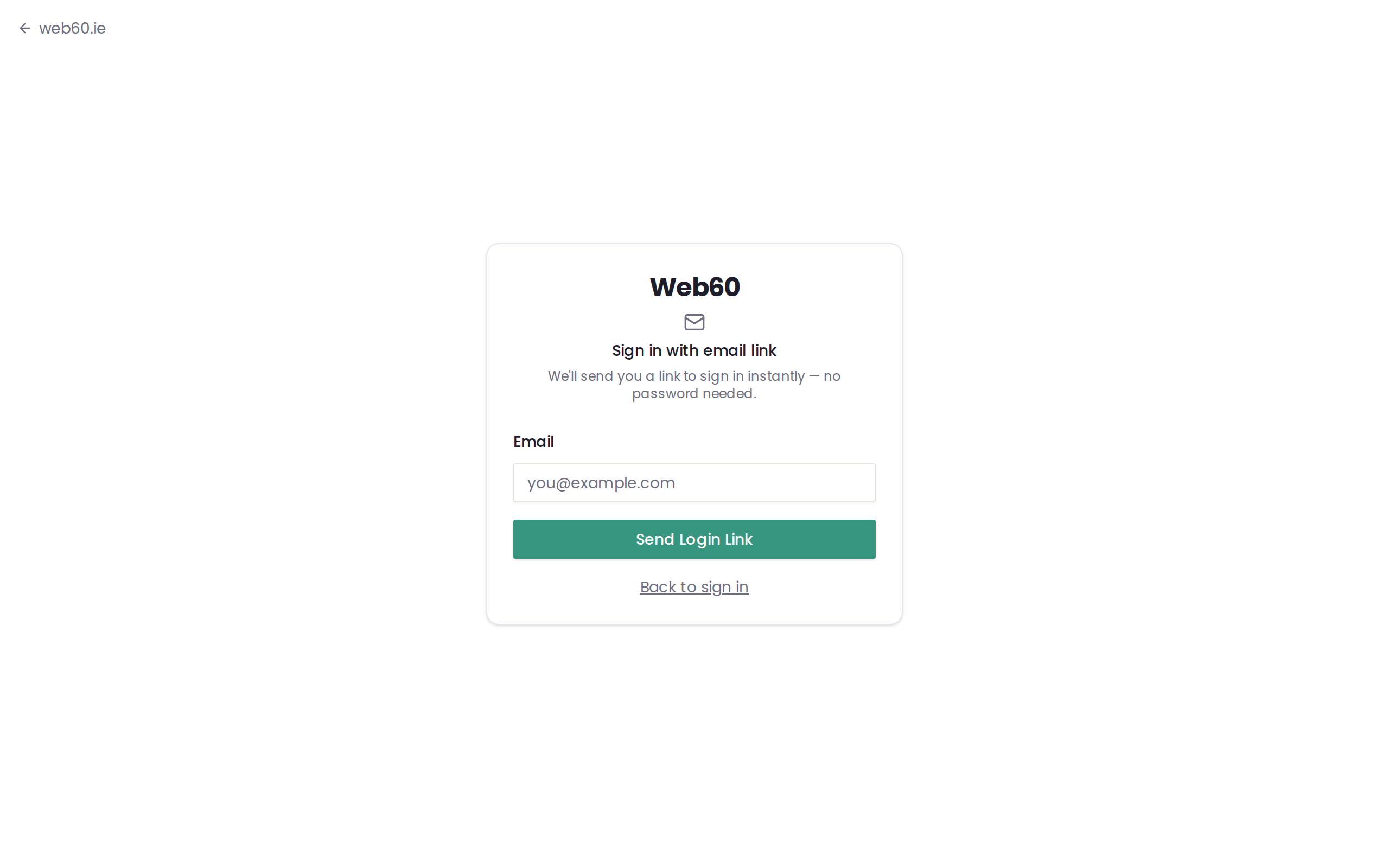
If you do not want to remember a password, the magic link option is the easiest way to sign in.
- Go to the sign-in page at app.web60.ie/login.
- Click "Sign in with email link."
- Enter your email address and click send.
- Check your email inbox. You will receive an email from Web60 with a special link.
- Click the link in the email. You will be signed in instantly, with no password needed.
The magic link expires after 15 minutes, so make sure to click it soon after it arrives. If it expires, simply go back to the sign-in page and request a new one.
Tip: If you do not see the email, check your spam or junk folder.
Option 3: Forgot your password
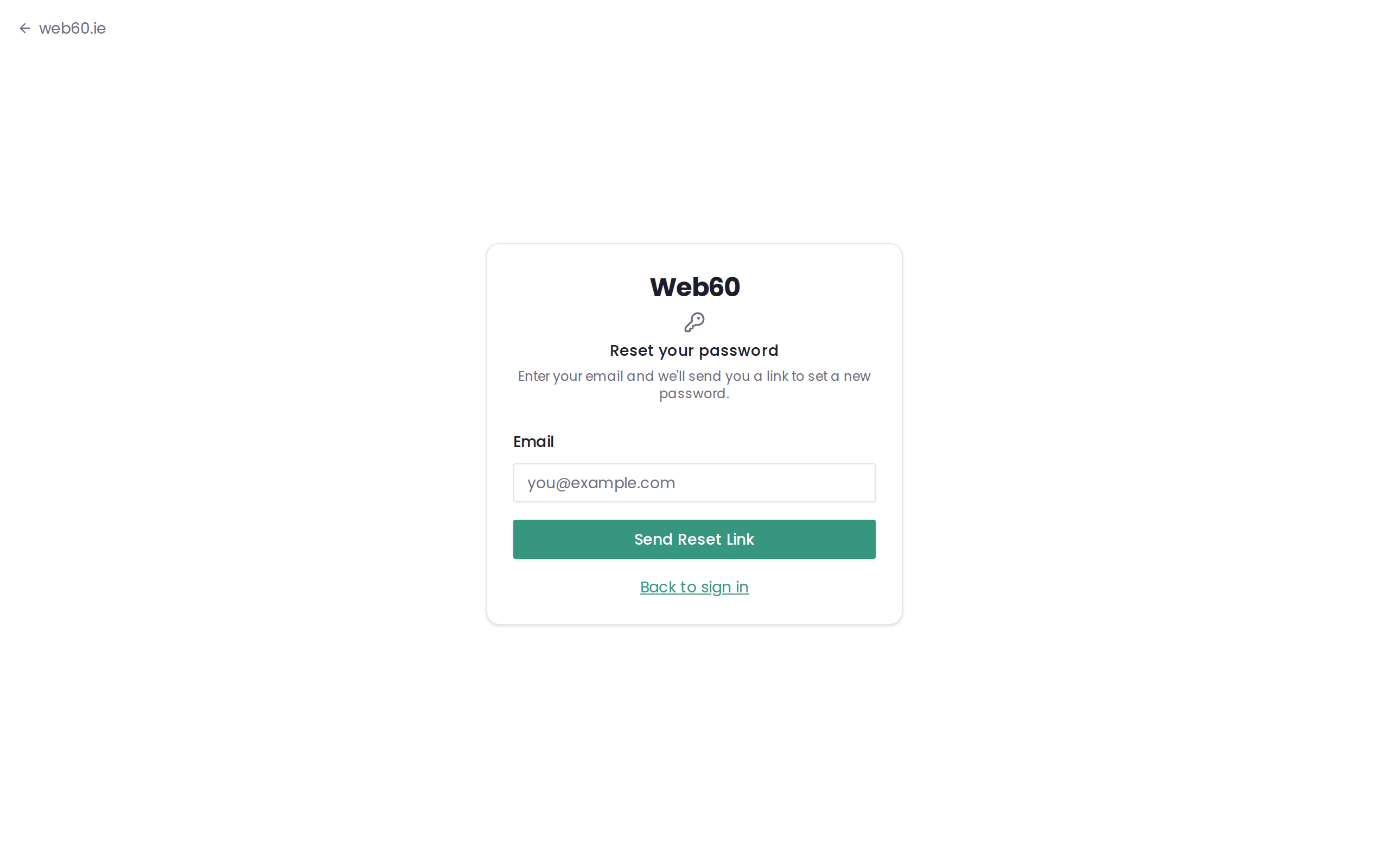
If you have forgotten your password, you can reset it in a few quick steps.
- Go to the sign-in page at app.web60.ie/login.
- Click "Forgot password?" You will find this link below the password field.
- Enter your email address and click send.
- Check your email inbox. You will receive an email with a link to reset your password.
- Click the reset link and choose a new password.
- Sign in using your new password.
Which method should I use?
- Magic link is the simplest option if you are not comfortable remembering passwords. Just enter your email and click the link that arrives.
- Email and password is fastest if you already know your password.
- Forgot password is there whenever you need it. You can reset your password as many times as you like.
Trouble signing in?
If none of these methods are working for you, read our troubleshooting guide for sign-in problems or visit our support page for direct help.
For information on updating your password, see our guide on changing your password.
Two-factor authentication (2FA)
If you have enabled two-factor authentication on your account, you will see an extra step after entering your password. You will be asked to enter a 6-digit code from your authenticator app (such as Google Authenticator or Authy).
Simply open the authenticator app on your phone, find the Web60 entry, and type in the code shown. The code changes every 30 seconds, so make sure you enter the current one.
If you do not have access to your authenticator app, you can use a recovery code instead. See our guide on recovery codes for more information.
To learn how to set up 2FA on your account, see How to set up two-factor authentication.
Need help?
If you are having any difficulty signing in, visit our support page and we will get you back into your account.
Frequently asked questions
What is a magic link?
A magic link is a special link sent to your email. Click it and you're logged in instantly, with no password needed.
I forgot my password. What do I do?
On the sign-in page, click 'Forgot password?' and enter your email. You'll receive a link to set a new password.
Can I sign in from my phone?
Yes. Open your phone's browser and go to app.web60.ie. The sign in page works the same way on phones, tablets, and computers.
Last updated: 15 March 2026