

The Web60 AI Site Builder creates a set of pages based on the information you provide during setup. The exact pages depend on your answers, but here are the most common ones.
Typical pages created
- Home: your main landing page with hero section, content sections, and (optionally) a contact form
- About: information about your business, your story, and your team
- Services: an overview of what you offer
- Contact: a dedicated contact page, often with a form, your address, and a map placeholder
- Gallery: a photo gallery page (if relevant to your business type)
- FAQ: frequently asked questions about your business
- Pricing: your products or services with pricing (if you indicated pricing during setup)
How to see your pages
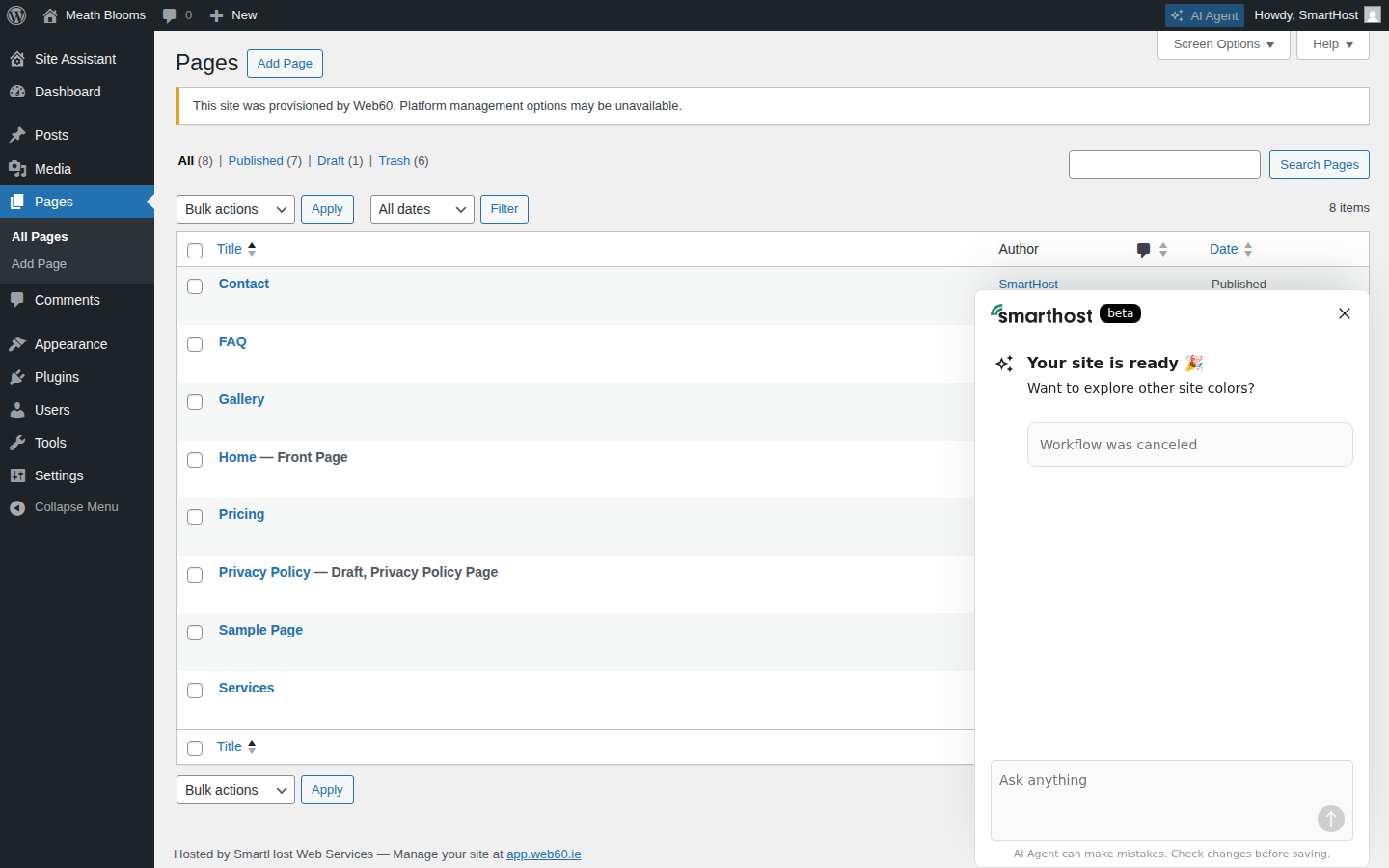
- Open your WordPress editor from the My Website page in your Web60 dashboard.
- Click Pages in the left sidebar.
- You will see a list of all pages on your site.
What to do next
- Edit pages to add your own content. See editing text.
- Add new pages if you need more. See adding pages.
- Delete pages you do not need. See deleting a page.
- Rearrange your menu to control the order pages appear in your navigation
Frequently asked questions
Can I delete pages I do not need?
Yes. Go to Pages in the WordPress dashboard, hover over the page you want to remove, and click Trash. See our guide on deleting a page.
Can I add more pages later?
Yes. You can add as many pages as you like. See our guide on adding pages.
Last updated: 19 March 2026